QUICK ANSWER
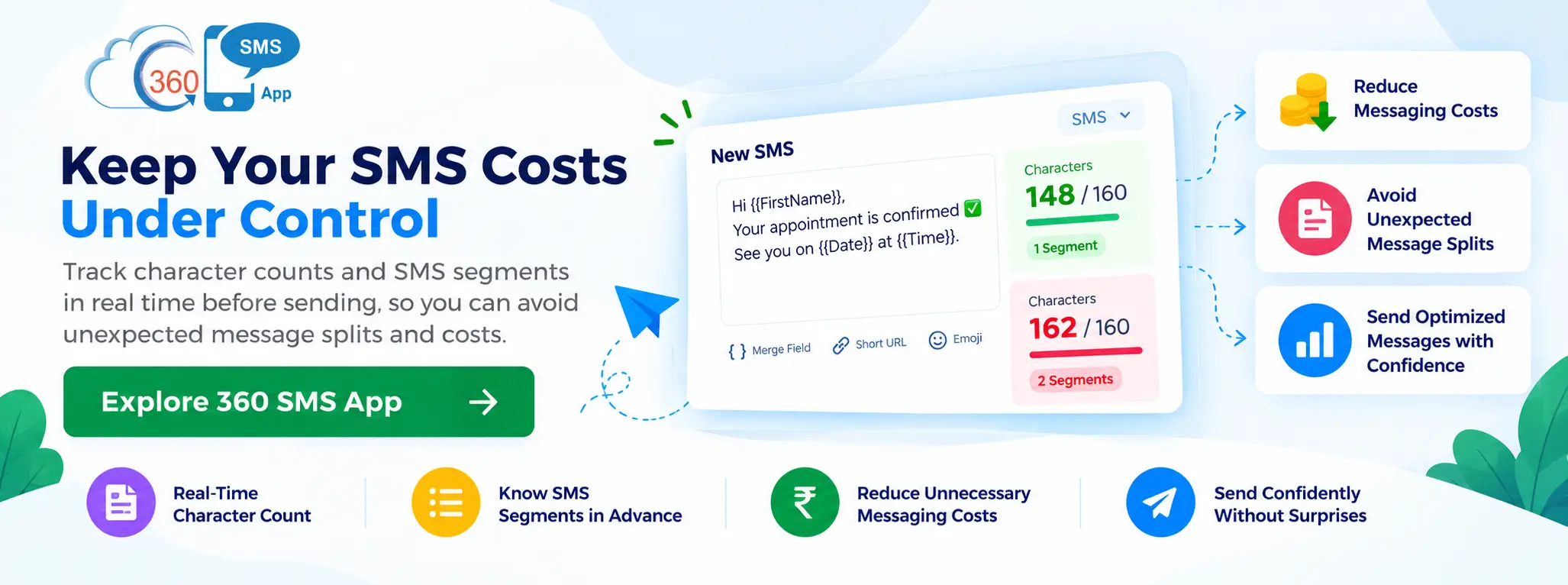
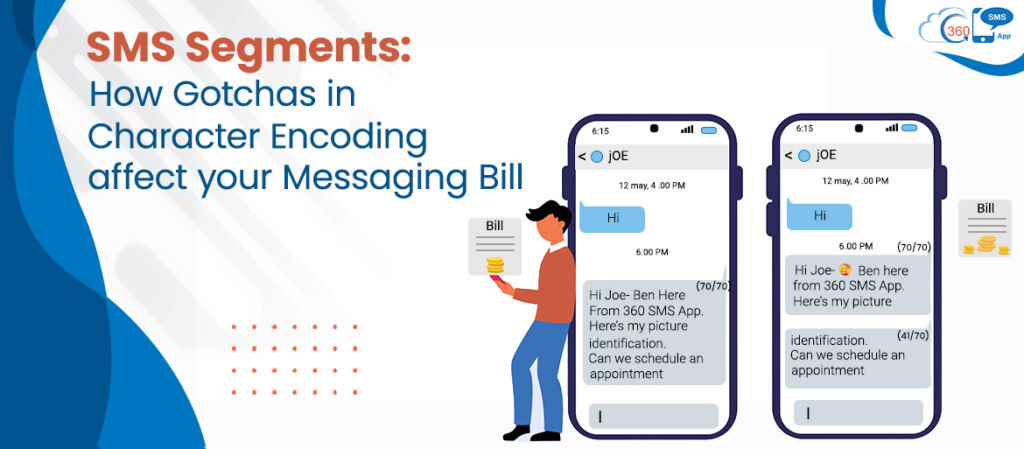
An SMS segment is the billing unit carriers use for text messages. A standard SMS supports 160 characters under GSM-7 encoding. Once a message exceeds that limit — or a single emoji, accented character, or curly quote forces a switch to Unicode — the per-segment capacity drops to 70 characters and your message splits into multiple charged units. The encoding type determines segment size. The segment count determines your bill.
Most Salesforce Admins checking a messaging bill assume the cost driver is volume — send more, pay more. That assumption is correct, but incomplete. The more expensive variable isn’t how many messages you send. It’s how many SMS segments each message produces, and encoding controls that number silently, at the character level, before anything reaches a carrier.
Understanding 360 SMS App‘s behaviour when a message switches encoding modes — and how that interacts with Salesforce template data — is the difference between a campaign that costs what you expected and one that costs double it. If you’re still evaluating how bulk sms in salesforce gets priced and billed, this post covers the technical layer most guides skip entirely.
The Myth: Longer Messages Cost More
Here’s where most people get this wrong. Length does matter — but only within a given encoding type. The assumption that a 200-character message costs twice as much as a 100-character message isn’t just oversimplified. It misses the entire mechanism.
The actual cost driver is which encoding the carrier applied to that message. Two encoding standards handle almost every business SMS sent today. GSM-7 — the default — covers the standard Latin alphabet, digits, and a defined set of punctuation. It’s efficient. A single SMS under GSM-7 carries 160 characters and uses one segment. A multi-part message splits at 153 characters per segment (the remaining bits carry reassembly headers), but it’s still cost-controlled.
Unicode — specifically UCS-2 — exists for everything outside that GSM-7 character set. Emoji. Arabic. Chinese. Accented vowels. Curly quotes. A single segment in Unicode carries only 70 characters. For multi-part Unicode messages, that drops to 67 characters per part. One emoji in a 160-character message means the whole thing just moved to Unicode, split into three segments, and you’re billed for three sends per recipient.
The message didn’t get three times longer. The encoding flipped.
What Is SMS Segmentation, Really
Okay, real talk — “SMS segmentation” means two different things depending on who’s using the phrase, and conflating them is a genuine operational mistake. In marketing strategy, SMS segmentation means dividing your contact list by behaviour, demographics, or lifecycle stage. That’s audience segmentation. In carrier billing, SMS segmentation means the process of splitting a single text message into multiple data packets — called segments — because the message exceeded the character capacity of one packet. That’s message segmentation. This article is about the second kind, because it’s the one that shows up on your invoice.
A single SMS segment is the smallest billable unit. When 360 SMS App sends a message from Salesforce, each segment is logged and billed as a discrete send. Your per-credit cost stays fixed — but if a 200-character template is consistently producing three segments per send, a campaign to 10,000 contacts is burning 30,000 credits, not 20,000. That mismatch is where budget overruns come from, and it’s invisible in most flat billing reports.
The character counts that determine segment boundaries are fixed by the GSM standard — they don’t vary by provider or carrier. What does vary is whether your message composer, your template content, or your CRM merge fields are silently pushing messages into Unicode.
How 7-Bit Sequences Work (and Why 1,120 Bits Gets Mentioned)
The “7-bit” in GSM-7 is literal. Each character in the standard GSM alphabet is stored using 7 binary bits. A standard SMS payload is 1,120 bits — 140 bytes — in total. Divide 1,120 by 7 and you get exactly 160. That’s where the 160-character limit comes from: it’s a pure function of how many 7-bit characters fit into the standard packet size.
Unicode characters use 16 bits each instead of 7. Same 1,120-bit payload, divided by 16 — you get 70 characters. The math is blunt and the consequence is unavoidable: any message containing a Unicode character is constrained to 70 characters per segment regardless of how simple the rest of the text is. This is why the “how many 7-bit sequences can fit into 1,120 bits?” question matters practically for every admin writing automated message templates. The answer is 160 — and every character in your template that falls outside GSM-7 costs you those extra slots.
The Characters That Flip Encoding Without Warning
This is the section worth printing out and pinning to your screen. The most common encoding triggers in business SMS templates aren’t exotic — they’re mundane characters that look fine in a Word document or email but sit outside GSM-7.
Smart quotes — the curly “ and ” — aren’t in GSM-7. Paste from a document editor or an AI assistant and there’s a reasonable chance you’re getting the typographic version. The straight ” is GSM-7 safe. The curly version isn’t. Accented characters — é, ü, ñ, ø — exist in GSM-7 as extended characters, but each one uses 14 bits instead of 7, eating two character slots. A message with four accented characters is already 8 characters shorter than it looks in terms of encoding capacity.
Emojis are full Unicode and add a multiplier that’s hard to ignore. A single thumbs-up in a 100-character message that was previously one segment now produces a two-segment Unicode message. Add a second emoji and you’ve likely crossed into three. Invisible characters — zero-width spaces, special line breaks copied from other platforms — can flip encoding with no visible sign in the template editor. These are the genuinely difficult ones because nothing looks wrong until the billing report arrives.
360 SMS App handles templates inside Salesforce natively, which means template content passes through the same Salesforce text editor environment where these characters get introduced by copy-paste. The real risk isn’t the template written from scratch — it’s the one someone edited by pasting a message from Slack or a draft from Google Docs.
Where Merge Fields Create Hidden Segments
Template creators test their messages and see 140 characters — well under the 160-character limit. Then the campaign fires and bills 50% more than expected. The culprit is almost always merge field expansion, not the template itself.
A simple template like Hi {!FirstName}, your appointment is confirmed for {!AppointmentDate__c} might look short. But if FirstName resolves to “María” — with an accented vowel — that’s an extended character consuming two GSM-7 slots. If the carrier can’t find a safe GSM-7 mapping, the entire message switches to Unicode. And if the appointment date field resolves to “Wednesday, 14 April 2026” — that’s 23 characters from one field alone, potentially pushing a borderline message over a segment boundary.
In a campaign to 8,000 contacts, if 15% have names or field values that push messages into Unicode, that’s 1,200 contacts each receiving 2–3 segments where you budgeted for 1. The overage is silent in most SMS reports unless you’re logging segment counts per record — which 360 SMS App supports natively through its Salesforce message log on the activity record.
Want to Audit Your SMS Templates for Encoding Issues Before Your Next Campaign?
Template preview, merge-field resolution, native message logs — see how segment auditing works inside your Salesforce org.
SALESFORCE NATIVE · NO-CODE SETUP
Reading Your Billing Report the Right Way
Most SMS billing reports show credit usage as a flat number. They don’t break down why. An admin who sent 10,000 messages and sees 23,000 credits consumed doesn’t immediately know whether that’s 3 segment-heavy templates, 2,300 Unicode conversions, or a pattern spread across one specific campaign.
The discipline worth building is this: after any new template campaign, pull the message logs from Salesforce activity records and sample a cross-section of records where credit consumption is higher than expected. Look for shared patterns — name characters, field values, or geographic data that might carry special characters. If you’re using 360 SMS App’s salesforce texting workflows to send at scale, the message log on each CRM record includes delivery status — pairing that with a credit consumption report by template gives you an accurate picture of which templates are running over budget, rather than finding out at invoice time.
For large-volume operations — particularly drip sequences running across several weeks — a segment count audit before launch isn’t overkill. It’s the thing that prevents the “why is this campaign 40% over budget” conversation from happening mid-flight.
What GSM-7 Safe Template Design Actually Looks Like
You don’t need to be a character encoding specialist to write templates that stay in GSM-7. You need three habits. First, write templates directly in the Salesforce template editor rather than composing elsewhere and pasting in. If you must paste, paste as plain text, then check the characters manually.
Second, test your merge field combinations before sending at volume. The Salesforce message preview in 360 SMS App shows the resolved template — check the character count on a sample of contacts that includes names with accented characters, longer field values, or non-Latin data. Third, keep a GSM-7 character reference accessible. The standard set includes A–Z, 0–9, and common symbols like @, $, %, and & — but excludes characters that look similar, like curly quotes, en-dashes, and smart apostrophes. When in doubt, substitute.
For templates that genuinely need Unicode — messaging with accented names in languages that require them, or customer-service flows where emoji communicate tone — the fix isn’t to avoid Unicode. The fix is to account for the segment cost in your credit budget before the campaign fires, and to keep those templates short enough that segment count stays at two or fewer. The salesforce sms best practices for template design address this at a broader level, but segment optimisation is the piece most admins skip until it bites them.
Two Encoding Traps That Show Up in Automated Flows
Automated messages are the highest-risk category for unplanned segment costs — not because the messages are longer, but because they run at volume before anyone notices a problem.
The first trap is the emoji confirmation. A Flow trigger fires an SMS when a case closes, and someone added a ✅ to make it feel friendly. Good intention, real cost. That emoji pushed every confirmation in that Flow to Unicode — minimum two segments. At 500 cases a week, the credit burn doubles on that message alone. The emoji isn’t wrong; it just needs to be budgeted for before the Flow activates.
The second trap is the dynamic field that pushes a message over the segment boundary by a handful of characters. A message at 161 characters — one over the GSM-7 limit — splits into two segments where the second carries a single character. You’re paying for two segments to deliver one character. Adding a two-way sms automation layer makes this even more visible when reply rates drop — contacts receiving fragmented messages often see them reassembled in the wrong order or dropped by the carrier entirely. The fix for both traps is a pre-send template audit using 360 SMS App’s preview function: resolve the template against a sample record, confirm the character count, verify the encoding before the campaign schedules or the Flow activates.
Compliance and Carrier Considerations
The connection between encoding and compliance isn’t obvious until you think it through. Opt-out instructions — “Reply STOP to unsubscribe” — add characters to every message. A template that hits exactly 160 characters without the opt-out footer becomes a two-segment message once the footer is added. That margin matters at scale, because every contact in the send gets the extra segment whether they read the message or not.
Under TCPA and 10DLC guidelines, the opt-out language must be present in marketing messages. That’s non-negotiable. The design decision is: build templates that leave 30–35 characters of space for the opt-out string and keep the actual message content within that room. The text message compliance for opt-in and opt-out guidance covers the regulatory side in detail — but the encoding impact is the operational layer that needs to sit alongside it in every template design session.
360 SMS App handles opt-out logic natively through Salesforce — STOP responses are captured on the record and the contact is removed from future sends automatically. The footer adds characters. That part is on the template designer to account for before launch, not after.
Book a Walkthrough of SMS Template Preview Inside Your Salesforce Org
A 360 SMS App specialist will show you exactly where encoding issues surface — before they reach your billing report.
TEMPLATE PREVIEW · SALESFORCE NATIVE
FINAL THOUGHTS
Segment costs compound quietly. A 10% overage per campaign looks manageable on one send — across a 12-month automation programme sending weekly, it becomes a meaningful budget gap that never gets traced back to a curly quote pasted into a template in January. The admins who stay on top of this aren’t doing anything complicated: they test templates against real records before campaigns launch, keep a short list of characters to avoid, and check the billing report once after any new template goes live. 360 SMS App gives them the tools to do that inside Salesforce — message logs on activity records, template preview with resolved merge fields, and native opt-out handling that makes the footer character count predictable. The encoding knowledge is the part that has to come from you. Once you have it, the rest of the audit takes minutes.