
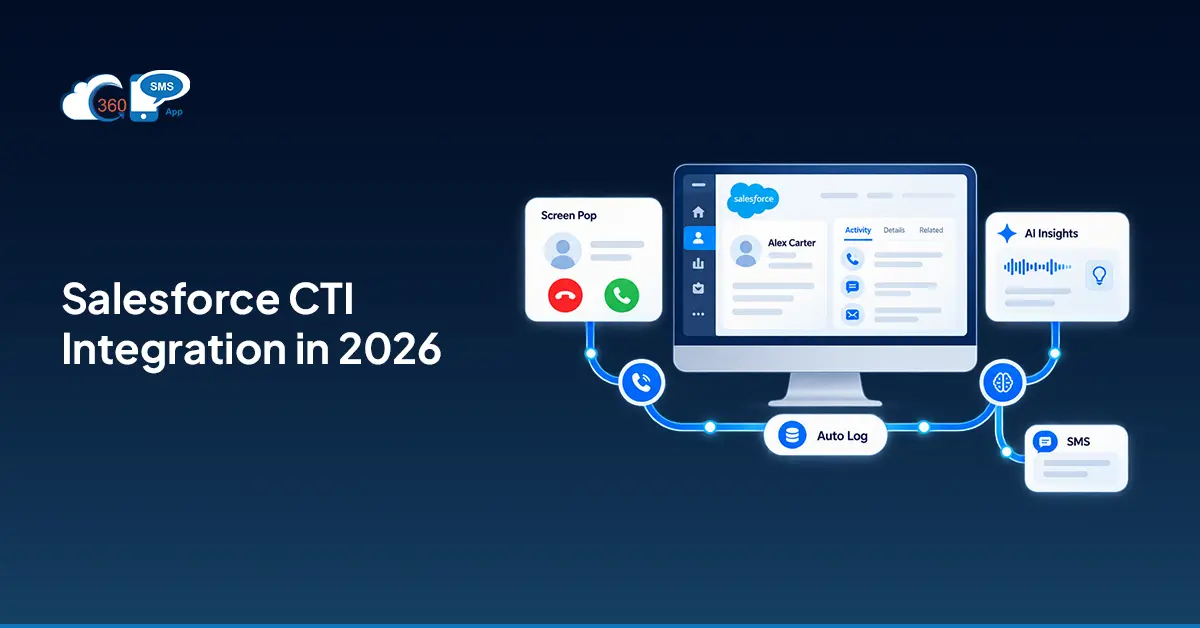

Salesforce CTI integration 2026 closes that gap. Computer Telephony Integration pulls your phone system into Salesforce so the record opens before the agent says hello, the call logs when it ends, and dialing is one click from any phone field. What’s different in 2026: AI transcription and live sentiment scoring are now standard expectations, not premium add-ons. And AI Voice Agents that handle both inbound and outbound calls, no human required, are live right now. This guide covers Salesforce CTI: how it works, which apps are worth your time, and how the setup actually goes.
What’s Actually Happening Under the Hood
Most people understand CTI in concept. A phone call connects to a Salesforce record. What’s less obvious is how.
When a call arrives, the CTI adapter intercepts it and fires the caller’s number to the Salesforce API. Salesforce looks for a match across contacts, leads, and accounts. Found one? A screen pop lands on the agent’s screen: name, company, open cases, last interaction. Before they pick up. The whole sequence: under two seconds. Missed the match? The system still captures the inbound number and can create a new lead automatically.
Outbound works the opposite direction. Agent clicks a phone field. CTI dials it. No copy-pasting numbers into a separate app.
360 CTI runs on this model natively inside Salesforce. No external API configuration, no middleware layer sitting between the call and your CRM. Everything lands directly in Salesforce objects.
Two frameworks handle Salesforce CTI: how it works at the platform level. Salesforce Open CTI is the browser-based approach: a softphone widget inside Lightning, powered by a third-party telephony provider. Most AppExchange CTI apps, including 360 CTI, run on this framework. Salesforce Service Cloud Voice is Salesforce’s own product: Amazon Connect telephony baked into Service Cloud, with Einstein AI on top.

Open CTI vs. Service Cloud Voice: An Honest Look
Here’s where teams usually get confused. Service Cloud Voice sounds like the obvious native choice. In practice, it’s the right fit for a specific kind of org. Not the majority of them.
Salesforce Open CTI lets you connect almost any phone provider to Salesforce. The softphone widget lives in the Lightning sidebar. Your provider supplies the adapter. Salesforce provides the framework. Setup is moderate. Cost varies by provider. And if you pick a capable app, you get Power Dialing, multi-level IVR built inside Salesforce (not Amazon Connect), skill-based routing, and AI features, all without an enterprise contract.
Salesforce Service Cloud Voice 2026 bundles Amazon Connect telephony into Service Cloud with Einstein transcription and Next Best Action. Genuinely powerful. Also genuinely expensive. You’re paying Salesforce licensing and Amazon Connect separately. IVR flows are configured inside Amazon Connect, not Salesforce Setup. That’s a meaningful operational difference for teams who want everything in one place.
| Factor | Open CTI | Service Cloud Voice 2026 |
| Cost | Varies by provider | Salesforce + Amazon Connect licensing |
| Setup complexity | Moderate | High |
| IVR builder | Inside Salesforce (360 CTI) | Amazon Connect |
| AI features | Transcription, sentiment, AI Voice Agent | Einstein AI |
| Best for | Mid-market, flexible teams | Enterprise Service Cloud orgs |
| Call data storage | Native Salesforce objects | Native Salesforce |
To be fair, Service Cloud Voice makes sense if your org is deeply invested in Service Cloud and needs Einstein Next Best Action woven into every call. Most teams aren’t there. Most teams want calls logged, routed, transcribed, and tied to records. Open CTI handles that at a fraction of the price.
The Features That Actually Move the Needle
Not CTI features in general. Specifically the ones that change how agents work day to day.
Screen pop is the obvious one. Record opens before the agent speaks: name, company, open case, last call. That context doesn’t just save time. It changes the quality of the first five seconds of every call.
Click-to-dial from any Salesforce phone field. Stack it with a Power Dialer for outbound lists and the productivity math gets interesting fast.
Automatic call logging writes duration, outcome, recording, and notes to Activity History when the call ends. No agent input. In practice, this is where most of the manual work disappears.
360 CTI’s Power Dialer runs through a Salesforce ListView call list automatically. Agents can break, skip, or pause between calls. High-volume outbound teams run entire campaigns without leaving Salesforce.
AI transcription and sentiment analysis capture every word, flag tone, and surface key moments. The transcript and summary appear on the record immediately after the call ends. Managers stop listening to random recordings and start coaching from actual data.
AI Voice Agent handles calls without a human agent. Leads get qualified, prospects contacted, demos booked. It supports transcription and sentiment in 50+ languages. For some teams, that’s a staffing decision.
Top 5 Salesforce CTI Apps in 2026
The best Salesforce CTI apps in 2026 split by use case. Here’s the honest breakdown.
| App | Deployment | Key Strength |
| 360 CTI | Salesforce-native, no middleware | AI Voice Agent + SMS natively in Salesforce |
| Aircall | Cloud-based | Easy setup, solid analytics |
| RingCentral for Salesforce | Cloud | Global telephony, enterprise scale |
| Five9 | Cloud CCaaS | Contact center AI, deep routing |
| NICE CXone | Cloud CCaaS | Large contact center operations |
That’s the thing. 360 CTI is the only one in that list built exclusively as a Salesforce-native app. Call data doesn’t pass through an external system and sync back later. It writes to Salesforce objects during the call. For compliance reporting or pipeline analytics, that’s not a minor distinction.
Among the best Salesforce CTI apps 2026, it’s also the only option that combines voice and SMS natively in the same org. One Activity History. No separate tool to reconcile.

Setting It Up: What the Process Actually Looks Like
Salesforce computer telephony integration setup for an Open CTI app isn’t complicated. Five steps.
Step 1: Pick your telephony provider. Confirm it supports Salesforce Open CTI and installs as a managed package on AppExchange. Skip anything requiring external API keys or middleware.
Step 2: Install from AppExchange. For 360 CTI, this takes 5–10 minutes. No coding.
Step 3: Set up your softphone layout. Setup → Call Centers → Softphone Layouts. Assign to user profiles that need calling access.
Step 4: Map call fields to Salesforce objects. Decide what logs where: Activity History, Lead, Contact, Case, Opportunity. For 360 CTI, field mapping stays entirely inside Salesforce.
Step 5: Walk agents through the widget. Show them the call list, how the Power Dialer moves through records, where transcripts appear. Worth saying: setup is rarely where implementations stall. Adoption is. A 20-minute walkthrough on day one prevents weeks of half-used features.
CTI and SMS Together: Where the Real Coverage Comes From
CTI and SMS in Salesforce sounds like two products sharing a platform. In practice, it’s a genuinely different operating model for contact center teams.
Call goes to voicemail? Automated SMS fires from the same Salesforce record, same workflow trigger. Customer doesn’t pick up after three attempts? They move into an SMS follow-up sequence automatically. No manual handoff. No agent remembering to switch channels. The record tracks every touch in one Activity History timeline: call, SMS, AI Voice Agent interaction.
360 CTI and 360 SMS run natively inside the same org. Which means agents aren’t toggling between a phone tab and a messaging tab. Managers aren’t pulling reports from two systems and reconciling them on a spreadsheet. CTI and SMS in Salesforce under one roof is a real operational difference. Not a pitch.
Final Thoughts on Salesforce CTI Integration 2026
Salesforce CTI integration 2026 is mostly a solved problem at this point. The core loop (call arrives, record opens, agent talks, call logs) has been reliable for years.
What’s shifted is the AI layer. Transcription and sentiment scoring that used to be optional add-ons are now table stakes. AI Voice Agents running inbound qualification 24 hours a day without headcount are live and in production at real companies. 360 CTI brings all of that inside Salesforce with no middleware and no separate system to maintain.
If your agents are still logging calls by hand or flipping between a phone app and Salesforce mid-call, the gap isn’t just inefficiency. It’s incomplete data. Incomplete pipeline visibility. Incomplete coaching. A CTI implementation pays for itself fast. Not because it’s impressive technology. Because manual call logging is genuinely that expensive.
| Ready to bring calling, AI, and SMS into one Salesforce workspace? | Talk to an Expert |