



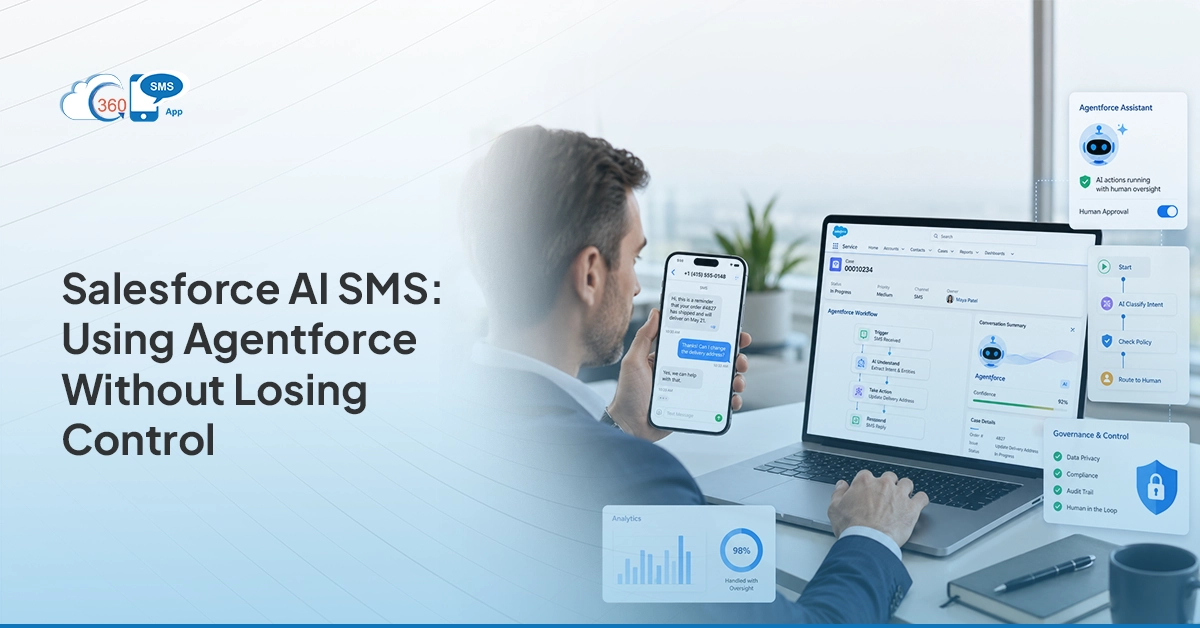

The promise of Agentforce is real: an AI agent that works inside Salesforce, reads your data, and takes action without waiting for a human to press a button. For sales and service teams already drowning in follow-ups, that sounds like a relief. For compliance teams and cautious admins, it sounds like a liability.
Both reactions are reasonable. Autonomous SMS Salesforce teams deploy without proper guardrails can absolutely go wrong — wrong message, wrong timing, wrong recipient. But with the right setup, Agentforce SMS isn’t a risk to manage. It’s a precision tool that fires the right message at exactly the moment a human would have missed it.
This blog is for the teams who want efficiency without handing over the wheel entirely. Here’s how Agentforce and 360 SMS App work together, where the guardrails live, and what compliance actually requires when AI is doing the triggering.
1. What Agentforce Actually Does in a Messaging Workflow (and What It Doesn’t)
Agentforce is Salesforce’s AI agent layer. It can read CRM data, reason about it, and take action — including triggering SMS messages without a human initiating each step. That’s the version that makes people nervous. The reality is more structured than it sounds.
Agentforce doesn’t operate on instinct. It works within a defined topic scope and set of permitted actions that an admin configures in advance. It can only do what it’s been explicitly allowed to do. If you haven’t configured it to send a message in a specific scenario, it won’t. The agent is opinionated within the lanes you draw, not outside them.
What it does well in a messaging workflow: it detects conditions — a case status change, a lead score crossing a threshold, an opportunity sitting idle past a defined period — and fires an action in response. Without Salesforce AI SMS automation, that action would wait for a rep to notice the condition and remember to follow up. With it, the message goes out the moment the condition is met.
What it doesn’t do: it doesn’t replace judgment on complex or sensitive situations. It doesn’t write new message content on the fly without direction. And it doesn’t override the consent and opt-out rules already built into your SMS tool. Agentforce is fast and consistent. It’s not autonomous in the sense that it acts without boundaries.
2. Three Real Scenarios Where AI-Triggered SMS Changes the Outcome
Abstract capability is hard to evaluate. These three scenarios show that where AI-triggered SMS Salesforce teams actually deploy makes a measurable difference.
AI-Led Multichannel Drip Campaigns: A renewal is 30 days out and the account has gone quiet. Instead of a rep manually deciding what to send and when, an AI-designed drip takes over — building the sequence based on past engagement patterns, message performance, and customer behavior for that segment. It recommends the right timing, the right channel mix (SMS one day, email the next, WhatsApp if that’s where the contact has been responsive), and the right content at each step. When Marketing Cloud is part of that outreach stack, SFMC WhatsApp integration helps give WhatsApp a defined role in campaign sequences instead of leaving it as a disconnected follow-up channel. The sequence gets approved and goes live. Every renewal in that segment gets the same intelligent treatment, without anyone building it from scratch each time.
AI Chatbots Handling the First Conversation: A prospect reaches out at 10 PM with questions about pricing and availability. No rep is online. An AI chatbot picks up the conversation over SMS, handles the FAQs, qualifies the lead, and schedules a callback — all without human involvement. By the time a rep starts their morning, the lead is warm, the record is updated, and the next step is already set. The prospect didn’t wait until business hours to get a response. The rep didn’t lose a lead to a competitor who responded faster.
AI-Suggested Replies in One-on-One Conversations: A rep is handling twelve active SMS threads simultaneously. A prospect replies with a nuanced objection mid-sequence. Instead of the rep pausing to craft a response from scratch, an AI-suggested reply surfaces instantly — pulled from the context of that specific conversation. The rep reviews it, adjusts if needed, and sends within seconds. The response is faster, more consistent, and grounded in what’s actually been said in that thread rather than whatever the rep can recall under pressure.


3. The Admin Guardrails That Prevent Autonomous Messaging from Going Wrong
The concern with autonomous SMS Salesforce admins raises most often isn’t “what if it sends too many messages.” It’s “what if it sends the wrong message to the wrong person at the wrong time.” That’s a fair concern. And it’s exactly what guardrails are designed to prevent.
There are three layers of control worth understanding:
- Agentforce topic and action scope: Every Agentforce agent operates within a defined topic — the situations it’s permitted to handle — and a list of permitted actions. Sending an SMS is an action you explicitly enable for specific scenarios. The agent can’t decide to start texting contacts in situations outside its configured scope.
- 360 SMS drip exit conditions: When a contact replies, opts out, or reaches a terminal CRM state, 360 SMS stops the sequence automatically. You can also configure the drip to abort the current sequence and jump to the next one based on a reply keyword. The AI doesn’t keep pushing after the conversation has shifted.
- AI Compliance monitoring: 360 SMS AI monitors outgoing messages in real time, flags compliance risks, and tracks patterns that could indicate problematic messaging behaviour — spam frequency, opt-out rate spikes, or messages hitting contacts who shouldn’t be receiving them. It’s a continuous check, not a one-time audit.
The template quality scoring adds another practical layer. Before any message template is approved for use in an automated sequence, AI scores it for clarity, compliance, engagement, and structure. A message that’s ambiguous, overly promotional, or structurally weak gets flagged before it ever reaches a contact. You’re not relying on a rep’s gut check on message quality at 11 PM when the campaign is being set up.
Combined, these guardrails mean the system moves fast inside defined boundaries — and stops itself when something falls outside them.
4. Setting Up 360 SMS App for AI-Driven Messaging in Salesforce
The setup is more straightforward than most teams expect. 360 SMS App installs directly from the Salesforce AppExchange and runs natively inside your org — no external platform, no separate login, no contact sync to manage. Once it’s installed, everything happens inside Salesforce.
The configuration path for AI-driven messaging looks like this:
- Connect your number and channels. Set up the SMS number the app will send from, and enable any additional channels relevant to your audience — WhatsApp, email, webchat. All of them route through the same app, logged to the same records.
- Build and approve your message templates. Before any automated message goes out, templates go through the Template Quality Score review — AI scores each one for clarity, compliance, engagement, and structure. Nothing gets used in a live sequence until it’s been reviewed and approved.
- Configure consent and opt-out handling. Opt-in preferences are set at the contact record level, with granular control by geography, department, or communication type. Opt-outs are processed automatically the moment a contact responds with a stop keyword — no manual suppression list needed.
- Design your sequences with AI drip suggestion. Rather than building follow-up sequences manually, the AI drip suggestion feature recommends sequence structure, timing intervals, and channel mix based on past engagement patterns for that segment. The sequence gets built, reviewed, and approved before going live.
- Set your trigger conditions. Using Salesforce Flow or the AI agent inside 360 SMS, define the CRM conditions that fire each sequence — a stage change, a lead score threshold, a record sitting idle past a set number of days. The sequence starts automatically when the condition is met and stops when a reply, opt-out, or terminal record state is reached.
Once it’s live, the whole thing runs inside Salesforce. Delivery status, replies, opt-outs, and conversation history all write back to the relevant records in real time. Reps work from the same CRM they always have — they just wake up to warmer conversations and fewer follow-ups that slipped through.
5. What This Means for Compliance — AI Messages Still Need Consent
This is the part that gets glossed over in most AI SMS conversations, and it shouldn’t. The fact that a message was sent by an AI agent rather than a human rep doesn’t change the legal requirements one bit. TCPA still applies. Opt-in consent is still required before texting a consumer contact. And opt-outs still need to be honoured immediately.
The good news is that 360 SMS handles the compliance mechanics automatically, regardless of whether the message was triggered by a rep, a Salesforce Flow, or an Agentforce agent. Consent is stored at the contact record level. Before any message fires, the system checks whether that contact has opted in. If they haven’t, the message doesn’t go out. Full stop.
Opt-outs are processed the same way. The moment a contact wants to stop receiving messages — whether they reply with STOP, or express that intent in their own words — 360 SMS AI recognises it and acts immediately. It doesn’t just match keywords; it reads the intent behind the reply. A response like “please don’t text me anymore” or “I’m not interested, remove me” gets treated the same as a formal opt-out keyword. The contact’s record is updated, they’re removed from all active sequences immediately, and no subsequent trigger will fire for that contact until consent is re-established through a proper opt-in process.
Where teams get into trouble with AI messaging isn’t usually the tool itself — it’s the data. If the consent fields in Salesforce aren’t being populated correctly during intake, or if imported contact lists don’t include opt-in status, the system is working with bad inputs. The compliance layer in 360 SMS can only check what’s in the record. Getting consent data into Salesforce accurately is a process problem, not a technology one.
AI-triggered SMS Salesforce teams deploy at scale is only as safe as the consent data underneath it. Get that right, and the automation is protected. Skip it, and volume becomes a liability.
Wrapping Up
Agentforce SMS isn’t about removing humans from client communication. It’s about removing the gaps — the lead that didn’t get a response after hours, the renewal that slipped through because a rep was focused elsewhere, the escalating case that nobody noticed until the customer complained.
When 360 SMS App is the execution layer, Salesforce AI messaging runs inside the CRM you already use, with compliance checks already built in, sequences that stop themselves when the context changes, and message quality reviewed before anything goes live.
The control isn’t gone. It’s just moved earlier in the process — into configuration, templates, and guardrails — instead of sitting entirely with a rep who has to remember to act at exactly the right moment. That’s a better system. And it’s available right now inside Salesforce.