

Any Salesforce WhatsApp integration is only worth your attention if it actually changes how conversations happen — not just where they get logged.
Here’s the concrete version of that: your rep sends a WhatsApp message from a Salesforce record, the reply comes back to the same record, and nothing falls into a separate inbox nobody checks. That’s what a real integration of WhatsApp in Salesforce looks like. With 360 SMS, you manage chats, share files, and set up automated replies — point-and-click, no dev work needed.
Faster responses. Less tool-switching. And customers who don’t have to repeat themselves every time they talk to someone new.
What Is Salesforce WhatsApp Integration and Why Do You Need It
Connect your WhatsApp account to Salesforce and you get one place for messages, files, and conversation history — instead of three different tabs and a copy-paste habit nobody admits to having.
Still skeptical about WhatsApp as a business channel? The response rates don’t leave much room for debate. People reply on WhatsApp. They don’t, reliably, on email. And in markets where SMS costs are high or blocked entirely, WhatsApp is often the only real option for reaching customers without burning budget on delivery failures.
That’s the pitch. WhatsApp reach plus Salesforce data, in the same window your team is already working in. Deals move faster when context isn’t buried in a separate app — and customers notice when you actually know the history of the conversation without asking them to recap it.
Key Benefits of Integrating WhatsApp in Salesforce
1. Reach Customers Where They Actually Are
Your clients aren’t sitting by their inboxes. Attention moved to WhatsApp — and for a lot of industries, it moved there years ago. With 360 SMS inside Salesforce, you meet them on the channel they’re already checking, without anyone on your team having to juggle a separate messaging app running on someone’s personal phone.
2. Fast Replies, Without the Scramble
Nobody enjoys waiting. When WhatsApp sits inside Salesforce, replies come faster because every chat is already tied to the right record. No digging through notes to figure out who this person is or what happened last time. That speed reads as attentiveness to the customer — even when it’s just good tooling.
3. Personal Without Being Slow
WhatsApp’s tone is informal, and that’s actually useful. You can send images, videos, or pre-approved templates and still come across as professional. Automate the repetitive messages — confirmations, reminders, follow-up nudges — so your team can save their energy for the conversations that genuinely need a human on the other end.
4. Everyone on the Team Stays in the Loop
Every conversation gets logged automatically. Anyone can pick up where the last person left off. No dropped context. No customer having to explain the situation from scratch because the original rep is out and nobody else has any idea what was discussed. It sounds simple. It mostly is.
5. Smarter Workflows Across Marketing, Sales, and Support
Connected to CRM data, WhatsApp stops being just a messaging app and starts being a trackable channel with actual attribution. From lead nurturing to support resolution, 360 SMS keeps it targeted and measurable. Teams using Marketing Cloud Account Engagement can pull WhatsApp interactions into their broader campaign data — so those conversations don’t live in a silo.
Top 5 WhatsApp Integration Apps for Salesforce
Not all apps are built the same. Some lead on automation, some on channel depth, some on AI — and now Salesforce’s own platform plays a real role in this space. Here’s an honest look.
1. 360 SMS — WhatsApp, Fully Inside Salesforce
For Sales and Service Cloud teams, 360 SMS is the practical answer. WhatsApp runs directly inside your CRM — every chat, file, and update tied to the right record. No middleware. No tab-switching between a messaging tool and the actual system of record.
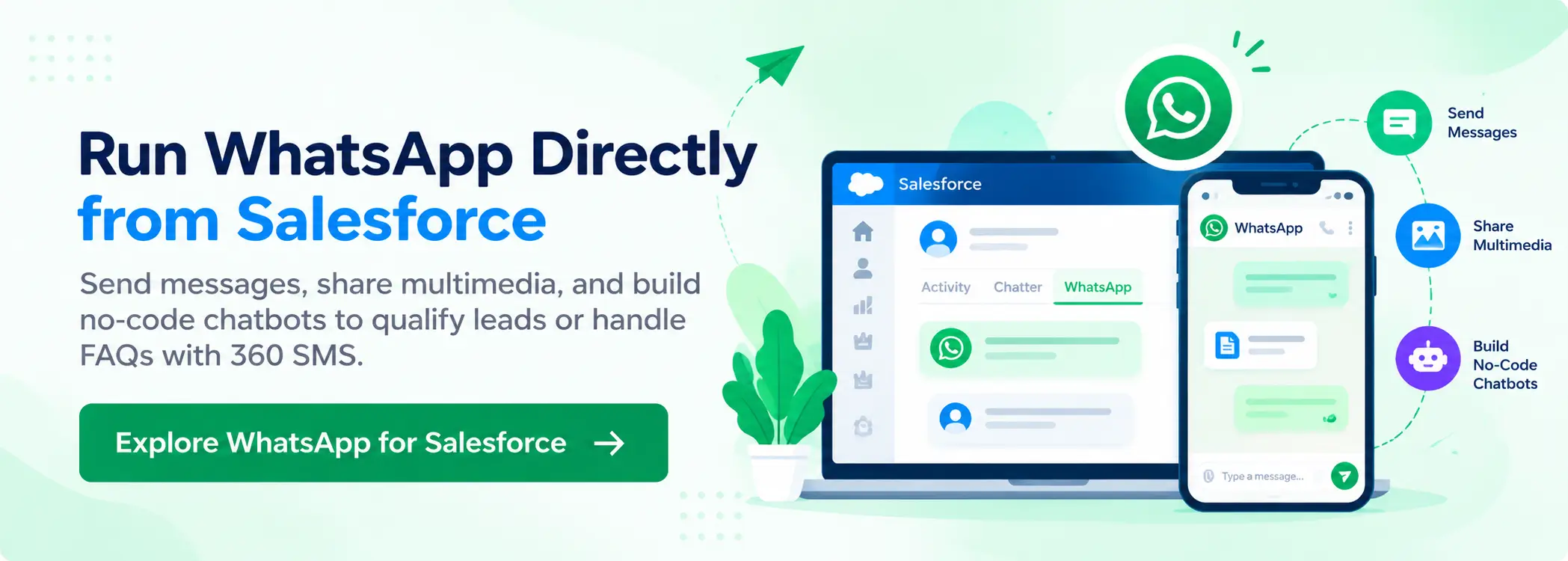
Send messages, share multimedia, build no-code chatbots to qualify leads or handle FAQs. The AI layer adjusts timing, tone, and content — so messages don’t just go out, they go out well. Whether it’s marketing, sales, or support, you stay inside Salesforce the whole time.
And if you’re already running Marketing Cloud Next? 360 SMS sits alongside it. It handles the 1:1 operational conversations — recruiter to candidate, rep to prospect, support agent to customer — that campaign tools aren’t designed for.

Marketing Cloud Next is Salesforce’s rebuilt marketing and messaging platform, and it now supports WhatsApp natively. Worth calling out directly, because a lot of older comparisons still act like Salesforce can’t touch WhatsApp. That hasn’t been true for a while now.
What MCN actually brings: native WhatsApp support with no third-party connector, two-way conversations powered by Agentforce AI, SMS and RCS on one canvas, journey-based orchestration across email and WhatsApp, and AI-driven audience segmentation through Data Cloud. Genuinely capable — if you’re already in that ecosystem.
To be fair, the tradeoffs are real. MCN runs on Data Cloud, which adds licensing, provisioning, and setup time counted in weeks rather than days. Pricing is consumption-based, so costs move with volume. And the platform is built for marketing campaign flows, not the ad-hoc operational conversations that happen across sales and service teams every day.
If your org already has MCN licensed and active, WhatsApp is available to you. If you’re on Sales or Service Cloud and don’t need a full marketing platform just to text a prospect, a dedicated app like 360 SMS gets you there faster, at a more predictable cost.
3. Twilio for WhatsApp
Flexible, developer-centric, and genuinely powerful if you have the engineering time to build on it. Custom messaging flows are where Twilio earns its reputation. But there’s no built-in automation, no AI layer, and setup is complicated enough that most non-technical teams stall before they go live. Which is fine, if that describes your team’s situation — just go in with eyes open.
4. MessageBird
Solid for bulk sends and API-driven outbound campaigns. Connects with Salesforce, handles notification workflows, runs volume without breaking. Where it falls short is depth — no real chatbot capability, limited workflow automation, and the 1:1 conversational layer that sales and support teams actually need day-to-day isn’t there.
5. Zapier + WhatsApp Business API
The entry-level option, and there’s nothing wrong with starting here. Zapier wires up basic automations — alerts, confirmations, simple triggers — without much friction. But it doesn’t support rich messaging, WhatsApp templates, or real-time two-way conversations. Good for notifications. That’s about it.
When it comes to Salesforce-native depth, AI, channel breadth, and how fast you actually go live — 360 SMS is the call for most Sales and Service Cloud teams. Marketing Cloud Next is real competition now, but it’s competing in a different lane: campaign orchestration, not conversational messaging.
How WhatsApp Works Inside Salesforce CRM
Simpler than most people expect, honestly.
With 360 SMS, your WhatsApp messages sit inside Salesforce — attached to the right leads, contacts, or accounts. Reply in real time, send files, automate the messages your team writes out a hundred times a week — all without leaving the CRM. Every conversation logs automatically, so nothing gets buried and no context disappears when someone’s out of office.
In practice, it works like having your WhatsApp inbox built into Salesforce — organized, fast, and connected to the data that makes messages actually relevant. Sales, support, and marketing teams that run WhatsApp through their CRM are more consistent because the conversation and the record live in the same place — not in someone’s phone.
Teams running Marketing Cloud Account Engagement can pull WhatsApp interactions directly into campaign workflows, so outreach doesn’t stop being trackable the moment someone replies.
Smart Ways to Use WhatsApp in Salesforce
Marketing: Campaigns That Don’t Feel Like Campaigns
Send updates, promote offers, and run announcements at scale using WhatsApp from Salesforce. Add images, videos, or pre-approved templates to make messages worth opening. More importantly, track who responds — so you’re adjusting based on what actually works, not guessing.
That’s the thing: most mass-messaging tools tell you delivery rates. 360 SMS tells you what happened after delivery.
Sales: Get to Leads Before They Go Cold
Waiting on email replies is slow — and most buyers aren’t sitting there refreshing their inbox for your follow-up. A WhatsApp message cuts through faster. Use chatbots to pre-qualify leads automatically so reps are spending time on prospects who are genuinely in-market, not chasing dead ends. Book demos, confirm meetings, answer objections in real time. Everything logs back to Salesforce, so the gap between conversation and CRM record closes.
Support: Answers That Don’t Make Customers Wait
Slow support isn’t just annoying — it’s a retention problem. With 360 SMS for WhatsApp, your team replies in real time, shares guides or troubleshooting visuals, and automates the answers that come in every single day. All conversations are tracked, which means any agent can pick up context instantly. No “can you describe the issue again.” That alone is worth the setup.
Best Practices for WhatsApp Messaging in Salesforce
1. Keep It Short
Long messages lose people before the second line. Short, scannable, to the point — that’s how WhatsApp works. Templates in 360 SMS help you stay consistent without every message sounding identical.
2. Use the CRM Data You Already Have
Your Salesforce records are full of context most teams don’t use. A customer’s name, their last purchase, the ticket that’s been open for six days — referencing any of that makes a message feel written for a person, not blasted at a list. That’s the actual edge of connecting WhatsApp to Salesforce, and most teams underuse it. Genuinely.
3. Time It Right
Automated doesn’t have to mean impersonal. Set follow-ups and reminders to go out when they’re contextually useful — not just when a timer fires. In practice, a message that arrives at the right moment in a workflow gets a reply. The same message sent randomly gets ignored.
4. Track What’s Working
Every conversation is data. Which messages get replies. Which templates drive action. Where threads drop off. The AI in 360 SMS can summarize conversations and surface context quickly — so your team reads less history and responds faster.
5. Don’t Overdo the Frequency
Worth saying: too many messages and customers start opting out. Most teams don’t think about this until opt-out rates start climbing. Send when you have something worth saying. Respect the channel — it’s a direct line to someone’s phone, not an email list.
6. Make Messages Worth Opening
Plain text works. But a short video, an image, or a one-page PDF guide does more. Before anything goes out, 360 SMS lets you review for compliance risk and refine content — so what hits a customer’s phone is actually worth their two seconds of attention.
Ready to Run WhatsApp From Inside Salesforce?
Most teams are up and running in under 20 minutes. No middleware, no separate inbox, no copying numbers between platforms.
360 SMS connects WhatsApp directly to your Salesforce records — automate the repetitive, personalize what matters, and keep every conversation tracked back to where it belongs. The setup is fast. The difference in response rates shows up fast too.