


If you’ve tried running a WhatsApp journey natively in SFMC recently, you already know the punchline.
The integrations 2026 teams are actually betting on look genuinely different from two years ago — and it’s not because the platform got weaker. Marketing Cloud Next shifted to consumption credits. Meta moved WhatsApp Business billing from conversation-based to per-template-message pricing on July 1, 2025. Agentforce went from writing email subject lines to running actual journey orchestration. And SMS compliance keeps moving.
Native tools aren’t keeping pace. So which third-party marketing cloud apps should you actually connect? Here’s the honest answer.
SFMC’s Core — and Where It Stops
Journey Builder, Email Studio, MobileConnect, Contact Builder, Automation Studio — that’s the core, and it covers what enterprise teams actually need. SFMC’s foundation is solid. That’s not a small thing.
But call the gaps what they are. WhatsApp automation is limited. SMS personalization doesn’t go deep natively. Pulling external behavioral data into live journeys needs tools that weren’t built into the platform — and that gap shows up fast. Not a design flaw. Just where the edges sit, and third-party integrations are how those edges get pushed.

Category 1: SMS & Messaging Integrations
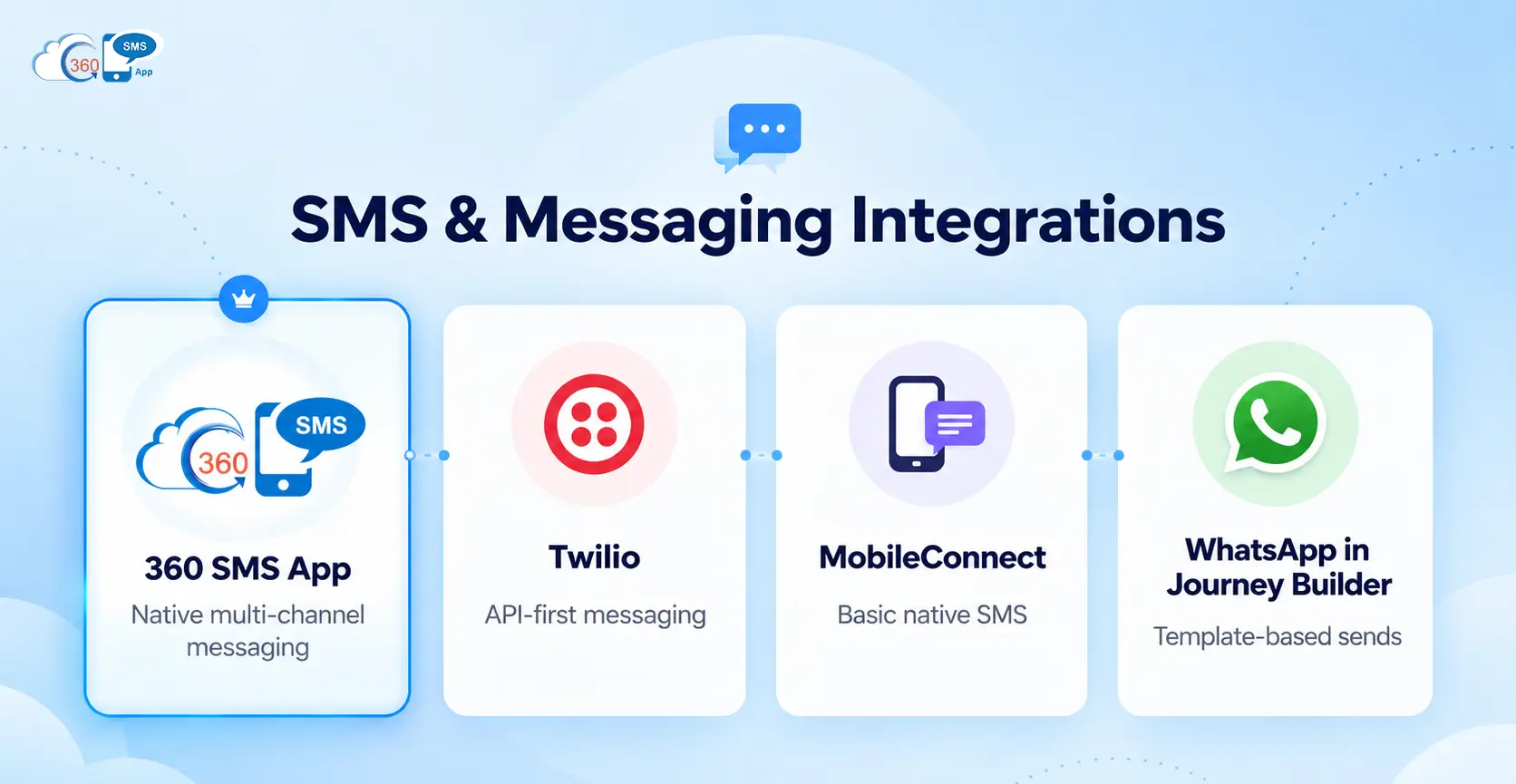
360 SMS App
For Salesforce Marketing Cloud SMS integration, 360 SMS is the one to know.
One install, native to Salesforce, 15+ channels: SMS, MMS, WhatsApp, RCS, CTI, Instagram, and more. The Journey Builder activity doesn’t sit alongside the platform — it runs inside it. Most tools in this space are external apps with a Journey Builder wrapper. 360 SMS is actually native, and that distinction carries more weight in practice than it looks on a comparison sheet. (Teams figure out the difference at the worst time — mid-campaign, not during vendor evaluation.)
Point-and-click message composition without developer help. That’s the day-to-day difference the Marketing Cloud add-on actually makes. Template editing happens directly inside Marketing Cloud. Your existing campaign data gets used for mobile sends without an export-reimport loop. Data from both 360 SMS and Salesforce stays visible inside Marketing Cloud throughout — your team isn’t jumping between platforms to check what’s live.
Worth saying: per-send cost compared to MobileConnect at volume runs meaningfully lower. Check the specific differential before you publish, but the gap is real.
Which means the AI opt-out detection, live compliance monitoring, and automatic drip suggestions aren’t bolt-ons. Agentforce isn’t a feature of 360 SMS — it’s the engine underneath. Natural language replies trigger opt-out handling correctly. None of that needs separate setup. In practice, most teams don’t configure any of this manually after the initial install.


Twilio (via API)
Already running Twilio infrastructure? You probably already know this one. Carrier-grade delivery at scale, custom Journey Builder activities via the API, WhatsApp support via the Business API, pricing that holds at volume. That’s the pitch.
To be fair, it’s not a quick setup. Developer time is required. Teams already on Twilio tend to stay. Teams starting fresh almost never start here.
MobileConnect
SFMC’s native SMS. Basic sends, Journey Builder connection, limited personalization, no WhatsApp. Most teams hit the ceiling faster than expected — and usually notice when the per-message cost starts stacking up.
WhatsApp in Journey Builder
Template-based sends. That’s what Marketing Cloud’s native Journey Builder WhatsApp activity covers in 2026. Notifications work fine. Two-way conversations and reply handling aren’t part of it — that’s where 360 SMS picks up.
Want to see how 360 SMS actually fits inside Journey Builder? Book a demo and the team will walk through your specific setup.
Category 2: AI & Personalization Integrations
Split this into two, because Einstein GPT and Agentforce aren’t doing the same thing. Not even close.
Einstein GPT has been in SFMC since 2023. Email copy generation, subject line suggestions. Most teams use it as a drafting shortcut, not a strategy layer. Honestly, it does that well. Genuinely.
Journey orchestration, campaign logic, audience recommendations — that’s Agentforce territory. It’s a different level entirely. Inside 360 SMS, Agentforce isn’t an external integration at all. It’s what powers the AI messaging features. No extra connections, no separate configuration. That’s the thing — you’re not adding an AI layer on top. It’s already there.
Which means live segmentation, not batch lists. Data Cloud pulls unified customer profiles into SFMC and feeds signals directly into Journey Builder. Technically strong. Also genuinely demanding on your data quality — a lot of teams get partway through setup before discovering how much cleanup their records actually need. That’s less about the tool and more about the state of most CRM data. Most teams don’t fully account for that upfront.
Category 3: Data & Analytics Integrations
Most comparison posts list GA4, Tableau, and Data Cloud as if they’re equivalent add-ons. They’re not. Different problems, different teams.
Google Analytics 4 connects SFMC campaign activity to on-site conversion data. Teams wire it up via GTM or custom connectors. Standard enough now that it barely feels like an integration anymore.
Tableau’s tie to SFMC is tighter than most third-party analytics tools — Salesforce owns it, which helps. Visual cross-channel reporting for programs too complex for SFMC’s native dashboards. That’s the real use case, and it’s a specific one.
Batch lists versus live segmentation. The difference shows up in timing — a trigger event followed by a same-minute send is not the same customer experience as one landing six hours later. In practice, most teams know they need Data Cloud. Many still haven’t set it up.
Category 4: Commerce & E-commerce Integrations
Shopify abandoned cart. It’s the obvious starting point, and most teams are right to start there. Order and browse data into Journey Builder, automated SMS or email sequences kicked off automatically. Several AppExchange connectors handle this — the connector matters less than the quality of your Shopify data going in.
For brands on Salesforce Commerce Cloud, the native SFMC connector routes purchase events, browse history, and loyalty data into Journey Builder. Purchase-triggered SMS and WhatsApp campaigns are quick to configure once the data connection is stable.
Best Salesforce Marketing Cloud Integrations 2026: How They Compare
| App | Category | Journey Builder Native | SMS | AI | |
| 360 SMS App | Messaging | Yes | Yes | Yes | Yes (Agentforce built in) |
| Twilio | SMS | Custom API | Yes | Yes (via API) | No |
| MobileConnect | SMS | Yes | Yes | No | No |
| Einstein GPT | AI | Yes | No | No | Yes |
| Agentforce | AI | Yes | Via 360 SMS | Via 360 SMS | Yes |
| Data Cloud | Data/CDP | Yes | No | No | Partial |
| Tableau | Analytics | Partial | No | No | No |
| Shopify Connector | Commerce | Yes | Via SFMC | No | No |
How to Add SMS and WhatsApp to Marketing Cloud Journey Builder
Getting this running takes most teams less than a day. Here’s the process.
Step 1: Install 360 SMS from AppExchange
Find 360 SMS on AppExchange and install to your org. Native install — no API keys to manage, no separate platform to log into. It shows up in Salesforce the way any native app does.
Step 2: Configure the Journey Builder SMS Activity
Once the install is done, the 360 SMS activity appears in your Journey Builder library. Open the configuration screen, set your sender number, pull in message templates, and map to the Salesforce objects your journey touches. Most teams spend the bulk of time here on template content, not on the configuration itself.
Step 3: Add SMS and WhatsApp Steps to Your Journey
From here it’s just Journey Builder. Drag the activity in, configure the SMS or WhatsApp step, connect it in your flow. At this point it behaves exactly like any native activity.
Step 4: Handle Replies and Opt-Outs (and Don’t Skip This One)
More teams skip the org-level opt-out configuration than should. Set it at org level, not per journey. 360 SMS catches opt-out intent from natural language replies — “stop texting me” and “remove me” both register correctly alongside “unsubscribe.” Replies route to the Salesforce record owner automatically. No Salesforce Flow setup needed for the routing.
Final Thoughts
The best SFMC integration apps in 2026 aren’t the ones with the most features. They’re the ones that close your specific gaps without adding new complexity to manage alongside them.
For most teams, those gaps keep coming back to the same places: SMS personalization, WhatsApp flows, and live data activation. That’s exactly where Salesforce Marketing Cloud integrations 2026 are moving the dial on actual campaign results. The teams that notice usually do after hitting one of those gaps mid-campaign.
360 SMS covers all three from one AppExchange installation. Contact our experts to talk through what your current setup is missing.