
Salesforce Marketing Cloud is an excellent software for helping companies provide personalized experiences to their customers. The software allows managing everything from email campaigns to social media marketing and it includes a complete set of tools to connect with customers through various channels. Anyway, when it comes to SMS (Short Message Service) communication, many marketers have the question of whether Salesforce Marketing Cloud can help them solve their needs. SMS is currently one of the most efficient and concise ways to communicate with customers, which makes it the ideal tool for companies looking to remain in touch with customers.
Through this blog, we will get to know more about whether or not Salesforce Marketing Cloud can be used to send SMS, how this relevant mode of communication is handled, and how the 360 SMS Marketing Cloud add-on can improve these features even more. Yet, we will also provide answers to some of the few associated questions to offer you a complete insight into the Salesforce Marketing Cloud SMS functionality.
Can Salesforce Marketing Cloud Send SMS?
Yes — and it’s worth being specific about what that actually means now.
Marketing Cloud Next supports SMS natively. WhatsApp and RCS too, with two-way conversations built in. So if someone on your team is still saying “Salesforce can’t do SMS,” that’s not accurate anymore.
But here’s where it gets nuanced. Getting SMS running on Marketing Cloud Next isn’t just flipping a switch. You need Data Cloud as a mandatory part of the setup — identity resolution, provisioning, the whole stack. And the pricing runs on consumption credits, which means your costs shift based on volume, message type, and region. For teams running large campaigns, that unpredictability adds up.
For businesses whose core need is sales or service messaging — not full marketing orchestration — that’s a lot of platform to buy just to send a text. That’s exactly the gap the 360 SMS Marketing Cloud Add-on is built for.
Introducing the 360 SMS Marketing Cloud Add-On
Marketing Cloud Next has SMS. That’s not the debate anymore.
The real question is whether buying into that entire ecosystem — Data Cloud, consumption credits, weeks of implementation — is the right call when messaging is what you actually need. For a lot of teams, it isn’t. The 360 SMS Marketing Cloud Add-on gives you the messaging capabilities without dragging in the full platform overhead. Faster to set up, easier to price, and it covers channels Marketing Cloud Next doesn’t touch.
Key Features of 360 SMS Marketing Cloud Add-On
Cost Efficiency:
Budgeting for SMS gets tricky when your pricing model shifts with every campaign.
Marketing Cloud Next runs on consumption credits — what you pay changes depending on volume, message type, and region. That’s fine when you’re running controlled campaigns. But at scale, or across multiple teams sending at different cadences, those numbers move in ways that are hard to plan around.
The 360 SMS Add-on runs on a flat subscription. You know what you’re paying. No surprises at the end of the month, no per-message math before every send. For teams managing tight budgets or high-frequency messaging, that predictability matters more than most people realize upfront.
Streamlined Message Sending:
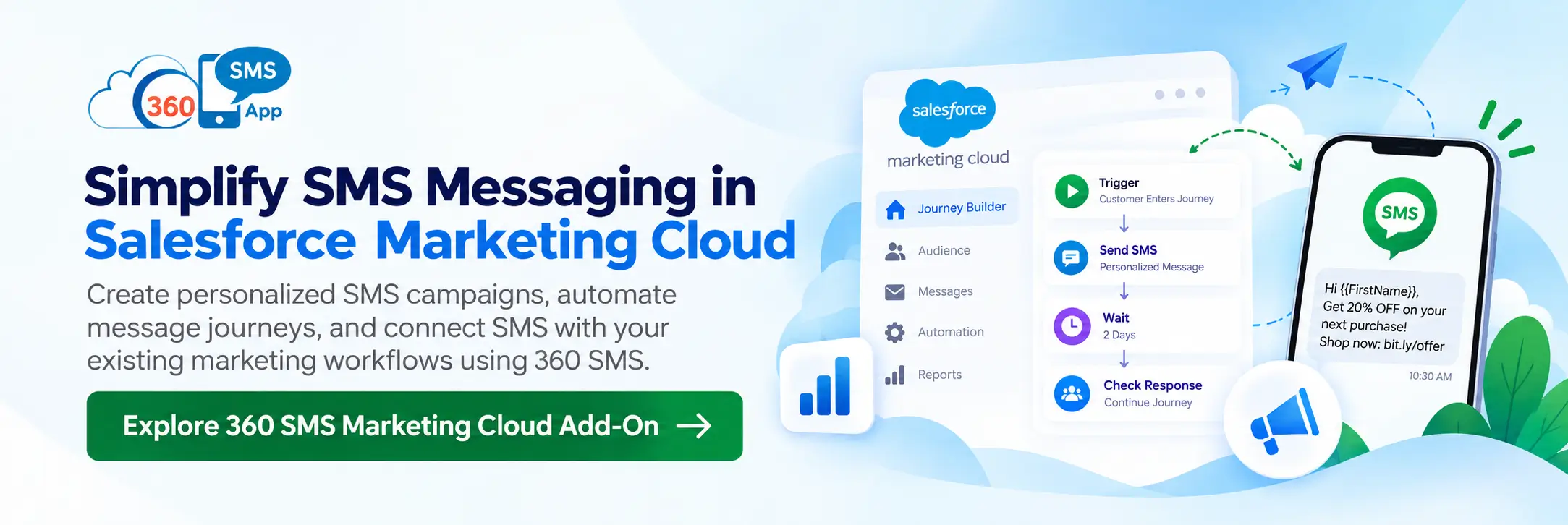
Traditionally it takes time to automate messages in the marketing cloud and the process is complex too. But things are different with the 360 SMS marketing cloud add-on. It gives you an out-of-the-box message composer with an intuitive interface. Also, the automation is much easier due to point-and-click. You can create personalized messaging journeys without having to build complex automation every time.
Automation Without Heavy Dependency on Tasks:
The 360 SMS Marketing Cloud add-on eliminates the need to create individual tasks for each SMS automation, a common issue with the traditional Salesforce Marketing Cloud SMS setup. This means you can automate SMS sends more efficiently, freeing up time and resources for other important marketing tasks.
Multi-Channel Integration:
The best part about this add-on is you can even send SMS messages as a part of your email campaigns. Therefore, you can deliver a connected experience to your audiences enhancing their customer satisfaction level. With a consolidated view of data, you can run more targeted and effective campaigns.
Enhanced Targeting and Personalization:
You can use the 360 SMS Marketing Cloud add-on to get customer data from Salesforce and thus, send more personalized and targeted SMS campaigns. Better ROI has been witnessed by around 89% of marketers when they run personalized campaigns. You can achieve this by utilizing data such as customer preferences, purchase history, and past interactions, thus, creating extremely personalized SMS messages that will connect with each recipient.

How 360 SMS Marketing Cloud Add-On Helps With Salesforce SMS Messaging
Using the 360 SMS Marketing Cloud add-on can be a huge improvement in the effectiveness of text marketing activities in Salesforce Marketing Cloud. It not only optimizes the Salesforce Marketing Cloud SMS setup but also saves a lot of resources on SMS campaigns. For those enterprises, it can be a major factor in making the marketing budgets more effective. You are no longer the one who has to dread the increasing SMS prices of Marketing Cloud, and on top of that, you have the luxury of using additional better tools for communicating with clients.
In addition, the add-on allows you to manage both SMS and email marketing more effectively. This is a Salesforce Marketing Cloud native capability that is now enhanced. Besides, you can also measure customer engagement with varying channels, thus allowing you to Finesse your techniques for the best outcomes.
To provide a comprehensive understanding of Salesforce Marketing Cloud’s SMS capabilities, let’s address a few related questions.
What is the SMS limit in Salesforce Marketing Cloud?
Salesforce Marketing Cloud does not have a set SMS limit, but the number of messages you can send depends on your contract and pricing plan, with each message incurring a cost based on volume and regional factors. However, with the 360 SMS Marketing Cloud add-on, businesses can leverage a more scalable and flexible solution. The add-on allows you to send larger volumes of SMS messages, making it ideal for scaling your messaging campaigns.
How to Test SMS in the Marketing Cloud?
Set up a small test journey in Marketing Cloud Next to check message content, delivery, and routing before you go wide. It’s not complicated, but it does require building out the journey structure first — which takes time if you haven’t done it before.
With the 360 SMS Add-on, testing is quicker. The message composer is right there, the drag-and-drop interface doesn’t require pre-built journey logic, and you can send a test without touching any backend configuration. Most teams get a test message out within minutes of setup.
Conclusion
Marketing Cloud Next does SMS. That’s settled. But native support and practical usability for your team aren’t the same thing — and the Data Cloud dependency, credit-based pricing, and implementation timeline are real friction points for businesses that just need messaging to work inside Salesforce.
The 360 SMS Add-on doesn’t replace Marketing Cloud Next. It gives teams a faster, more predictable path to SMS, WhatsApp, and 15+ other channels — without requiring a full data platform to get there. No Data Cloud. Flat subscription pricing. Up and running in about 20 minutes.
If that fits your situation, reach out to the team or drop a line at care@360smsapp.com.