
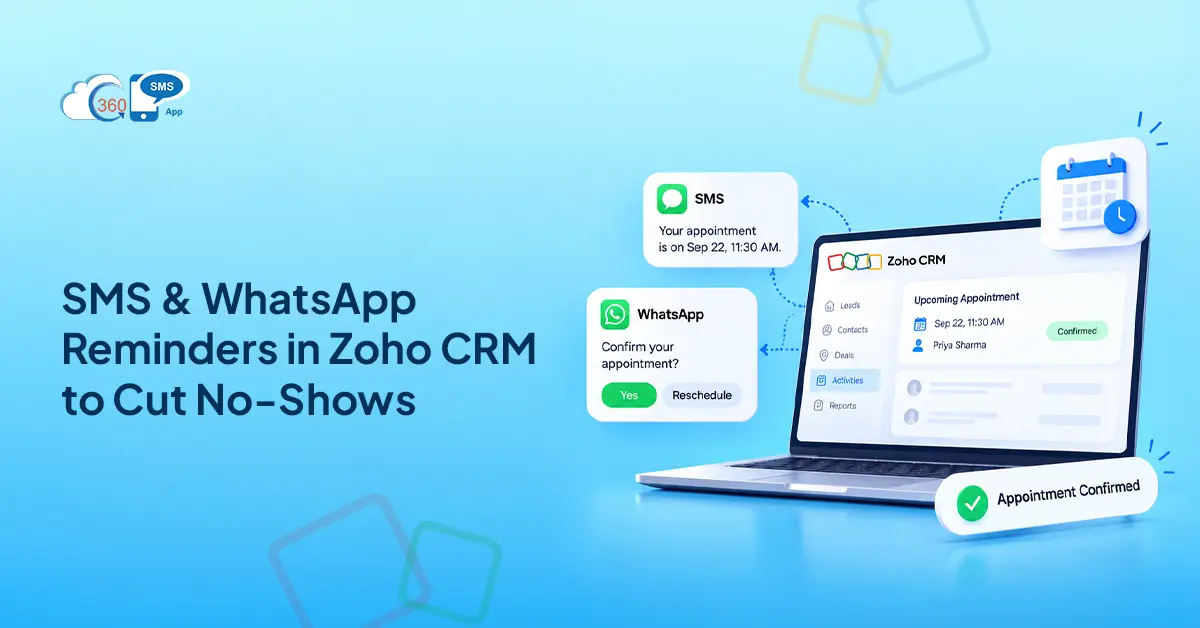

SMS reminders move that number. The reduction cited across industries sits at 20-30% when automated text reminders replace or supplement email-only workflows. Email waits. SMS lands in three minutes. That gap is where the improvement comes from.
Here’s the thing — Zoho CRM already has most of what you need. Date-field triggers, merge fields, module-level automation. The bones are there. What’s missing is the actual channel: SMS and WhatsApp to push reminders out automatically, and a way to handle replies back inside the CRM where your team is already working.
That’s the gap 360 SMS for Zoho fills. And this guide walks through how to build the full Zoho CRM appointment reminder SMS workflow — from the first outbound trigger to the two-way reply loop.
What You’ll Build (Quick Overview)
End state first, steps second:
- Zoho workflow fires an outbound SMS 24 hours before the appointment
- Second automated appointment text from Zoho CRM goes out 1 hour before
- AI ChatAgent handles inbound replies autonomously — confirmations, questions, reschedule requests
- When a rep needs to step in, incoming message notifications alert them and Related Record Owner Assignment routes the conversation to the right person in Conversation View
- Unconfirmed slots get a final nudge at T-4 hours
The rep only gets pulled in when the situation actually calls for it.

Step 1: Set Up Your SMS Trigger in Zoho CRM Workflow Rules
Go into Zoho CRM’s workflow module and create a new rule based on the Date/Time field where the appointment lives.
Set the trigger offset: 24 hours before. Under the workflow action, fire the outbound SMS through 360 SMS for Zoho. Because 360 SMS sits natively inside Zoho CRM — not a portal redirect, not an external connector — the SMS action appears directly in the workflow builder. No separate integration to configure.
Personalize with merge fields:
- {Contact Name} — from the contact record
- {Appointment Date} and {Time} — from the trigger field
- {Agent Name} — from the record owner
Duplicate the rule for the 1-hour offset. Same structure, shorter message. Two rules, two sends — automated messaging with zero manual work per appointment.
Step 2: Write Your Reminder Templates (Copy-Paste Ready)
Short wins. Under 160 characters for SMS keeps it to one message segment — readable, cheap, and far more likely to actually get read.
Not sure what to write? That’s where AI Template Generation in 360 SMS earns its place. Give it the message type, tone, and key details — appointment time, agent name, business name — and it drafts the template. No starting from scratch, no guessing whether the WhatsApp utility format is right. Genuinely useful for teams setting this up for the first time.
Here are working versions to start with:
24-Hour SMS Reminder
Hi {Contact Name}, just a heads-up: your appointment with {Agent Name} is tomorrow at {Time}. Got questions? Reply and we’ll get back to you. — {Business Name}. Reply STOP to opt out.
1-Hour SMS Reminder
Hi {Contact Name}, your appointment with {Agent Name} is in 1 hour at {Time}. See you soon. — {Business Name}.
WhatsApp Utility Template (opted-in contacts)
Hello {Contact Name}, your appointment with {Agent Name} is confirmed for {Appointment Date} at {Time}. Reply if anything’s changed. — {Business Name}.
Two things worth getting right here. WhatsApp appointment reminders belong under utility templates, not marketing — lower per-message cost, right category for transactional sends. And every SMS template needs an opt-out line. In practice, AI-Powered Compliance Management in 360 SMS catches intent-based opt-outs automatically, so if a reply signals the contact wants off the list, it’s processed without a rep touching it.
Step 3: Capture the Two-Way Reply
Most basic reminder setups stop at the send. That’s the wrong place to stop.
When a contact replies — “confirmed,” “can we move this,” “what’s the address” — that message doesn’t land somewhere separate. It comes directly into Conversation View inside Zoho CRM, on the contact’s record. No external inbox, no tool-switching.
The AI ChatAgent picks up inbound replies autonomously. Confirmations, standard pre-appointment questions, reschedule requests — it handles these without the rep doing anything. It runs around the clock, so a contact replying at 9pm doesn’t wait until morning.
Which means the rep only gets involved when something genuinely needs them. When that happens, incoming message notifications alert them in real time. Related Record Owner Assignment makes sure it goes to the right person — not a shared queue, the actual owner of that contact. They open Conversation View, see the full thread, and take it from there.
That’s the two-way loop. Automated handling for predictable replies. Rep attention only where it matters.
Step 4: Handle Reschedules and No-Shows Automatically
Four hours out and still no reply? One more nudge is worth it.
Set up a Trigger-Based Automation rule: appointment approaching, no inbound activity yet, fire a final message. Keep it short — “Hi {Contact Name}, we haven’t heard back about your appointment today at {Time}. Reply here or call us at {Number} if anything’s changed. — {Business Name}.”
For contacts who reply needing to reschedule, the AI ChatAgent handles the conversation. It responds to the request, provides next steps, keeps things moving — without rep involvement unless something more specific comes up.
Contacts who go fully silent after three touchpoints? Honestly, no message sequence was going to change that. But at least your team knows four hours before the slot — not five minutes before, not after the fact. The rep marks the record, releases the time, and moves on.
Using Zoho Bookings with SMS Reminders
Zoho Bookings sends up to three email reminders natively, which is fine for contacts who live in their inbox. For everyone else — and that’s a real portion of most lists — email alone doesn’t move the confirmation rate.
Adding 360 SMS for Zoho fills the channel gap. When a booking confirmation triggers a CRM record update, the SMS workflow fires automatically. Bookings handles scheduling; 360 SMS handles the SMS and WhatsApp touchpoints. No duplication. No platform-hopping.
The result is a multi-channel reminder sequence that runs without duct tape — email from Bookings, text and WhatsApp from 360 SMS, all tied to the same CRM record.
Results You Can Expect
What does move consistently: reply rate and rep time. Two-way messaging — where contacts can reply and get a real response — outperforms one-way sends on confirmation rate. SMS and WhatsApp reminders can reduce no-shows by up to 30%. In practice, when the AI ChatAgent handles routine inbound traffic, the manual follow-up call mostly disappears. Reps stop chasing unconfirmed slots and start spending that time on conversations that actually need them.
Final Thoughts
Two-way SMS appointment confirmation isn’t a complex build in Zoho CRM. A workflow trigger on the date field, outbound SMS through 360 SMS for Zoho, the AI ChatAgent handling inbound replies autonomously, reps stepping in only where they’re needed.
The slot either gets confirmed or your team knows about it four hours out. Not after the fact. Not when the client is already a no-show.
Want help setting this up inside your Zoho environment?