


Most admins treat this as a minor setup decision. Pick a texting tool, connect it to Salesforce, move on. Both options sit right on AppExchange — the native Salesforce app and the third-party integration that promises full Salesforce support in the screenshots.
Then a campaign fires mid-quarter. The sync lags. Messages land on wrong records, or don’t log at all. By the time someone notices, the rep has no idea what went out, and you’re debugging API calls instead of reading results.
Two types of tools exist here. Native apps are built on Salesforce itself — Apex, Lightning components, inside your org. Third-party connectors live on external platforms and sync data back via API. That gap matters across security, automation, compliance, and daily admin overhead. 360 SMS App is a native SMS app for Salesforce, and the rest of this post covers why that distinction is worth caring about.
What Is a Native Salesforce Application?
Direct answer: a native Salesforce application is built using Apex and Lightning components and runs entirely inside your org. No external server is involved. Data lives in standard Salesforce objects, which means it’s reportable, automatable, and visible in every dashboard you already use.
A lot of vendors describe themselves as native when what they mean is “we have a connector.” Not the same thing. A genuine native Salesforce application can’t run without Salesforce. No separate portal, no standalone login, no external system where your conversations actually live.
The simplest check: can you log into the vendor’s platform without first logging into Salesforce? If yes, the app isn’t truly native.
What Is a Third-Party SMS Integration for Salesforce?
Third-party SMS tools are built on external platforms. They connect via API or webhook and sync data back on a schedule or trigger. Message history, opt-outs, and delivery logs often live on the vendor’s servers before landing in Salesforce — if they land there at all.
In practice, this works fine until something breaks. API limits get hit. Syncs fail silently. A webhook misfires overnight, and nobody knows until a rep asks why a contact keeps getting texts after opting out.
That’s the gap between “connected to Salesforce” and “built inside Salesforce.”
5 Advantages of a Native Salesforce SMS App Over Third-Party Integrations
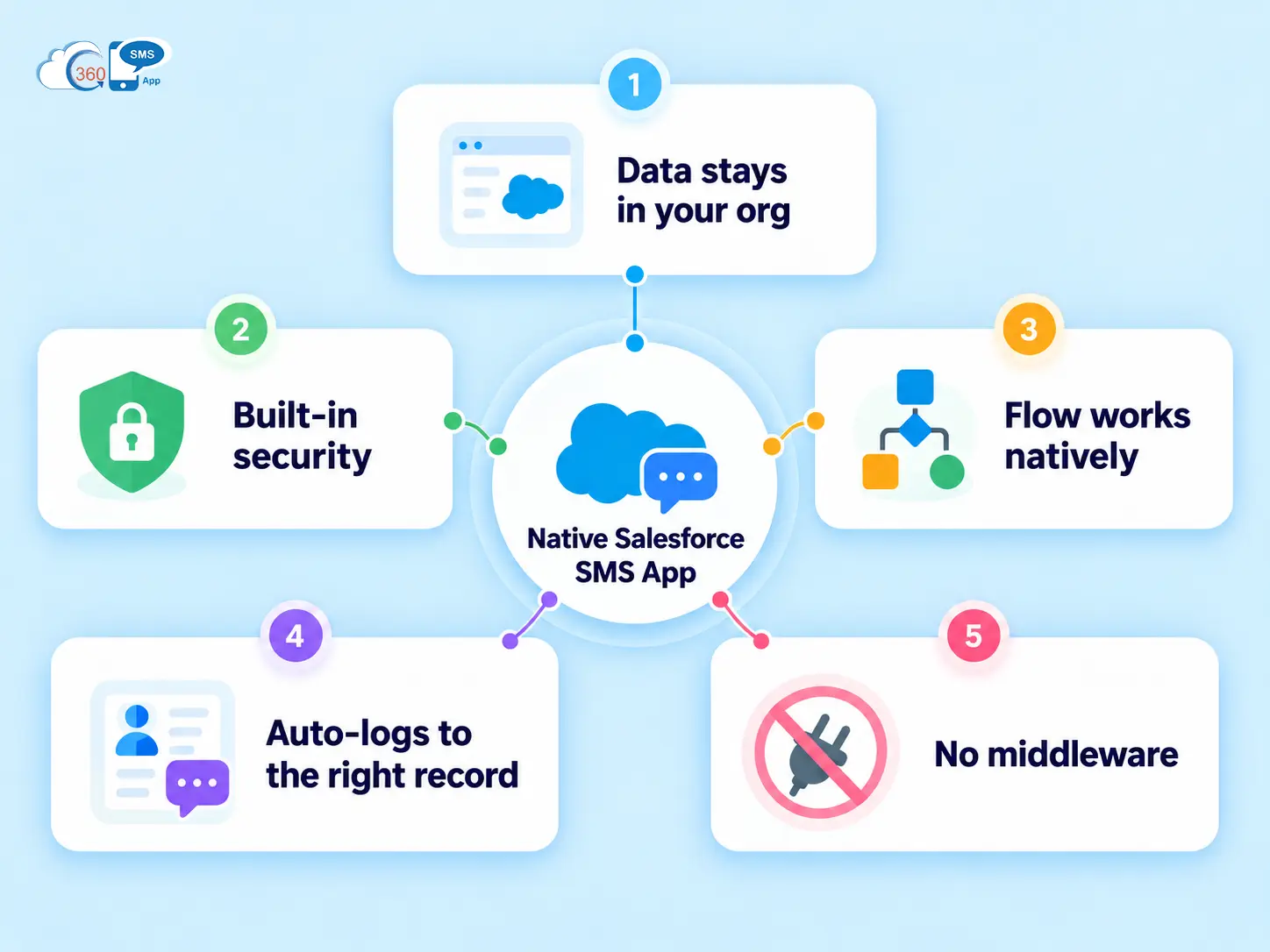

Native apps for Salesforce carry structural advantages no amount of sync logic can replicate.
- Data stays in your org. Messages, replies, opt-outs, and delivery timestamps all write to Salesforce objects. Nothing touches an external server.
- Security inherits automatically. Field Level Security, Sharing Rules, MFA, Shield encryption — enforced without extra setup. Third-party tools storing data externally can’t plug into those controls the same way.
- Salesforce Flow works natively. Trigger an SMS when a lead is created, a deal changes stage, or a case closes. No Zapier, no custom webhooks, no third-party automation layer to maintain.
- Messages auto-log to the right record. No import step. No sync delay. The conversation attaches to the contact, lead, or custom object the same day it happens.
- No middleware, fewer failure points. No API to monitor, no sync to debug, no webhooks to maintain. Across a busy month of outreach, that adds up.


Security: Why Native Salesforce Integration Actually Protects Your Data
Data that never leaves Salesforce can’t be breached outside Salesforce. That’s the simplest frame for it, and it’s what makes compliance conversations much easier when HIPAA, GDPR, or CCPA come up.
With a native app, your Salesforce audit trail covers SMS activity. Field-level access controls apply to message records the same way they apply to any other object. No logs split across systems, no external vendor to contact during a compliance review.
To be fair, reputable third-party vendors have real security practices. But a native Salesforce integration means one security model and one audit trail. That’s the thing — for most compliance teams, having everything in one place is worth more than the flexibility of an external platform.
Automation: How a Native SMS App Works With Salesforce Flows
Build a Flow, add an SMS action, done. No external automation tool, no API documentation to read just to fire a text when a lead is created.
Third-party SMS tools often route through webhooks or middleware to fire from CRM events. More layers mean more configuration, more cost, and more surface for something to break. A native SMS app plugs directly into Flow’s action catalog. Your team is working in a tool they already know.
Worth saying: useful triggers to set up include new lead assignment, deal moved to Closed Won, case open past SLA, and trial nearing expiration. None of these need a developer to configure.
What 360 SMS App Actually Looks Like Inside Salesforce
360 SMS App is built 100% on the Salesforce platform. No middleware, no external database.
Channels: SMS, MMS, WhatsApp, Facebook Messenger, Instagram, CTI, RCS, WeChat, and more — 15+ in total, all from one Salesforce native app. Messages auto-log to whatever object they’re tied to, whether that’s a Lead, Contact, Case, or a custom object. Opt-out detection uses AI intent recognition, so natural language replies like “please stop texting me” are handled the same as “STOP.”
In practice, automation covers bulk sends from List Views, Campaigns, and Reports. AI-powered drip campaigns that adjust based on batch engagement patterns, no-code chatbots and surveys via iText, and Agentforce as the underlying AI engine — powering conversation analysis, compliance monitoring, and drip logic natively inside Salesforce.
Worth saying: Agentforce is built into the 360 SMS App directly. It’s not an add-on or a separate layer.

Native vs Third-Party: Side-by-Side Comparison
| Comparison | Native Salesforce SMS App | Third-Party API Integration |
| Data Location | Operates within Salesforce; data storage depends on the app’s architecture | May store or process data on external vendor servers |
| Security | Can use Salesforce permissions and access controls | May require separate permissions and security controls |
| Flow Integration | Can support direct Flow integration without middleware | May require API calls, webhooks, or middleware |
| Setup Time | Install and configure within Salesforce | May require API setup, field mapping, and sync testing |
| Message Logging | Can log messages directly to Salesforce records | Logging may depend on API configuration and synchronization |
| Compliance | Centralizes message records within Salesforce when configured appropriately | May require reconciling logs across Salesforce and external systems |
| Cost | May require an app license and applicable messaging fees | May include app, API, middleware, and messaging fees |
When Would You Choose a Third-Party Integration?
Real cases exist. Running SMS across multiple CRMs simultaneously makes a standalone platform more logical. Developer teams wanting full API control over message routing, or infrastructure builds where a raw API gives more flexibility — those are valid situations.
To be fair, third-party APIs give you more control at the infrastructure level. The tradeoff is ongoing maintenance: API changes, sync failures, middleware costs. For most Salesforce teams, that tradeoff doesn’t hold up.
Final Thoughts
The decision comes down to one question: how much infrastructure do you want to maintain between Salesforce and your outreach?
A native Salesforce app means data in your org, automations firing from Flow, and records staying accurate without manual intervention. A third-party integration adds layers that need ongoing management. 360 SMS App runs entirely inside Salesforce — messages, opt-outs, and conversation history all logged to the right records, in real time, without a sync job in the middle. If that setup matches what your team needs, contact our experts for a walkthrough inside your org.