

Yes. Since Marketing Cloud Next, it can.
Salesforce now sends SMS, WhatsApp, and RCS natively, with two-way conversations and Agentforce-powered responses included. That’s a real shift from where things stood two years ago, and if you’ve read older content (including some of ours) claiming otherwise, that content is out of date.
So the honest version of this blog isn’t “Marketing Cloud can’t do WhatsApp.” It’s: Marketing Cloud Next can, and here’s exactly what that costs, what it needs to run, and where a dedicated messaging app still makes more sense
What Marketing Cloud Next Actually Includes
Marketing Cloud Next rolled native SMS, WhatsApp, and RCS into the Salesforce platform. Not as a bolt-on. Not through a third-party connector. Natively, with two-way conversation support and Agentforce integration for automated responses, qualification, and meeting booking.
For teams already running Marketing Cloud for email and campaign orchestration, this is genuinely useful. One platform, one data model, B2B and B2C unified.
That’s the good news.
What It Actually Costs
Here’s where things get specific, and where a lot of buying decisions change.
Marketing Cloud Next licensing starts around $1,500 to $3,250 per month, depending on edition and contracted volume. That’s before you get to the dependencies.
Data Cloud is mandatory. Marketing Cloud Next’s messaging capabilities are provisioned through Data Cloud, it’s not optional plumbing you can skip. Data Cloud adds its own licensing cost, provisioning time, and identity resolution requirements. For teams that already own Data Cloud, this is fine. For teams that don’t, they’re now buying two platforms to enable texting.
On top of that: consumption credits. MCN doesn’t bill messaging on a flat rate. Every message, outbound or inbound, draws from a credit pool. Costs vary by channel, geography, and volume. WhatsApp template messages carry different credit pricing than SMS. Your monthly bill will move.
So the real cost of “native WhatsApp in Marketing Cloud” is: MCN license + Data Cloud + consumption credit top-ups + however long your implementation takes, and MCN implementations typically run weeks to months, not days.
What Marketing Cloud Next Requires to Run
Licensing is one thing. What MCN actually needs to function is a separate conversation.
Data Cloud is the foundation. MCN’s messaging, SMS, WhatsApp, and RCS run through Data Cloud (now called Data 360) for identity resolution, contact provisioning, and consent management. For most use cases, you can’t bypass it.
Worth noting: Salesforce’s Summer ’26 update did introduce basic signup form campaigns and manual list uploads that don’t require full Data 360 segmentation logic, but Data Cloud provisioning is still the underlying platform requirement, and it carries its own licensing cost.
A unified data model setup. MCN brings B2B and B2C onto one data model, which sounds clean on paper. Getting your existing Salesforce data mapped, deduplicated, and flowing correctly into Data Cloud takes real time, and usually professional services. This isn’t a weekend project.
Provisioning and approval lead time. Even after licensing is sorted, WhatsApp Business API access requires Meta business verification, typically 2–5 business days, sometimes up to 14. In the US, SMS requires 10DLC sender registration with the Campaign Registry before messages reach recipients; unregistered traffic has been blocked by all major carriers since February 2025.
RCS requires carrier-side provisioning on top of that. None of this runs in parallel with your implementation automatically; it needs to be planned and sequenced. Realistically, you’re looking at several weeks before the first campaign sends.
Ongoing credit management. Every channel on MCN bills through consumption credits, and credit pools don’t manage themselves. Someone on your team needs to monitor usage, top up credits before campaigns run, and reconcile the bill against actual message volume each month. WhatsApp template messages carry different credit pricing than SMS, and costs vary by geography and volume.
So “native WhatsApp in Marketing Cloud” is accurate. But it arrives with Data Cloud dependency, approval overhead across three channels, and a variable cost model that requires active management month to month.
Three Situations Where a Dedicated Messaging App Still Wins
1. You’re on Sales Cloud or Service Cloud — Not Marketing Cloud
MCN is a marketing platform. If your team runs on Sales Cloud or Service Cloud and you need reps sending texts from Salesforce records, following up on leads, confirming appointments, handling service conversations, MCN is not the right tool. You’d be buying a full marketing stack to solve a sales and service problem.
A dedicated messaging app like 360 SMS installs from AppExchange, sits natively inside your existing CRM records, and has your team sending messages the same day. No Data Cloud. No provisioning lead time. No consumption credit math.
2. You Need More Than Three Channels
MCN covers SMS, WhatsApp, RCS, and email; that’s its channel footprint. For companies reaching customers on Facebook Messenger, Webchat, Instagram DMs, WeChat, LINE, Viber, Kakao, Zalo, or LinkedIn, MCN doesn’t cover that ground. At all.
If your audience is in Southeast Asia, Latin America, or any market where WhatsApp isn’t the dominant channel, that gap matters. A lot.
360 SMS, by comparison, covers 15+ channels from the same Salesforce-native interface, same inbox, same automation, same compliance controls, and adds channels and other out-of-the-box features that MCN doesn’t currently have on its roadmap.
3. The Team Using Messaging Isn’t Marketing
Recruiters texting candidates. Admissions teams following up on applications. Collections teams sending payment reminders. Field service reps confirming dispatch times.
None of these are marketing campaigns. They’re operational, 1:1 conversations — and they don’t need journey builders, segment intelligence, or paid media optimization sitting underneath them. Paying for MCN to enable a recruiter to text a candidate is like buying a commercial oven to make toast.
For these use cases- operational messaging, direct from Salesforce records, across departments that never touch a campaign – a dedicated app is faster, cheaper, and simpler to run.
So Where Does 360 SMS Fit Now?
Not against Marketing Cloud Next. Alongside it, or instead of it — depending on what you actually need.
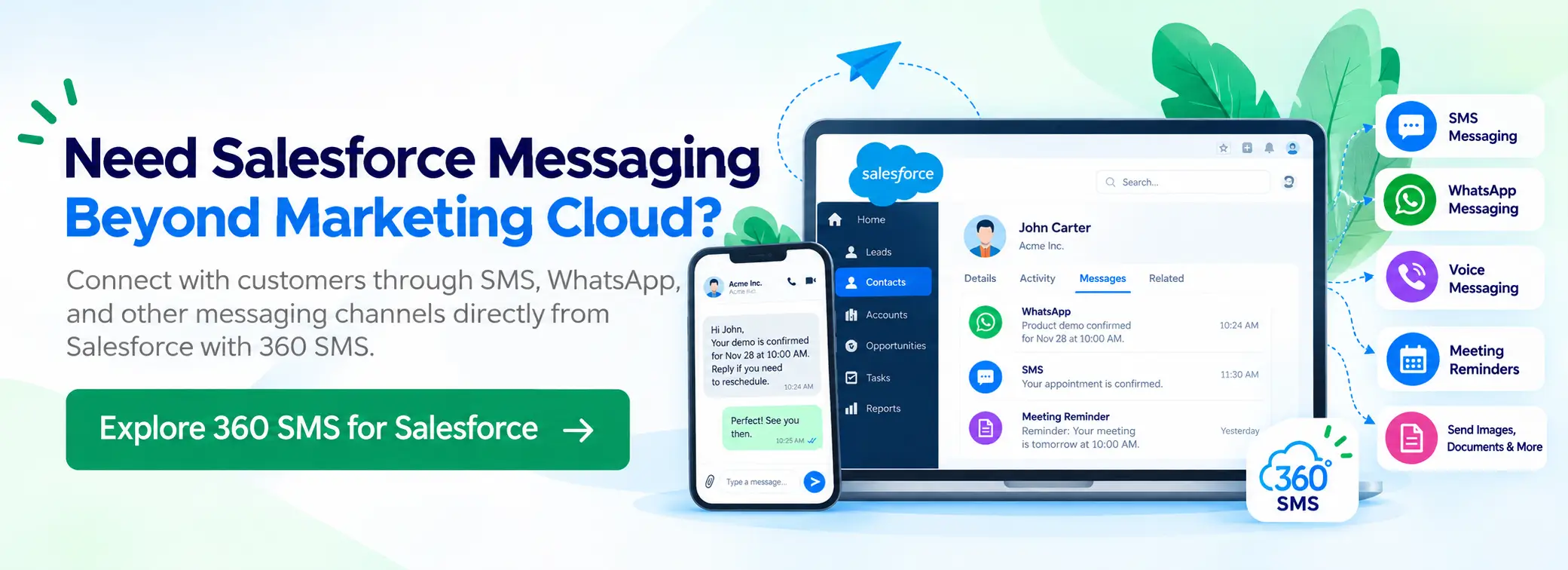
If you’re running MCN for marketing campaigns and you need to add 1:1 conversational messaging, a broader channel set, or operational messaging for non-marketing departments, 360 SMS runs alongside MCN without conflict. Marketing Cloud handles campaigns. 360 SMS handles the conversations — and goes places MCN can’t. Three times the channel coverage. Flat, predictable subscription pricing instead of consumption credits that shift every month. No Data Cloud required. A deeper AI layer — 30+ pre-built agents out of the box, AI writing assistance, and intent-based intelligence that MCN doesn’t ship with any edition. And a conversational depth built for operational workflows, not just marketing journeys.
If you’re on Sales Cloud or Service Cloud and messaging was the only reason you were considering MCN, you don’t need a full marketing platform. You need an AppExchange app that deploys in about 20 minutes.

Marketing Cloud Next is a genuine platform with genuine messaging capabilities — SMS, WhatsApp, and RCS, natively. That part’s settled.
What isn’t settled is whether it’s the right fit for your team. If you’re running Sales Cloud or Service Cloud and just need messaging, you don’t need a full marketing platform to get there. And if you’re already on MCN but need broader channel coverage or 1:1 operational messaging, 360 SMS runs alongside it.
The decision comes down to what you already own and what you’re actually trying to do.
Want to see how 360 SMS works inside your Salesforce org? Reach us at care@360smsapp.com or contact us here.