



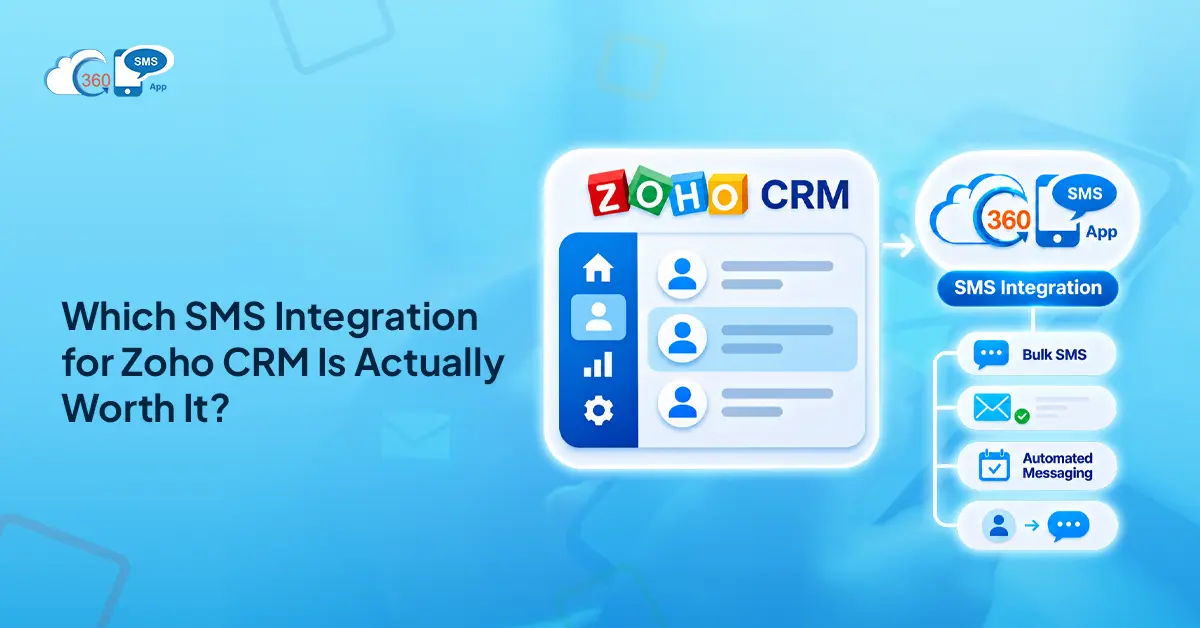
 Switch tabs to send a text. Switch back to log it. That’s the workflow for most Zoho CRM teams right now, and if you’ve been doing it long enough, you’ve probably stopped noticing how much time it actually eats up.
Reply history lives outside Zoho. Opt-out records sit in a separate tool. And the CRM data your team spent months building? Unread at the exact moment a rep could use it.
Comparing Zoho CRM SMS integration options comes down to three things: where messages are stored, whether the tool plugs into workflow rules, and whether WhatsApp shares the same inbox. Get those right and the rest follows.
Which Zoho CRM SMS integration options are available?
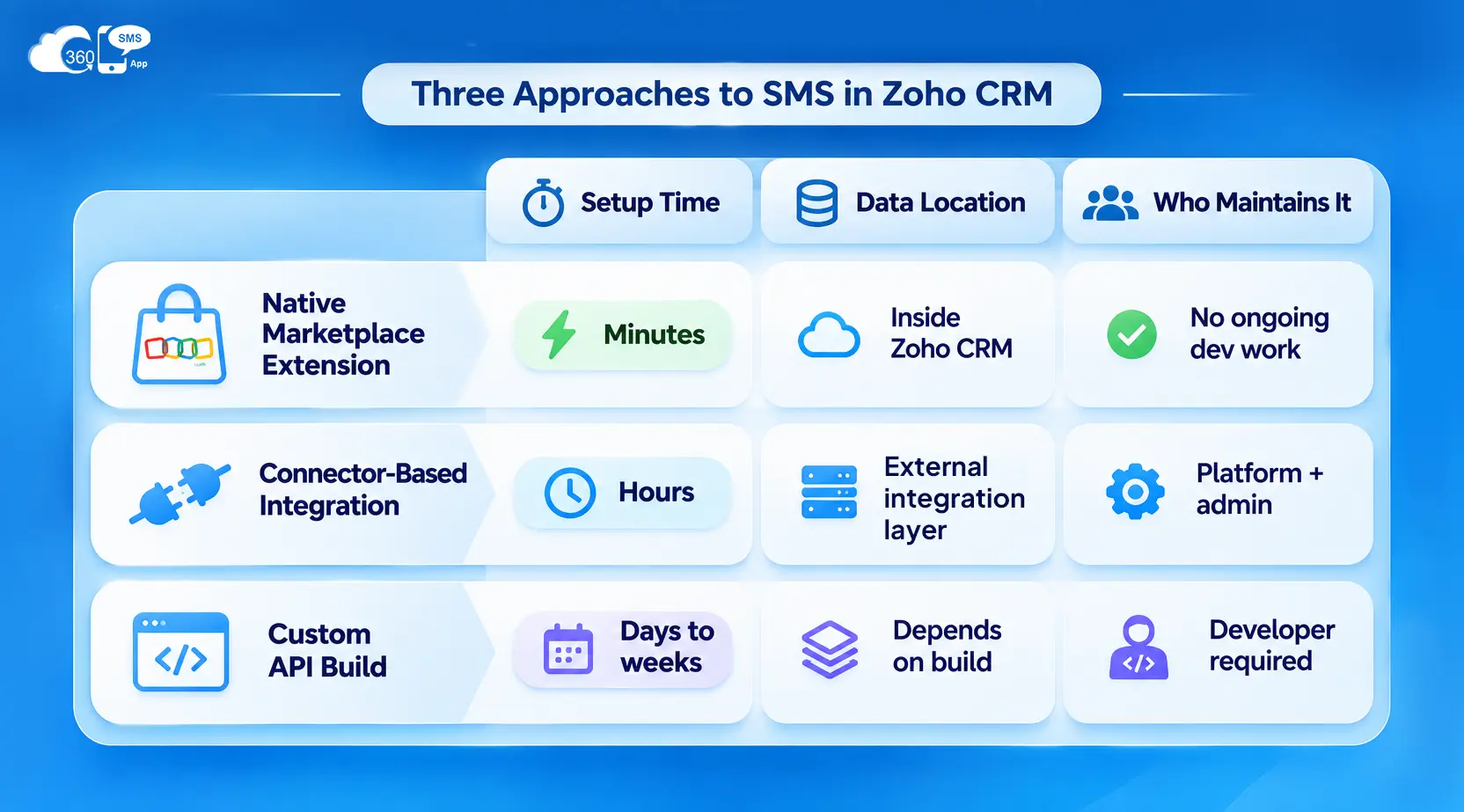
Native extensions keep data in Zoho, require no developer, and scale with your existing CRM setup.
The first real question isn’t “which tool.” It’s where does your data live once messages start flowing.
Three approaches exist, and each one trades setup speed for data control:
- Zoho-native Marketplace extensions sit inside Zoho CRM. Messages log to CRM modules, your existing users and roles carry over, and the data stays put. No separate system to babysit.
- Connector-based integrations link Zoho to a messaging provider through middleware. Flexible, but every message it handles is stored outside Zoho, and you’re adding another thing that can break.
- Custom API builds give full control via Deluge functions or webhooks. That upkeep belongs to whoever writes the code, long term.
For most sales and service teams, native is the sensible default. Custom builds make sense for unusual routing logic or an in-house developer who’ll actually own what they build.
What should a Zoho CRM SMS integration include?
Three months after rollout, the checklist looks nothing like it did during the demo. Here’s what actually separates a clean integration from one that creates more admin than it saves:
- Module logging — every inbound and outbound message appears on Leads, Contacts, Deals, and any custom modules for orders or tickets
- Two-way conversations — replies thread back to the record and alert the owner. When SMS becomes a broadcast channel customers start ignoring.
- Bulk sends from List Views — filter records, attach a template, send, no CSV exports or external tools needed
- Workflow and Blueprint triggers — texts fire when a deal changes stage, a quote goes out, or a record updates
- Opt-out management — STOP replies automatically block future sends across every user and campaign
- Channel coverage — WhatsApp and MMS accessible from the same inbox as SMS
That’s the thing. Channel coverage is where most tools quietly fall short. Reps end up juggling separate apps when WhatsApp lives elsewhere, and context gaps follow immediately.
How does a Zoho-native SMS app handle these requirements?
Everything stays in Zoho. Short answer.
360 SMS App installs from Zoho Marketplace in one click. No API keys, no developer. SMS, MMS, and WhatsApp land in one inbox inside Zoho CRM. Every conversation auto-logs to Contacts, Leads, and Deals. AI opt-out management and bulk sends come built in, not added on later.
In practice, the no-portal-redirect design is what sales reps notice first. Replies land on the record. No tab switching, no lost context.
The opt-out piece deserves more than a bullet point. Most teams discover the problem six months in, when a rep texts someone who unsubscribed through a different channel weeks ago. 360 SMS tracks opt-ins and opt-outs inside the platform. Built in, not bolted on.
For support teams, AI-powered chatbots triage and route conversations automatically. Routine questions handled without a queue. The ones that need a human reach an agent without manual sorting.
What the AI layer actually does:
- AI auto-reply suggestions — appear in the conversation view so reps respond faster without typing from scratch
- AI-powered template creation — generates a solid first draft in seconds when a campaign brief lands
- AI-powered compliance management — catches opt-out request based on intent and help you manage outreach responsibly.
Worth saying: this isn’t AI for the sake of having AI. Each of these removes a specific manual step reps were already doing.
How do you set up SMS in Zoho CRM step by step?
Ten to fifteen minutes for the setup itself. Genuinely. What determines whether reps actually keep using it is everything that comes after.
The rollout sequence that works:
- Pick numbers and sender IDs — decide which teams share a number, handle carrier registration (10DLC in the US)
- Install and assign licences — add from Zoho Marketplace, grant access through profiles
- Build templates — AI-powered template creation means the first draft takes seconds, not a blank-box staredown
- Wire up workflow rules — trigger texts from record changes and Blueprint stages; start with one or two you can actually measure
- Walk reps through replies — where conversations appear, how to hand off a thread, how opt-outs work
In practice, folder-based template management is what keeps things usable as the library grows. Most teams end up with 20 to 30 active templates across sales, support, and onboarding. Without folders, finding the right one under pressure becomes its own small problem.
How should you compare pricing for Zoho CRM texting?
Sticker prices are the wrong starting point. Build a realistic month first: bulk campaigns, two-way service traffic, carrier fees on top. Then check whether WhatsApp, automation, and AI features sit in the base plan or cost extra.
Two questions worth asking any vendor:
- What happens to conversation history if you cancel?
- Does pricing change as the team grows, and how sharply?
An extension that logs to Zoho modules leaves that data in your CRM when the contract ends. Connectors don’t always give you the same clean exit.
Wrapping Up
Native data storage. Two-way replies with clear ownership. Opt-out handling across SMS and WhatsApp. Those three things separate a Zoho SMS integration that works from one that quietly piles up admin.
Map the moments where a text would actually help: the lead going cold, the appointment reminder buried in email, the quote waiting on a same-day reply. Trial one or two Marketplace extensions against that list.
Pilot with one team first. That’s the thing — the answer usually shows up within the first week.
Ready to see how 360 SMS App handles texting, WhatsApp, and automation inside Zoho CRM?
Book a Demo


