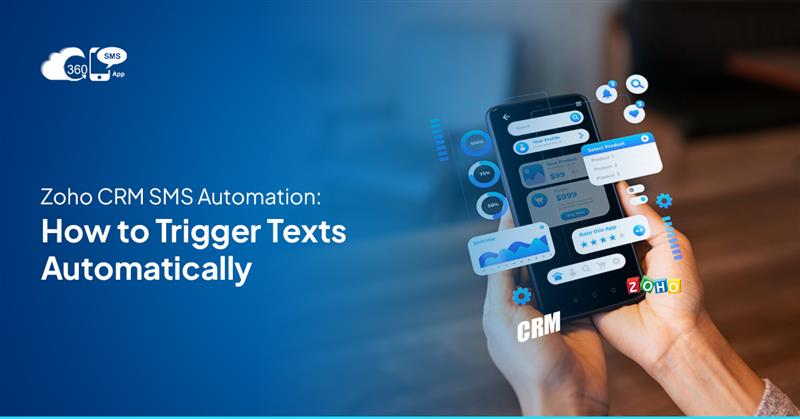
Customers expect quick replies. If they fill a form, book a demo, or raise a query, they don’t want to wait for hours or days. This is where Zoho CRM SMS automation becomes very useful.
Instead of manually sending messages to every lead or customer, businesses can send SMS automatically from Zoho CRM. This saves time, improves response speed, and helps teams stay organised. Whether it is a new lead follow-up, appointment reminder, or payment alert, automated SMS keeps communication smooth and professional.
Here, we’ll explain Zoho CRM SMS integration, how Zoho CRM text message automation works, common use cases, benefits, best practices, and answers to popular questions.
Table of Contents
What Is Zoho CRM SMS Automation?
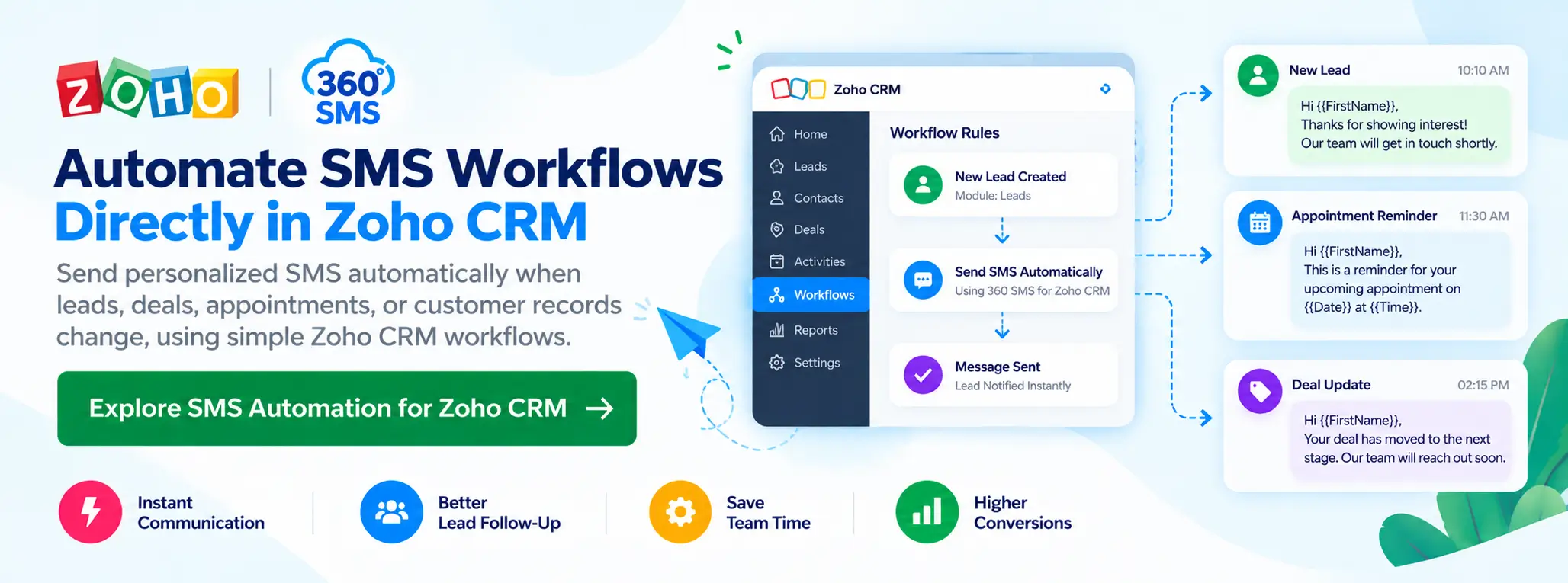
The automation of SMS in Zoho is the process of sending text messages automatically from Zoho CRM when certain actions happen. These messages are triggered through workflows, so your team does not need to send SMS manually.
For example:
- A new lead is added → welcome SMS goes automatically
- A deal stage changes → follow-up SMS is sent
- A meeting is scheduled → reminder SMS is delivered
With Zoho CRM automated SMS, your CRM works even when your team is busy or offline.
Why Businesses Prefer Zoho SMS Automation
Emails are useful, but many times they remain unread. Phone calls are also missed. SMS, on the other hand, is opened almost immediately.
Here’s why businesses like Zoho CRM SMS workflow automation:
Faster Communication: Messages reach customers instantly. When you send SMS automatically from Zoho CRM, there is no delay.
Better Lead Follow-Up: Leads get quick replies, which increases the chances of conversion.
Saves Team Time: No need to manually type and send messages again and again.
Professional Experience: Every customer gets timely and proper communication.
Zoho CRM SMS Integration Explained Simply
Zoho CRM SMS integration connects your CRM with an SMS service provider. This allows Zoho CRM to send text messages directly from lead and contact, or deal records.
Main Parts of SMS Integration:-
- SMS service provider (third-party gateway)
- SMS templates
- Workflow rules inside Zoho CRM
Once integration is done, Zoho CRM can handle messaging automatically.
How to Send SMS Automatically from Zoho CRM
Setting up Zoho CRM text message automation is not very difficult. Most of it can be done without coding.
Step 1) Choose an SMS Provider
Select a reliable SMS gateway that supports Zoho CRM.
Step 2) Connect SMS with Zoho CRM
Use Zoho Marketplace extensions or API-based integration.
Step 3) Create SMS Templates
Write short and clear SMS messages. You can add details like:
- Customer name
- Date and time
- Deal or order details
Step 4) Create Workflow Rules
Use Zoho CRM SMS workflow automation to decide when messages should be sent.
Step 5) Test Before Going Live
Always test messages to avoid mistakes.
Common Uses of Zoho CRM Automated SMS
Many industries use Zoho CRM automated SMS in their daily operations.
Lead Management
- Welcome SMS for new leads
- Instant reply after form submission
- Lead status updates
Sales Follow-Ups
- Deal stage updates
- Discount or offer notifications
- Post-demo follow-ups
Customer Support
- Ticket creation alerts
- Issue resolution messages
- Feedback requests
Appointments
- Booking confirmations
- Reminder SMS
- Reschedule notifications
Billing and Payments
- Invoice reminders
- Payment confirmation SMS
- Overdue payment alerts
Benefits of SMS Workflow Automation in Zoho
Using Zoho CRM SMS workflow automation gives clear advantages:-
- Faster customer response
- Higher engagement compared to email
- Less manual work for sales teams
- Better customer satisfaction
- Improved follow-up consistency
When businesses send SMS automatically from Zoho CRM, they never miss important communication.
Manual SMS vs Zoho CRM SMS Automation
| Feature | Manual SMS | Zoho CRM SMS Automation |
| Sending Process | Manually, one by one | Automatic via workflows |
| Time Required | High | Very low |
| Personalization | Limited | Dynamic CRM fields |
| Follow-Up Speed | Slow | Instant |
| Scalability | Difficult | Easy |
| Human Errors | Possible | Very low |
This table clearly shows why SMS integration in Zoho is better for growing businesses.
Best Practices for Zoho CRM Text Message Automation
To get the best results, follow these simple tips:
Keep SMS Short
SMS should be clear and to the point.
Use Personal Details
Add name, date, or reference number where possible.
Do Not Spam
Send messages only when required.
Follow SMS Rules
Always take customer consent before sending SMS.
Track Results
Check delivery and response rates to improve messages.
Common Problems and Simple Solutions
Too Many Messages
Solution: Use smart triggers and limit workflows.
Low Response Rate
Solution: Write friendly and useful SMS content.
Technical Issues
Solution: Use a trusted SMS provider and test regularly.
Why Choose 360 SMS App for Zoho CRM SMS Automation?
360 SMS App is a useful and easy solution for businesses that use Zoho CRM in their daily work. It connects quickly with Zoho CRM and does not require any technical knowledge or coding. Once set up, you can send SMS automatically from Zoho CRM using simple workflow rules. Messages can be personalised with customer names, dates, and deal information, which makes the communication feel natural and friendly. The app also includes AI-powered features that help you write better SMS messages and improve customer responses. With fast delivery and support for Indian business needs, 360 SMS App saves time, reduces manual effort, and makes customer communication more effective and professional.
Future of Zoho CRM SMS Automation
In the coming years, Zoho CRM SMS automation will become even smarter. Two-way messaging, AI-based workflows, and better reporting will help businesses understand customers better.
Companies that use Zoho CRM SMS integration early will have a strong advantage in customer communication.
Frequently Asked Questions (FAQs)
1 What is Zoho CRM SMS automation used for?
Ans) It is used to send automatic SMS messages based on actions like new leads, deal updates, appointments, or payments.
2. Can I send SMS automatically from Zoho CRM without coding?
Ans) Yes, most Zoho CRM SMS workflow automation setups can be done using workflows without coding.
3. Is Zoho CRM SMS integration good for small businesses?
Ans) Yes, it is very useful for small and growing businesses to manage communication easily.
4. Are Zoho CRM automated SMS messages personalised?
Ans) Yes, Zoho CRM text message automation allows you to personalise SMS using CRM fields like name and date.
Why SMS Automation Matters in Zoho
Zoho CRM SMS automation is a smart solution for businesses that want faster communication and better follow-ups. With proper Zoho CRM SMS integration, companies can reduce manual work and improve customer experience.
When you send SMS automatically from Zoho CRM, your sales and support teams become more efficient, and the customers feel more connected. If used correctly, Zoho CRM automated SMS can become one of the strongest tools in your business communication strategy.
Ready to Automate SMS in Zoho CRM?
If you want to send SMS automatically from Zoho CRM and improve your lead follow-ups, sales communication, and customer engagement, we are here to help.
Our team can assist you with Zoho CRM SMS integration, workflow setup, message templates, and complete Zoho CRM SMS automation based on your business needs.
📧 Email Us: care@360smsapp.com
🌐 Contact Form: Visit our page → https://360smsapp.com/contact-us/
Get started today and make your Zoho CRM smarter with automated SMS workflows that save time and deliver faster results.