You sent the text. They replied. And then… nothing happened on your end, because the reply went into a platform inbox that nobody actually checks.
This is not a hypothetical. It happens constantly with teams who’ve set up SMS for outbound but never really sorted out the inbound side. The contact thinks they’re in a conversation. Your team has no idea. The deal quietly dies.
Two-way SMS Zoho CRM integration through the 360 SMS App is how you close that gap. Replies come back into Zoho, sit right next to the contact record, and the right person gets alerted in real time. No second inbox. No copy-pasting. The conversation just lives where your pipeline already does.
Table of Contents
The One-Way SMS Problem — Why Replies End Up Nowhere
Most SMS tools are built to push messages out. Inbound is an afterthought — if it’s considered at all. So you end up with a setup where your outbound looks sharp and your inbound is a black hole.
Think about what that actually costs. A prospect replies, “Sounds good, what’s next?” You don’t see it for three days. By then, they’ve gone with someone else, and you’re still wondering why the lead went cold. Or a client confirms a meeting over text, and the agent misses it because the reply went to a shared inbox with 200 other unread messages.
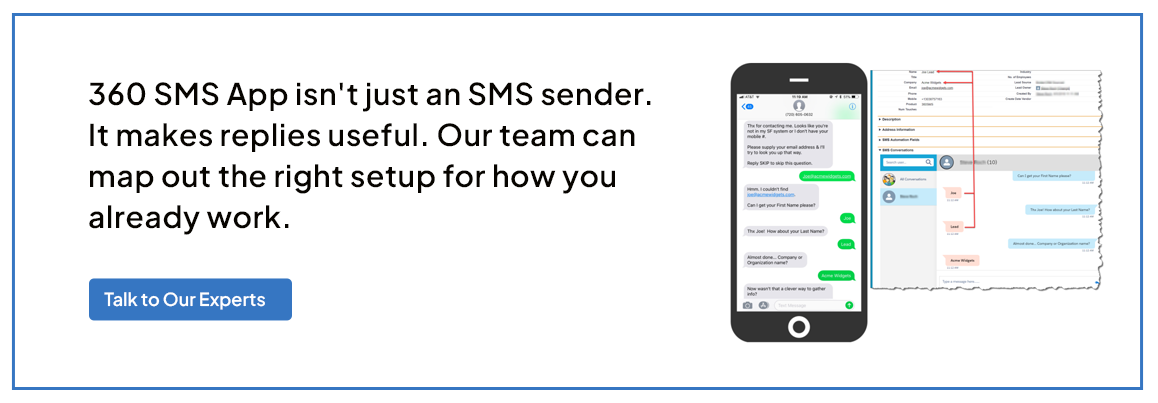
Two-way texting in Zoho CRM through 360 SMS App logs every reply directly to the right Zoho record — the contact, the lead, the deal, whatever module you’re working in. An incoming alert fires immediately so nobody’s waiting around to find out a reply came in. The thread is right there, in full, next to everything else Zoho knows about that person.
Your outbound SMS being great means nothing if a reply goes unanswered. That’s the part most teams haven’t fixed yet.
What Two-Way SMS Looks Like Inside Zoho CRM
Open any contact in Zoho, and you’ll see the full thread with 360 SMS. Every message sent, every reply received, timestamps, delivery status, read receipts. 360 SMS App’s conversation view keeps it all in one place across SMS, MMS, and WhatsApp.
The useful thing is the context sitting right alongside it. Deal stage, notes, assigned rep, previous history — all visible before you type a single word back. So your response actually makes sense to the person receiving it, because you’re not going in blind.
There’s also an AI Auto Suggestion that reads the incoming message and surfaces a relevant draft reply based on CRM data and conversation history. It’s not a chatbot — it’s more like a smart nudge. The agent still sends it, but they’re starting from something sensible rather than a blank box. For anyone dealing with a lot of inbound volume, that’s a real time saver.
Zoho conversational SMS means the reply shows up next to the record, not in a separate tool, not in a shared inbox with fifty other threads. Right there, in context.
 Three Conversation Workflows That Work Better With Replies
 Three Conversation Workflows That Work Better With Replies
Once replies are actually landing in Zoho, a few workflows stop being a headache. These come up most with teams using the 360 SMS App:
- Lead qualification: First message goes out when a lead enters Zoho. They reply with interest. The AI ChatAgent takes over — asks qualifying questions, captures budget and timeline, updates the CRM record. By the time a rep picks up the conversation, the groundwork is done. No one’s asking the same questions twice.
- Appointment confirmation: Reminder fires before a scheduled call. Contact replies to confirm or asks to reschedule. The reply to SMS in Zoho CRM is handled: the record updates, and the agent gets notified. No manual chasing, no missed calls because someone forgot to check a separate inbox.
- Post-call follow-up: Message goes out after a demo or check-in. Customer replies with a question. It opens in the Zoho SMS inbox, the rep responds in context, and the whole exchange is logged against the deal. If it needs escalating, the thread history is right there — nobody has to reconstruct what was said.
The reply isn’t the end of these interactions. It’s the next step. And when it lands in Zoho instead of somewhere disconnected, that next step actually happens.
Managing Replies and Conversations Day-to-Day
The Zoho SMS inbox gives you one view of every active conversation across your contacts — no jumping between records to find who replied, who’s waiting, who went quiet. Incoming alerts mean nothing slips through, even when your team is heads-down on other things.
Higher reply volumes? The AI-Powered Zoho Chatbot handles the first layer. Common questions, qualifications, and appointment confirmations are managed without anyone stepping in. As the rep has the full thread along, they pick it up mid-conversation, not from scratch.
Template folders keep standard replies accessible directly from the conversation view. Pick one, tweak it if needed, and send. Everything stays in Zoho — SMS, MMS, WhatsApp, all in the same inbox. No switching between tools depending on how the contact reached out.
Measuring Conversations, Not Just Sends
 Measuring Conversations, Not Just Sends
Standard SMS reporting tells you messages were delivered. Maybe clicked. Almost never anything about the conversation that followed. Once two-way SMS is running inside Zoho, the picture gets a lot more useful.
Delivery status and read receipts are visible on every message in the CRM record. You can see who read something and didn’t reply — that’s its own signal. Link Shortening and Tracking means URLs in your messages are shortened and tracked, so click data comes back into Zoho, and you can act on it: follow up with people who clicked a specific link, build a workflow that triggers when someone opens a booking page.
The metrics that actually tell you something once conversations are running: reply rate broken down by message template, how fast agents are responding to inbound messages, and how many conversation threads are converting to the next deal stage. A send-only tool can’t give you any of that. When everything lives in Zoho and every reply, read, and click is tied to the right record, you can finally measure what’s working and what isn’t.
Wrapping Up
SMS without a working reply setup is just a broadcast tool with extra steps. It looks like communication but it’s not really a conversation — and most contacts figure that out quickly.
Zoho conversational SMS through 360 SMS App changes what happens after the send. Replies land in Zoho, sit next to the right deal, alert the right person, and move the process forward. The inbox, conversation view, AI tools, templates, and tracking all point at the same thing: making it possible to actually talk to people over SMS, not just push messages at them.
If replies from your contacts are currently going somewhere nobody’s looking then that’s the thing worth fixing first.