 Most admissions teams are losing students they never knew they had. A prospective student sends an inquiry Tuesday evening. Your team picks it up Thursday morning. By then, two other institutions have already replied — and that student enrolled somewhere else.
MIT and InsideSales.com put a number on it: reach a lead within five minutes and they’re 21 times more likely to qualify than if you wait 30. Students are applying to several programs at once. They go with whoever shows up first.
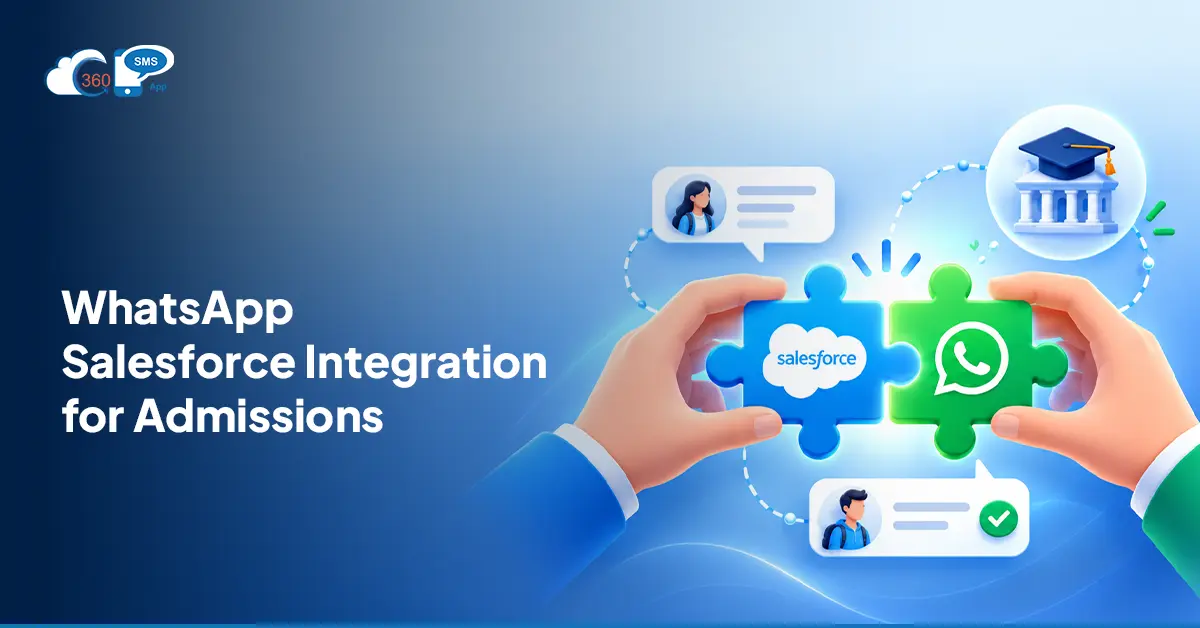
WhatsApp is where they’re waiting. Over 3.3 billion monthly active users globally, open rates around 98%, and the default messaging channel for students across India, Southeast Asia, the Middle East, and Latin America. Pair that with Salesforce, and WhatsApp Salesforce for admissions stops being optional — it becomes what separates the institutions that fill their intakes from the ones that wonder why inquiries went cold.
Table of Contents
Why WhatsApp Salesforce Integration Is Critical for Admissions Teams
Student conversations need context. Which program did they ask about? What documents are still outstanding? Where are they in the application pipeline?
That’s the thing: WhatsApp on its own is fast but completely blind to your CRM data. Salesforce WhatsApp integration fixes this by syncing every conversation directly to the student’s Lead or Contact record. Advisors aren’t chasing across tabs or asking students to repeat information they’ve already shared.
A shared team inbox means multiple advisors see every incoming conversation from one view. Nothing drops because someone went on leave. The full inquiry history sits on the record, visible to whoever picks up next. Stage changes in Salesforce trigger the right WhatsApp automatically: confirmation, next steps, a document request.
But this only holds together when the integration actually lives inside Salesforce. A connector bolted on from the outside, with its own sync job and its own set of records, is where the duplicate entries and missed updates start showing up.
Why WhatsApp Is the Right Channel for Student Communication, Especially in India
Email open rates for admissions outreach sit under 20%. WhatsApp open rates are around 98%. That gap doesn’t close with better subject lines.
For WhatsApp Salesforce for India, the case is even sharper. India has over 500 million WhatsApp users, the largest WhatsApp audience of any country. Students and parents at Indian universities treat it as their default communication layer, not an alternative. The same holds across Southeast Asia, the Middle East, and Latin America. If your institution recruits internationally, that’s where your audience already is.
WhatsApp supports rich media natively too. Brochures, application forms, campus walkthrough videos, admission letters — all delivered as a single message, not a download link buried in an email footer. And when no advisor is available, a 24/7 AI chatbot inside Salesforce handles initial student inquiries, captures contact data, and routes conversations to the right person — all on WhatsApp, all syncing live into your CRM records.
Salesforce Integration for Admission: What It Looks Like in Practice
Here’s what a working Salesforce integration for admission looks like, stage by stage.
Whenever a new lead engages, a lead is auto-created in Salesforce. A student sends a WhatsApp inquiry. The chatbot picks it up, runs through a few qualification questions, and collects necessary data to hanover the leads that worth sales team time. No manual intervention.
The student submits an application. A Salesforce Flow fires a WhatsApp confirmation with next steps and a document checklist. The student replies in the same thread with their transcripts attached. Advisor sees everything on the record, already organized.
Advisor assigned. A personal WhatsApp goes out from that advisor’s number, not a generic team inbox, so the student knows exactly who they’re talking to.
Deadline approaching. An automated reminder fires with the application link pre-populated. Not because an advisor remembered to send it. Because the Flow was already scheduled.
Offer issued. A Meta-approved WhatsApp template with CTA buttons — “Accept Offer,” “Book a Slot,” “Confirm Enrollment” — lands in the student’s chat. One tap to act. Acceptance rates go up when the next step is that simple.
5 Ways Admissions Teams Use WhatsApp + Salesforce
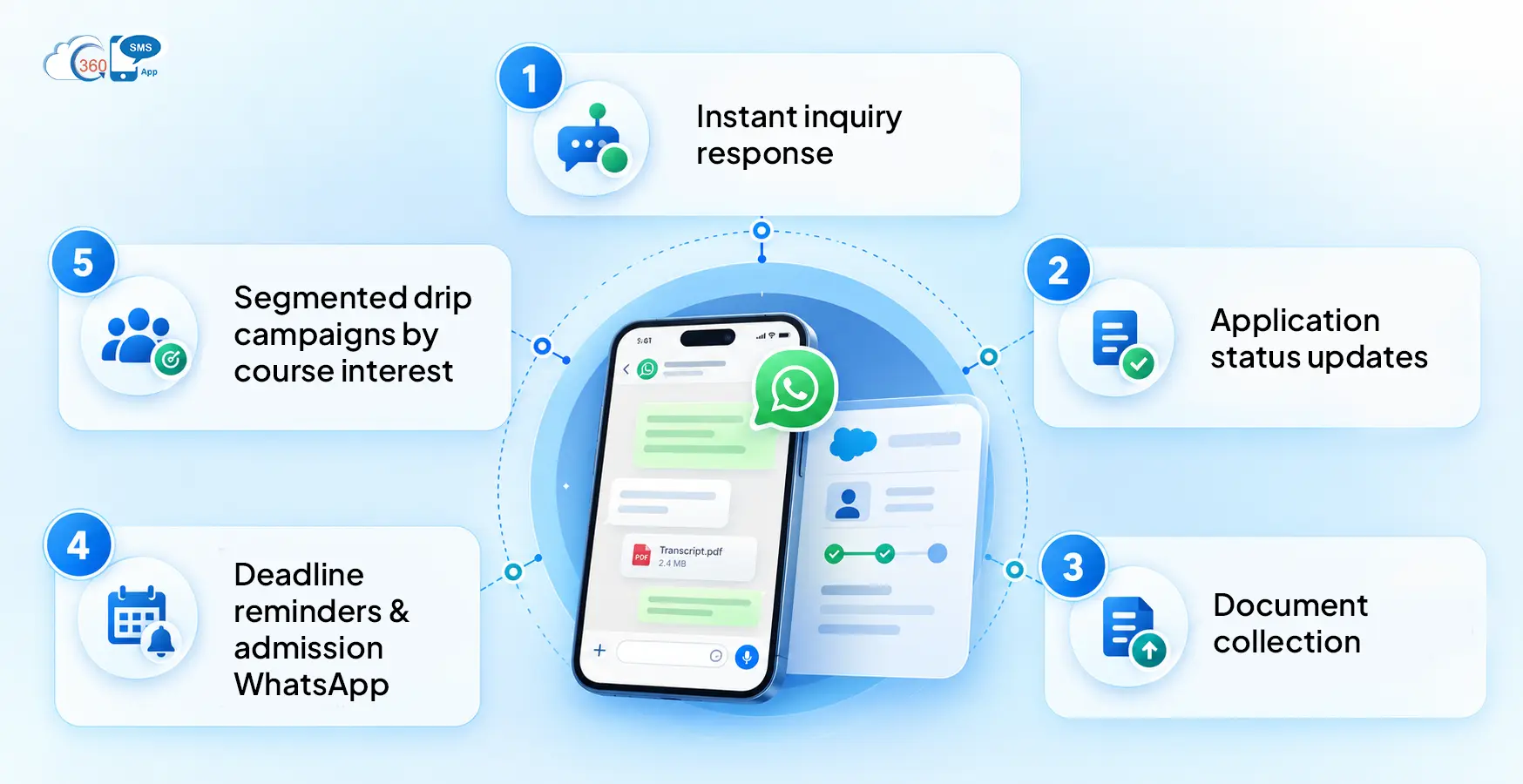
- Instant inquiry response
A chatbot handles incoming WhatsApp messages within seconds, even at 11 PM when a student finally sits down to research programs. No inquiry sits cold overnight. Contact data gets captured and a Salesforce Lead gets created automatically. - Application status updates
Every stage change inside Salesforce triggers an automated WhatsApp update to the student. They stop sending “just checking in” messages because they already know where things stand. - Document collection
Request transcripts, ID, or reference letters directly over WhatsApp. Students reply with files in the same conversation thread, and those attachments sync straight to the Salesforce record. No separate portal login. - Deadline reminders and admission WhatsApp follow-up
Admission WhatsApp follow-up sequences for scholarship deadlines, fee payment windows, and enrollment confirmations run on schedule from inside Salesforce Flow. No manual effort from your team at each stage. - Segmented drip campaigns by course interest
Students who inquired about an MBA get a different message sequence than those interested in engineering. Segment by program, intake year, geography, or application stage, then run WhatsApp Salesforce drip campaigns directly from the CRM.
The Salesforce Plugin Built for Every Stage of the Admissions Workflow
360 SMS App is built inside Salesforce, not connected through a third-party bridge. For admissions teams managing thousands of student records, that’s not a minor technical detail.
On the WhatsApp side, here’s what it covers:
Native Salesforce integration across Leads, Contacts, Opportunities, and custom objects. Conversations, opt-outs, and attached documents all log to the record automatically.
Meta-approved WhatsApp templates with CTA buttons, configured inside Salesforce. “Apply Now,” “Book a Campus Tour,” “Confirm Enrollment” — no separate template management tool required.
An AI chatbot for 24/7 inquiry handling. It qualifies students, captures data, and routes conversations to the right advisor without a manual handoff.
Bulk WhatsApp campaigns from Salesforce List Views, with merge fields pulling from student records. An enrollment reminder going to 10,000 prospects can still address each student by program and name.
To be fair, no messaging tool delivers results without a clear message strategy behind it. But solid infrastructure is what lets that strategy hold up at volume.
Final Thoughts
WhatsApp Salesforce for admissions isn’t a future upgrade — the institutions running it now are responding faster, following up more consistently, and converting a higher share of the same inquiry volume. 360 SMS App puts this inside your existing Salesforce setup. No new platform, no additional portal for your team to manage. Just faster replies, better-logged conversations, and fewer students who move on because they didn’t hear back in time.
Transform how you manage your admission cycle over WhatsApp with 360 SMS.