 SMS still delivers the highest open rates of any business channel. But that only holds when messages actually reach the inbox, and in 2026, unregistered A2P traffic in the US gets filtered or blocked before it ever does.
For Zoho CRM users sending SMS to US numbers, 10DLC compliance isn’t a technicality to sort out later. It’s what determines whether your messages land or disappear. Carriers have been tightening enforcement steadily, and the compliance landscape this year has more teeth than before.
So here’s what this guide covers: what 10DLC registration involves, where Zoho CRM fits in the picture, how to get registered, and how to keep Zoho CRM SMS compliance running without it becoming a maintenance burden.
Table of Contents
What Is 10DLC and Why Does It Matter?
10DLC stands for 10-digit long code, the standard local-format phone numbers businesses use to send A2P (Application-to-Person) messages at scale. A2P is any messaging that goes from a software platform to a person, which covers virtually everything sent through a CRM.
The Campaign Registry (TCR) sits at the center of this. Carriers use it to vet businesses, assign trust scores, and decide what throughput each registered campaign gets. Higher trust score, better deliverability. No registration, and you’re sending into a filter.
Without 10DLC registration, expect message filtering, carrier blocking, and delivery failure rates that make SMS campaigns effectively useless. That’s not a worst-case scenario; it’s the current default for unregistered traffic on major US carriers.
2026 Compliance Landscape: TCPA, State Laws, and Carrier Fees
The regulatory picture around A2P 10DLC registration Zoho users need to understand has shifted considerably heading into 2026.
TCPA still requires prior express written consent before sending marketing messages. That hasn’t changed. What has moved: the FCC’s “revoke-all” requirement – letting consumers revoke consent across all channels in one action – is delayed to January 31, 2027. That window exists, but it won’t last.
State laws are moving faster than federal ones. Texas SB 140, effective September 2025, now covers text messages with penalties up to $1,500 per violation and treble damages available for willful violations.
Virginia SB 1339, in force from January 2026, requires businesses to honor opt-outs for ten years with penalties of $500 per violation, up to $1,500 for willful violations. These aren’t hypothetical risks for teams sending at volume.
On the carrier side, T-Mobile and US Cellular both raised per-message fees in January 2026 for unregistered or non-compliant traffic. TCPA SMS in 2026 for Zoho compliance isn’t just about legal exposure; it directly affects what you pay per send.
Does Zoho CRM Support 10DLC Registration Natively?
Short answer: not through Zoho CRM itself.
Zoho Voice offers two-way SMS for US and Canada numbers with 10DLC support through its own built-in flow, but that’s a separate product, not something native to Zoho CRM’s standard SMS functionality. Zoho CRM on its own doesn’t include a US SMS gateway or 10DLC registration process.
That’s where third-party apps come in. Using 360 SMS for Zoho, registration is handled through the team. 10DLC compliant numbers are assigned to clients directly, so the compliance layer is set up as part of onboarding, not something teams have to figure out separately. The one-time 10DLC registration fee is $70, with campaign charges of $10 per campaign per month.
Step-by-Step: 10DLC Registration for Zoho CRM SMS
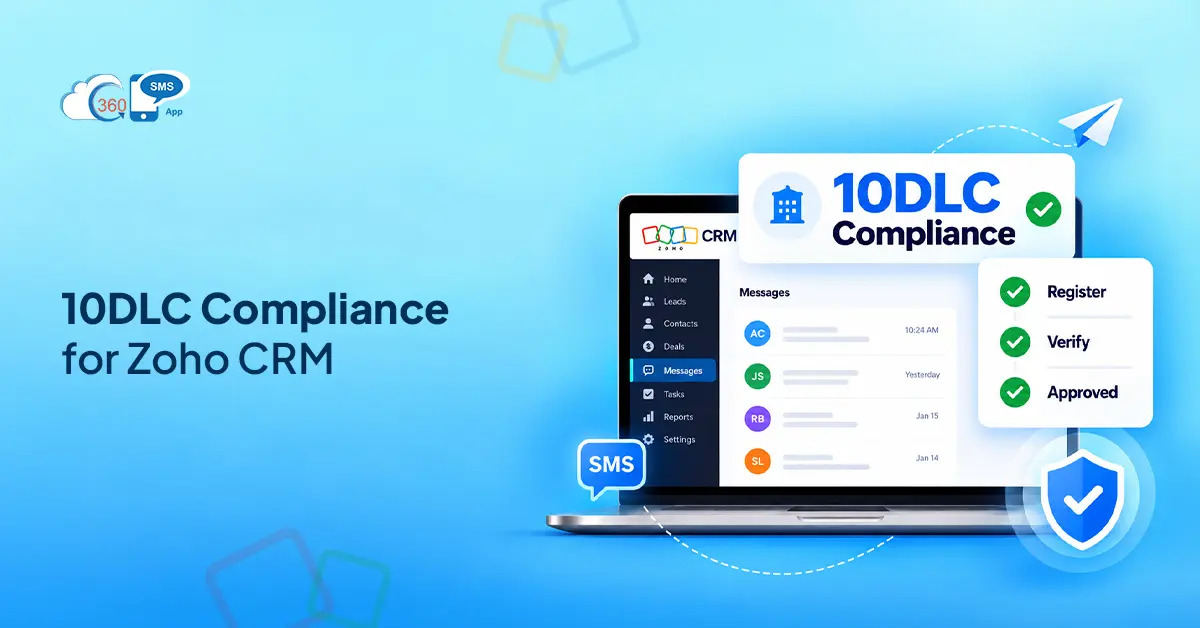
Step 1 — Register your brand with TCR. You’ll need your EIN, legal company name, and industry category. This establishes your business identity in the carrier ecosystem.
Step 2 — Register your campaign. Choose the right use case — marketing, customer care, two-factor authentication, and so on. Use-case accuracy matters here: mismatches between declared and actual content are one of the most common reasons campaigns get flagged.
Step 3 — Associate your numbers. Each 10-digit long code gets tied to the registered campaign. With 360 SMS for Zoho, compliant numbers are assigned to clients as part of setup — teams aren’t starting this from scratch.
Step 4 — Configure consent capture in Zoho CRM. Web-to-lead forms need an explicit SMS opt-in checkbox. Log the consent date and source in a custom field on the contact record. This is your paper trail if a consent dispute ever comes up.
Step 5 — Set up opt-out automation. Build a Zoho workflow rule that triggers on STOP replies and immediately suppresses that contact from future sends. This is where 360 SMS for Zoho’s AI Compliance feature earns its place — it detects intent-based opt-outs automatically, catching the contacts who reply “unsubscribe” or “remove me” rather than the exact word STOP.
Timelines to plan around: Brand approval typically runs 24-48 hours. Campaign approval takes 3-10 business days depending on use case and carrier review queue.
Consent Collection Best Practices Inside Zoho CRM
Registration gets you compliant at the carrier level. Consent management keeps you compliant at the legal level, and those are two separate things.
Web-to-lead forms should include an explicit, unchecked SMS opt-in checkbox with clear disclosure language. Pre-checked boxes don’t satisfy TCPA’s written consent requirement.
Log the consent date and source in a custom field on every contact record. If a contact later disputes receiving messages, you need to show when and how they opted in. A Zoho workflow rule can auto-populate this field when a form submission comes in.
Auto-blocking contacts without consent is worth setting up as a workflow condition before any bulk send. It prevents the scenario where a rep manually adds a contact and sends before consent has been captured.
Troubleshooting: Why Your Zoho CRM SMS Isn’t Delivering
SMS not delivering from Zoho usually comes down to one of four things.
Unregistered number. This is the most common cause. Carriers filter unregistered A2P traffic without notice – no bounce, no error; messages just don’t arrive.
Wrong use-case category. If your campaign is registered as “customer care” but you’re sending promotional content, carriers can flag and filter it. The use case on your TCR registration needs to match what you’re actually sending.
SHAFT content. Sex, hate, alcohol, firearms, tobacco — content that touches any of these categories faces stricter carrier filtering regardless of registration status. Review template content before sending at volume.
Quiet hours violations. TCPA requires messages to land between 8 AM and 9 PM in the recipient’s local time zone. Sends outside that window are a compliance risk and increasingly flagged by carriers. Zoho Workflow Integration can handle quiet-hours scheduling, building a time condition into the workflow rule before the SMS action fires.

How 360 SMS for Zoho CRM Handles Compliance
The compliance features in 360 SMS for Zoho are built around the scenarios where things go wrong, not just the setup.
Opt-In and Opt-Out Management is built into the platform. STOP handling runs automatically, and AI Compliance catches intent-based opt-out language that doesn’t match exact keywords. That matters when contacts reply in plain language rather than formatted commands.
All messaging activity ties back to the Zoho CRM record: outbound sends, inbound replies, delivery status. That record-level visibility is what gives teams an audit trail without building a separate reporting layer.
For quiet hours, Zoho Workflow Integration handles the scheduling side. Time conditions in workflow rules keep sends inside compliant windows without manual oversight.
And because 360 SMS team assigns 10DLC compliant numbers to clients directly, teams aren’t managing number provisioning separately from the CRM. The compliance infrastructure and the messaging layer are set up together.
Final Thoughts
10DLC compliance in Zoho CRM isn’t a one-time checkbox. Registration gets you in the door. Consent management, opt-out automation, and quiet-hours enforcement keep you there, and keep your messages actually delivering.
The teams that handle this well aren’t spending more time on compliance. They’ve built it into the workflow so it runs without manual oversight. That’s what 360 SMS for Zoho is set up to do – compliant numbers assigned at onboarding, AI Compliance catching opt-outs automatically, and every message tied back to the CRM record where the contact lives.
Running SMS from Zoho CRM and want to get the compliance layer right?