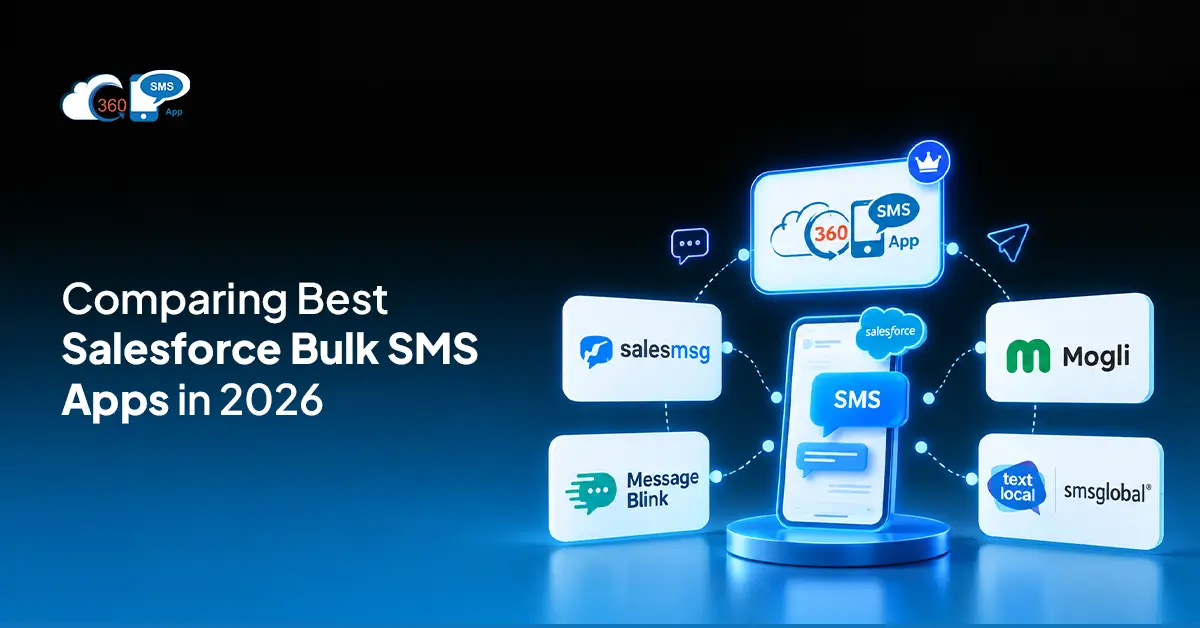
 Salesforce mass texting apps in 2026 have stopped being a “nice to evaluate” category. They’re infrastructure now. And yet Salesforce itself ships with no native outbound mass texting. You can trigger a flow, update a field, log a call — but bulk SMS to 10,000 leads? Needs a third-party app. No native path exists.
The compliance piece makes the 2026 decision heavier than it used to be. 10DLC registration through The Campaign Registry is carrier-enforced for US bulk SMS now. Teams that skip it see filtering rates above 50% on some carriers. Half the messages simply don’t arrive. That’s not a risk worth carrying into a campaign.
Three things actually matter when picking an app: sends that trigger from Reports, List Views, and Campaigns without leaving Salesforce; merge fields that personalize at real volume; and reply management that routes back into the CRM automatically.
Table of Contents
What Mass Texting in Salesforce Actually Means
Teams mix this up constantly. One-on-one SMS and mass texting share a channel. Almost nothing else.
A rep replying to a single lead from a contact record is 1:1 messaging. Mass texting fires one message — or a personalized version of it — to hundreds or thousands of recipients at once. The trigger is a Salesforce Report, a List View, or Campaign membership. Merge fields pull whatever lives in the record: first name, company, deal stage, days since last contact. Each person on the list gets something that reads like it was written for them. Even if the list has 15,000 names.
Compliance is where most setups break before they scale. Genuinely. Explicit opt-in for every contact, a business identifier in every message, opt-out instructions that are visible and functional, automatic STOP processing. Since 2023, 10DLC has been the carrier-enforced standard for high-volume US sends. Unregistered traffic filters at rates up to 50% on certain carriers. That number matters more than most teams realize until they see their delivery report.
Key Features to Evaluate in a Salesforce Bulk SMS App
To be fair, the “Salesforce integration” label covers a wide range. Some apps run natively inside Salesforce. Others are external platforms with a sync connector attached. Contacts in two systems. Reporting in two systems. Reps switching between tabs every time a reply comes in. Most buyers don’t catch this distinction until after the contract is signed. That’s the thing.
Here’s what separates apps that hold up at real volume from ones that look fine in a demo:
Bulk send source. Triggering the send from a Salesforce Report, List View, or Campaign without exporting anything. If the workflow requires a CSV export at any point, attribution breaks, and compliance risk doubles.
Merge field support. Live CRM data applied at send time, not substituted from a static export. First name, location, product interest, deal stage — pulled fresh from the record at the moment the message goes out.
Flow integration. Automated sends triggered by record changes, date fields, or stage movements. No code. This is where high-volume SMS from Salesforce shifts from a marketing tool to something ops teams actually depend on.
Reply management. Bulk sends generate replies. A native app routes each reply to the originating Salesforce record without any manual sorting. A non-native app hands that job to the rep. At 5,000 sends, that’s unmanageable within a day. When bulk SMS campaigns generate replies, instant messaging helps teams respond quickly and personalize follow-ups. At AKLOS Health, a physiotherapy platform built by ScienceSoft supports patient–therapist instant messaging, allowing therapists to provide continuous feedback and make personalized treatment adjustments based on patient progress.
10DLC tools baked in. Brand registration, campaign registration, opt-out keyword handling, quiet hours by recipient time zone. Not a separate process the admin manages manually. Inside the app.
Pricing model. Per-credit pricing suits variable send volumes. Per-user makes sense when several reps need access, but each sends at lower individual volume. At 100,000 messages a month, the gap between these two models in total cost is real.
Top 5 Salesforce Mass Texting Apps in 2026
1. 360 SMS App
Not connected to Salesforce. Not synced with it. Runs inside it. That distinction matters more than any feature list.
Bulk sends fire from Reports, List Views, and Campaign membership directly. Merge fields pull from any standard or custom object field. Flow and Apex integration handles automated sends at any trigger point without a developer in the loop. 10DLC is built in. Opt-out keywords process automatically. Quiet hours enforce by recipient local time.
When replies come in after a bulk send, AI-assisted suggestions give reps a starting point rather than a blank text box. Useful at volume.
One thing worth separating out: 360 SMS covers 15-plus channels from the same app. SMS, MMS, WhatsApp, Ringless Voicemail, CTI, Instagram. Teams that want omnichannel without running separate tools for each channel get it here from one platform, one interface, one record in Salesforce.
2. Salesmsg
$25 per month for 500 credits. Low learning curve. Clean interface that smaller teams pick up quickly. Bulk send capabilities run into ceilings at genuine volume. Works well for 1:1 messaging and lighter campaigns. Not the right fit for teams pushing high-volume SMS from Salesforce at scale.
3. Message Blink
$7 per user per month on PAYG. Bring-your-own-provider works for teams that already hold carrier contracts and want flexibility. Stronger on high-volume sends than Salesmsg. Requires more configuration upfront before it runs cleanly.
4. Mogli
100% Salesforce-native. SMS, WhatsApp, and surveys from one platform. Teams running structured multi-step conversation flows, or survey workflows, find it useful. Pricing positions toward mid-market and enterprise. Less built for raw bulk throughput, more built for conversation architecture.
5. Textlocal / SMSGlobal
For cross-border sends at volume. Per-message rates on international traffic are competitive. Salesforce integration sits closer to a connector than a native experience. Better suited where international reach is the primary requirement rather than deep Salesforce workflow integration.
Comparison Table
| App | Starting Price | Bulk Send Source | 10DLC Built-In | Flow Integration |
| 360 SMS App | Contact for pricing | Reports, List Views, Campaigns | Yes | Advanced |
| Salesmsg | $25/mo (500 credits) | Limited | Yes | Basic |
| Message Blink | $7/user/mo PAYG | Reports, Campaigns | Yes | Moderate |
| Mogli | Contact for pricing | Campaigns, Lists | Yes | Advanced |
| Textlocal / SMSGlobal | Volume-based | Basic | Varies | Limited |
How to Send Mass Texts from Salesforce (Step-by-Step)
Four steps. That’s the workflow once 360 SMS is installed and 10DLC registration is live. It sounds simple. It mostly is.
Step 1: Build your opted-in list in Salesforce Reports
Filter to contacts where SMS opt-in is true. Add whatever segmentation fits the campaign — industry, deal stage, geography, days since last contact. Save the report. This is the live send audience. It pulls fresh data at send time, not from a snapshot.
Step 2: Set up your template with merge fields
Write the message. Add merge fields for first name, company, or any field on the record. The send bulk SMS from Salesforce report workflow applies those from live CRM data at the moment of send, not from a static export taken earlier in the day.
Step 3: Trigger the send
Open 360 SMS. Select the report or List View. Choose the template. Schedule or push immediately. Merge fields apply per contact. Messages route through the registered 10DLC number.
Step 4: Watch delivery and handle replies
Delivery data writes back to each Salesforce record on its own. Replies go to the originating contact. Opt-outs clear immediately. No manual step anywhere in that chain.

2026 Compliance Checklist for Salesforce Mass Texting
Most bulk SMS deliverability failures aren’t technical problems. They’re compliance gaps that carriers catch. Before any campaign goes out:
- 10DLC brand and campaign registration complete through TCR
- Explicit opt-in documented for every contact on the list
- STOP and UNSUBSCRIBE keywords set to remove contacts immediately and automatically
- Quiet hours enforced by recipient local time, 8 AM to 9 PM
- Business name in every outbound message
- Opt-out instruction in every outbound message
Check Salesforce mass texting pricing against your projected monthly volume before launch too. Per-credit costs move faster than expected when a campaign spikes. Know your ceiling before the send goes out, not after the invoice arrives.
Final Thoughts
Pick a Salesforce mass texting app in 2026 based on two things: whether it’s actually native to Salesforce, and whether 10DLC compliance is built in or bolted on. Everything else follows from those two. Salesforce mass texting pricing varies enough between models that volume projections genuinely change which option makes financial sense. The per-credit versus per-user difference at 50,000 messages a month versus 500,000 is not a rounding error. For teams that want Salesforce bulk text messaging in 2026 handled across SMS, WhatsApp, and additional channels from one native platform, 360 SMS App is the option that doesn’t require assembling a stack to make it work.
Ready to trigger bulk messages to millions from Salesforce Report, handle opt-outs automatically with AI, or route replies back to the record owner with 360 SMS?
Contact our experts today!