Whether it’s real estate, education, recruitment, finance, healthcare, or any other industry, documentation is a run-of-the-mill activity that employees manage in every firm.
What makes the task more challenging for employees is they keep following up with prospects and customers through calls and emails for required documents but don’t get them on time.
Sometimes, it takes several follow-ups to complete the documentation process. Even worse, many times, recipients do not receive calls or check the email, which expands the time frame of the documentation process.
Thus, firms need a concreate process to communicate and follow up with customers reliably and faster. This is where SMS comes to the rescue and allows you to send files in different formats like PDF.
Send PDFs & Documents Instantly via SMS
Skip emails and calls. Share PDFs, images & files directly through SMS for faster responses.
High Open Rates • Fast Delivery
Table of Contents
Why and How to Send a PDF and Other Documents via SMS?
Collecting documents over email is the most traditional form which may extend the documentation process.
But, people are more likely to check SMS than emails which is why the text has the highest open and response rate.
And this highest open rate of SMS can benefit you in the documentation process too.
Consequently, you can expect a quick response from customers and accelerate the documentation process.
3 Ways to Send PDF through SMS
There are three ways to send documents and PDF files through Salesforce SMS.
-
Use Images to Send PDF via SMS
One way to send documents and PDF files is in the form of images. You can click a picture of the document and send it in the form of an image.
When you send a single or bulk SMS through the 360 SMS app, you might have noticed an Add Files button which you can use to attach document images.
Besides, if you are conversing one-on-one, you can use an attachment clip to send documents in the image form.
-
Send PDF in Text using Attachments
Another way to send PDF files and documents is in the form of attachments. For this, you do not need to click images.
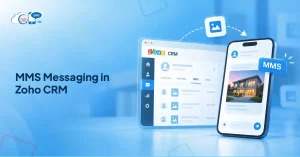
Again, you can use Add Files button or attachment clip to upload documents or PDF files and send them through SMS and MMS.
-
Use Shortened URLs to Send PDF
If you’re looking forward to sending documents and PDF files without using MMS, you can use URLs. With 360 SMS link tracking, you can send auto-shortened URLs redirecting to the online PDF files.
This way, you can send detailed documents without exhausting your character limit.
More importantly, you can track the click-through for each URL you send and follow up with the ones who didn’t click the link if required.
Pro Tip: Automate Texts for Managing Documentation
Apart from sending and receiving documents through texts, you can use texts in various other stages of the documentation process.
This includes automated follow-up text, reminder text, texts to update on documentation, and confirmation text once the documentation is complete.
This way, you can simplify the documentation process and manage it better and faster. And apart from documentation, hiring companies can also use SMS automation for various other operations to speed up business operations and reduce expenses.
Automate Document Collection with SMS
Send reminders, follow-ups & confirmation texts automatically using Salesforce SMS with 360 SMS.
No-Code Automation • Salesforce Native
Exchange Documents Much Faster and Conveniently
Text messages provide the most convenient and fastest way for business ventures to collect documents without calling customers. With SMS, they can easily send a PDF via SMS or documents in other formats.
Thus, employees do not have to deal with unattended calls and repeated attempts to reach out to prospects and customers.
More importantly, this eliminates the need for physical visits by customers to submit documents, which adds more convenience to them. Moreover, employees do not have to wait for responses over emails. And this helps to accelerate the documentation process.
To know more about how texting can help with documentation for your vertical, reach out to our experts at care@360smsapp.com or contact us here.