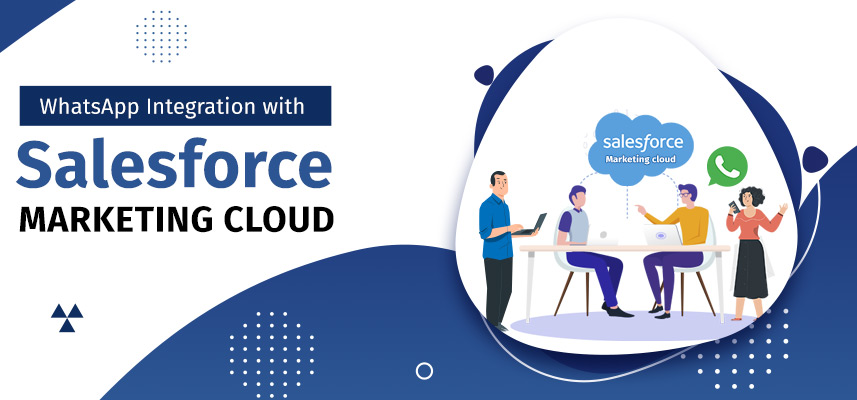
Without a doubt, Salesforce Marketing Cloud is a robust Salesforce platform for marketing. The marketing cloud has really made the marketer’s lives easier by providing a 360-degree view of customers’ data for planning more targeted multi-channel marketing campaigns and delivering personalized journeys across different channels and devices.
But here’s what doesn’t get talked about enough — Marketing Cloud Next runs on consumption credits, and those credits move fast. Every message, every channel interaction, every automated journey step draws from a pool that gets expensive at scale. And while WhatsApp is now available in Marketing Cloud Next, it requires Data Cloud provisioning and an add-on setup before a single message goes out.
That’s a real overhead for teams that just need WhatsApp to work inside Salesforce today.
The 360 SMS Marketing Cloud Add-on is built for exactly that situation. Faster message composition, predictable flat-subscription pricing, and native WhatsApp support — without needing to provision Data Cloud first.
Managing communications with the Marketing Cloud
Running WhatsApp through Marketing Cloud Next isn’t impossible — but it isn’t plug-and-play either. You still need Data Cloud as a mandatory dependency, an add-on for WhatsApp specifically, and identity resolution configured before anything actually sends. For teams that don’t have a dedicated Salesforce architect on hand, that setup process stretches from days into weeks.
And then there’s the credit question. Marketing Cloud Next bills through consumption credits — and at scale, those numbers shift in ways that are genuinely difficult to budget around. A campaign that looks affordable in planning can look very different on the invoice.
Task dependency in Journey Builder is another friction point that hasn’t gone away. You’re still building automation and relying on Tasks for each send, which slows down execution when your team needs to move fast.
Managing Communications with the 360 SMS Marketing Cloud Add-on
We have got the best solution for WhatsApp integration with Salesforce Marketing Cloud. 360 SMS Marketing Cloud connector helps make marketers’ lives easier, reducing marketing bottlenecks, adding convenience, and saving time.
Besides, it allows you to gain insights into actionable data from Marketing Cloud in Salesforce.
You can import and reuse marketing data from any data source for designing more targeted and well-planned mobile-first campaigns.
How does this Add-on Help Saving Time?
The 360 SMS Marketing Cloud empowers you with an out-of-the-box message composer, which lets you schedule texts and create multi-step journeys much faster, even in minutes.
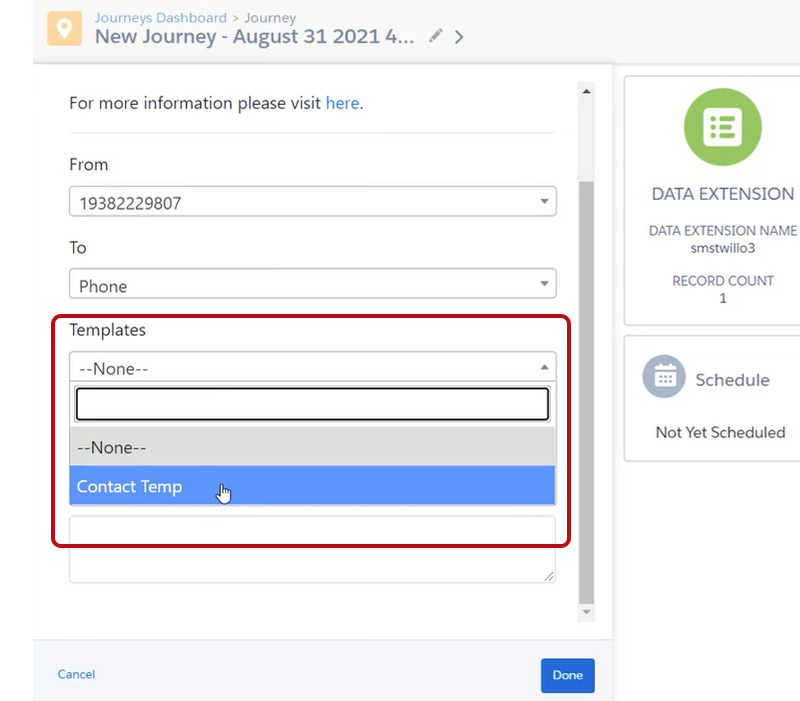
For faster message composition, it allows you to import and edit message templates. Consequently, you can personalize messages using ‘Merge fields’ for any custom field values.
With this connector, you can bring powerful drag-and-drop capabilities into the Marketing Cloud. Thus, you can eliminate dependency on developers and Tasks for scheduling and sending messages, saving time.
The best part is you can even send WhatsApp messages along with SMS in the email journey.
How does this Add-on Help Reducing Marketing Expenses?
Marketing Cloud Next runs on a consumption-credit model — and WhatsApp sends aren’t cheap within that system. Credits deplete based on message volume, type, and region, which makes cost forecasting genuinely difficult for teams running campaigns at any real scale.
The 360 SMS Add-on runs on a flat subscription. WhatsApp, SMS, and every other supported channel come out of one predictable monthly cost — no per-message credit math, no billing surprises mid-campaign. For high-frequency senders, that difference is meaningful.
How to Create a Journey Faster with Journey Builder using the 360 SMS Marketing Cloud Add-On
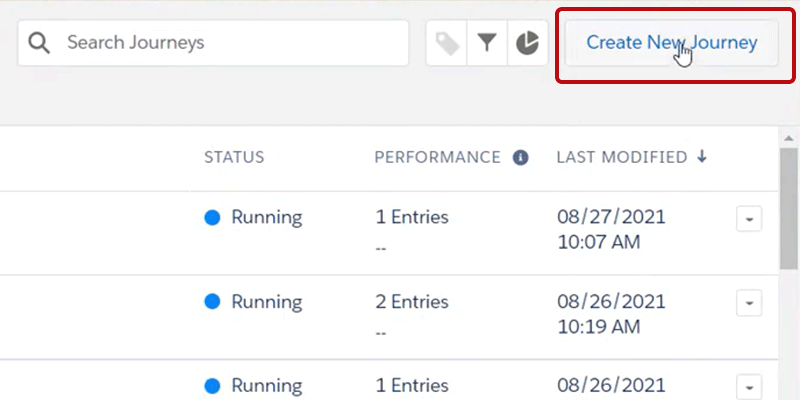
- Click Create New Journey in the Journey Builder
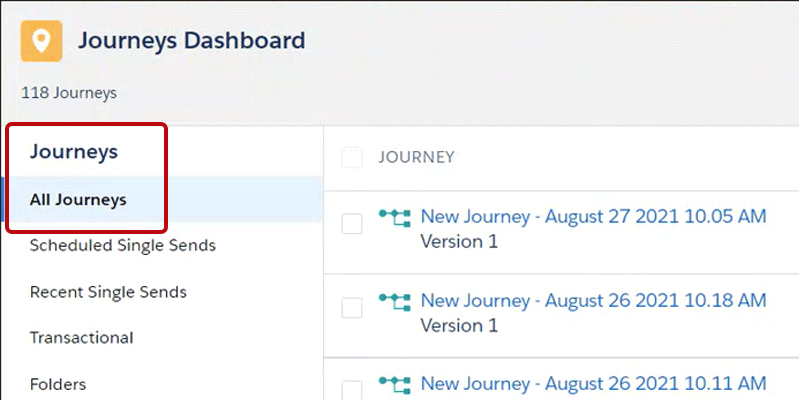
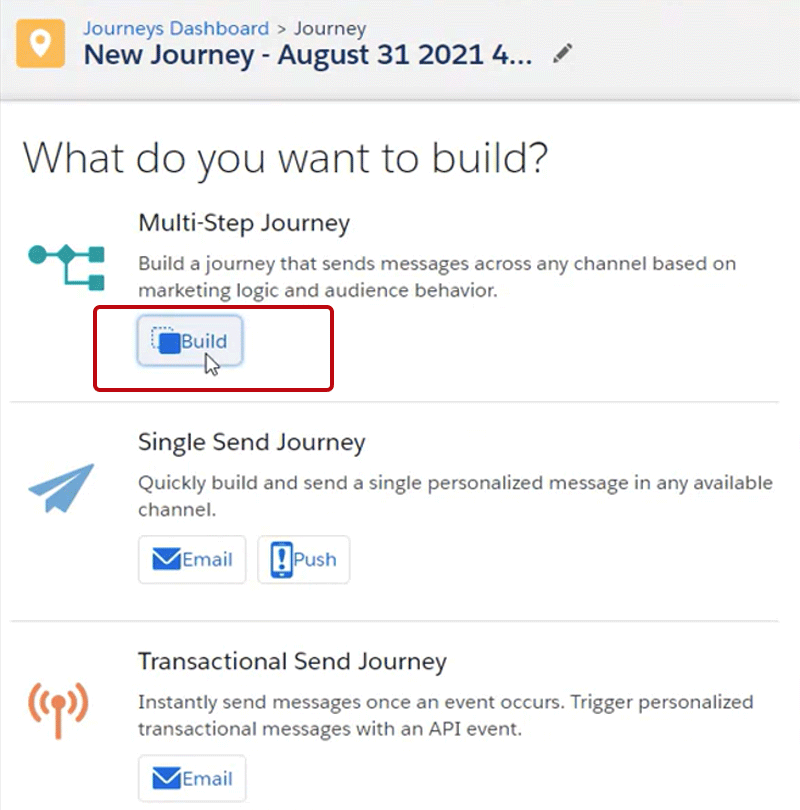
- Click Build to create a Multi-Step Journey in the Journey Builder
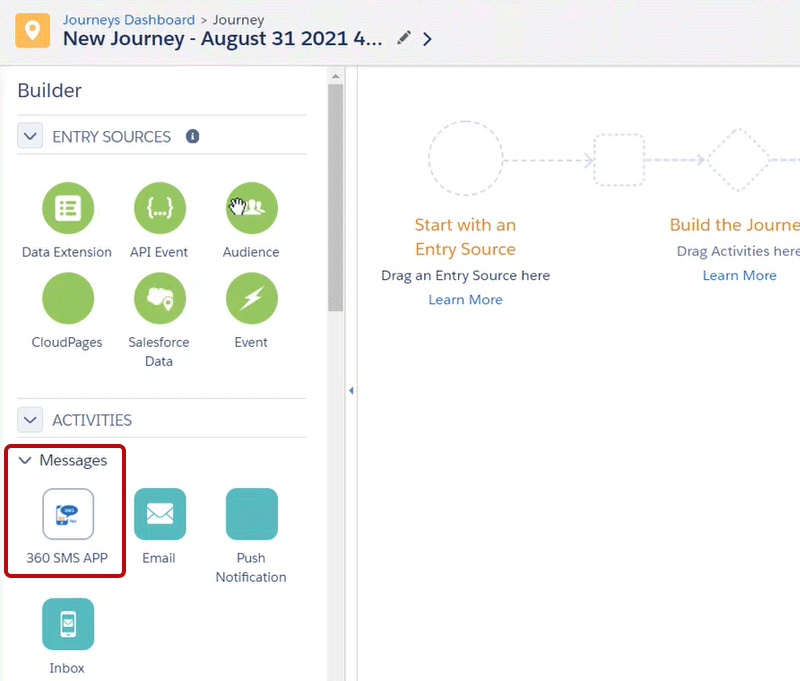
- Find the 360 SMS App activity in the new journey sidebar
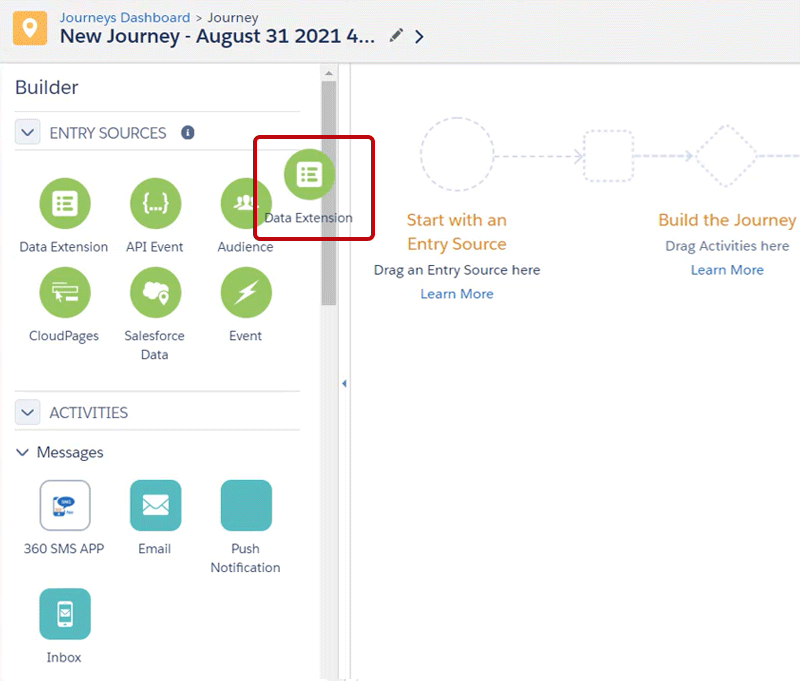
- Drag and drop any data source from which you’d like to send messages using Data Extension
- Select the data source to choose and upload records of the recipients to whom you want to send messages
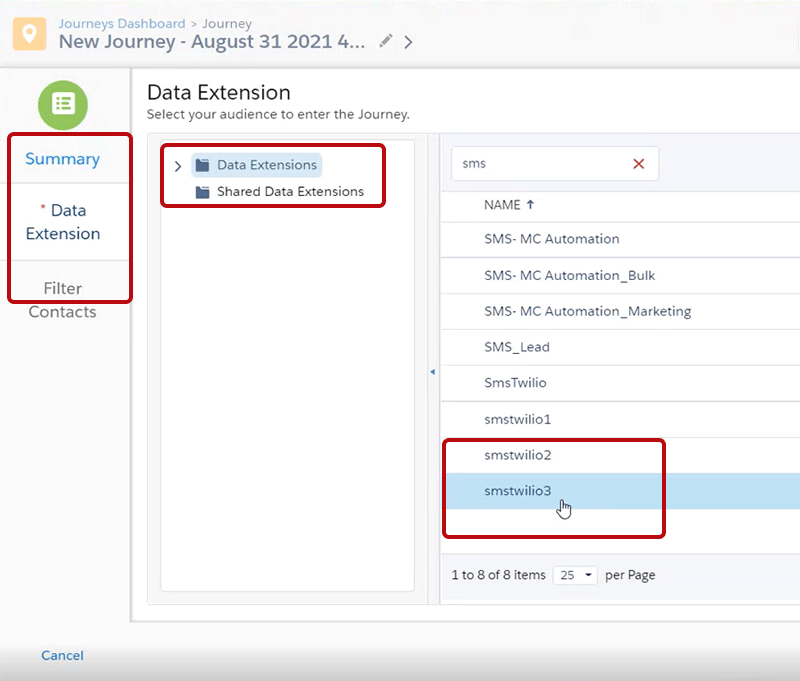
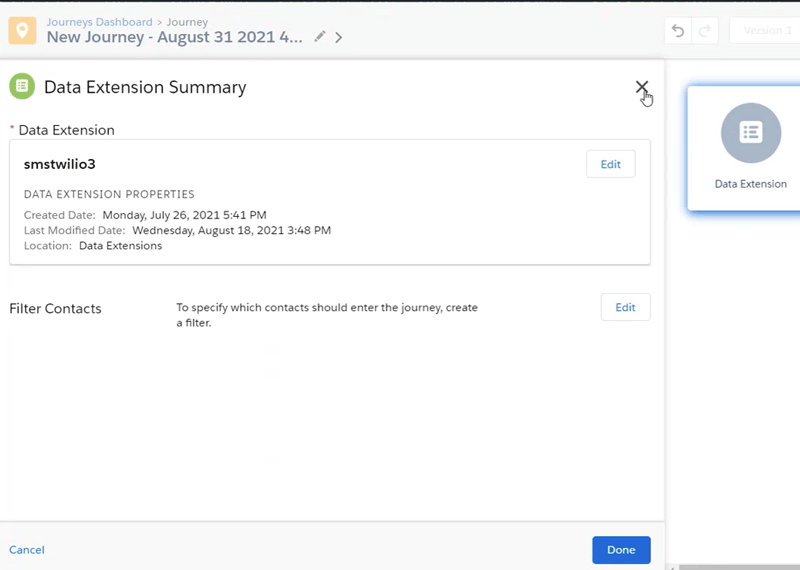
- The data source should now be populated by records shown in the sidebar summary
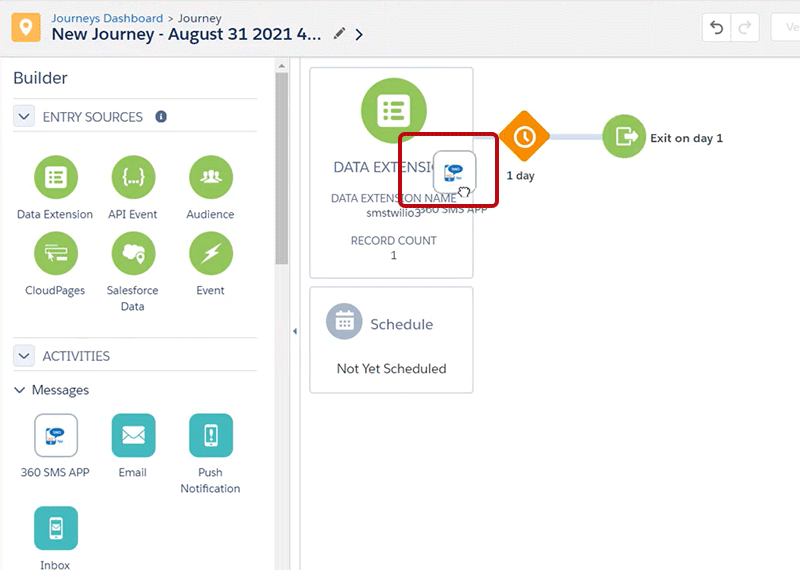
How to Compose a Message
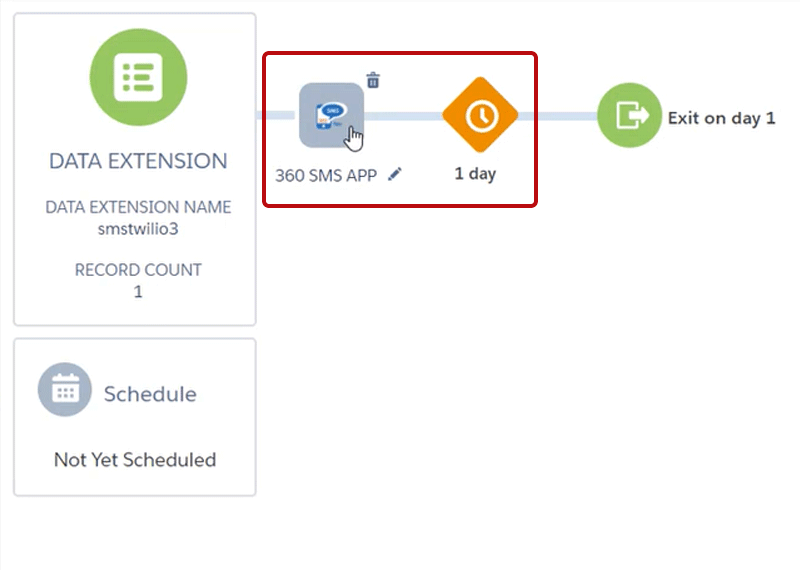
- Simply Drag-and-drop the custom 360 SMS App
- Open the 360 SMS App Activity and configure custom settings.
- Choose sender phone numbers in Salesforce and recipient numbers from the data source.
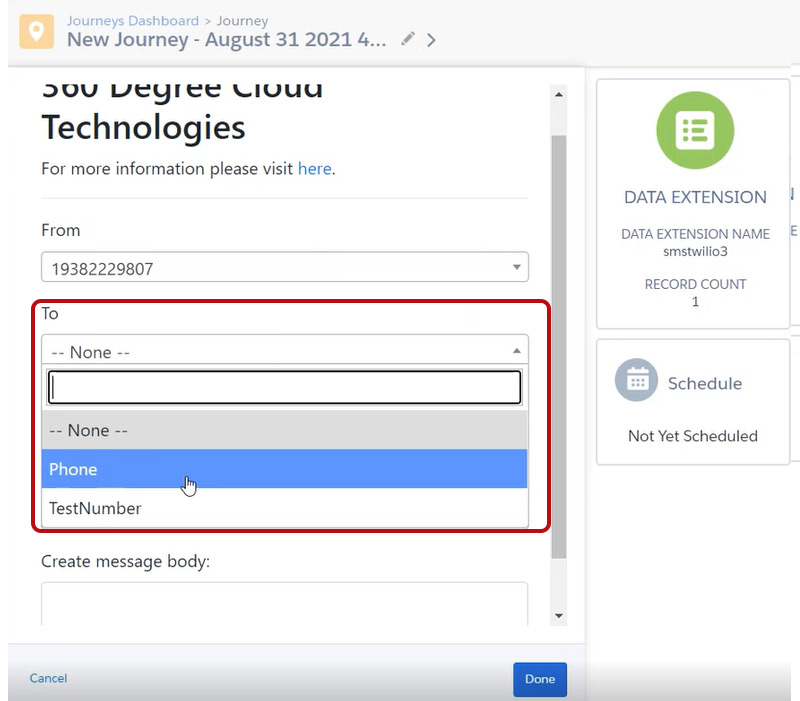 Import, edit, and reuse existing SMS templates if required.
 Easily merge field data from the data source when composing text messages.
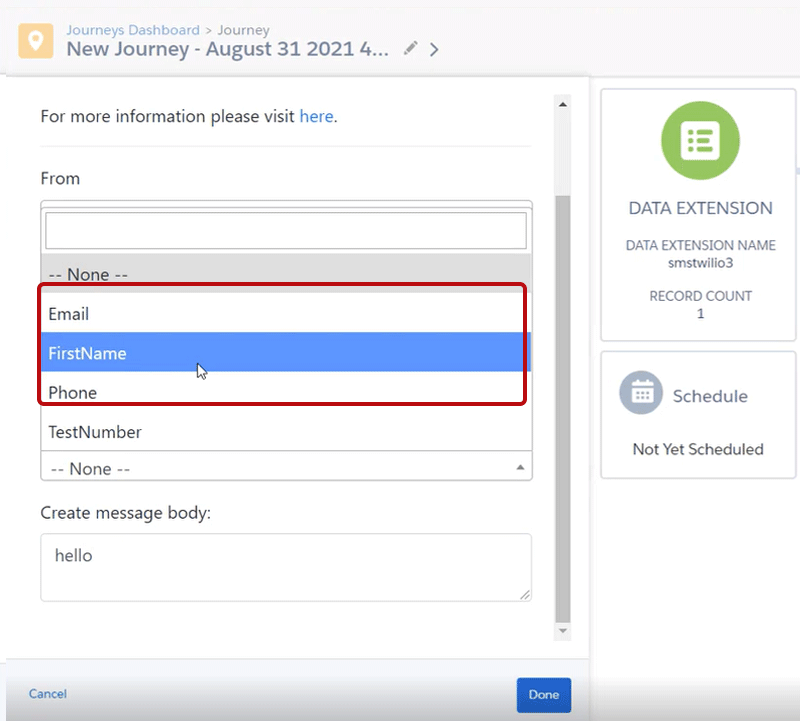
- Or just compose new messages on the fly when configuring the activity.

Take your Marketing Pursuits To the Next Level With Actionable Data and Easy-to-Compose Messages
With changing scenarios, you need to upgrade yourself and your businesses too. Salesforce WhatsApp business integration allows you to communicate with audiences over the widely used messaging platform.
The 360 SMS Marketing Cloud add-on allows users to send WhatsApp messages from the Marketing Cloud, eliminating marketing bottlenecks, dependency on developers, Tasks in journey builder, and high messaging expenses.
As a result, users can schedule and send messages much faster with drag-and-drop features and create multi-step journeys conveniently.
With this connector, users can make the best of their Marketing Cloud data, repurposing them for mobile campaigns, and also take their marketing operation to the next level using actionable data from MC and Salesforce.
To know more in detail about this Marketing Cloud Add-on, turn to our experts at care@360smsapp.com or click here to contact us.