Are you still sending messages in batches to target a large segment of your audiences? Then its time to rethink. The approach that you are stick to is not only time consuming but also hampers your team productivity leaving very less time to focus on high value operations like prospecting. This is why an advanced bulk messaging solution has become an essential for modern teams. Such apps not only helps you target millions of customers at once without worrying about the limit but also personalize your interactions at scale—and that’s the power you need for your business.
Salesforce bulk texting allows you to use your valuable customer data and drive immediate actions from recipients when used strategically. It means you can send a personalized, high-impact message to millions of customers at the same time, all straight from your CRM. This isn’t just a marketing trick; it’s a way to handle service alerts, speed up sales cycles, and ensure your most important communications are actually seen. To improve your outreach with bulk messaging, you can even target multiple channels and significantly boost engagement and business leads. Let’s look at what this feature is and how you can start using it today.
Table of Contents
Defining Bulk Texting: Reach Many Customers Instantly
What exactly are we talking about when we say Salesforce mass texting? It’s really simple: it’s the ability to send a single text message (or an MMS with a picture) to a very large, specific group of people whose information lives in your Salesforce database.
It’s different from one-to-one texting, which is great for quick chats between a sales rep and a single customer. Bulk texting is for the big moments: the widespread alert, the mass campaign, or the massive reminder blast.
Crucially, your standard Salesforce setup doesn’t do this by itself. To send texts—especially in high volume—you need to add an application to your CRM. These are often called Salesforce texting apps or messaging tools. This makes it possible for you to talk to thousands of people instantly. Plus, your system keeps everything neat and recorded in one central spot.
How Native Apps Enable Mass Messaging in Salesforce
You might be wondering: While Salesforce offers some native messaging options, why do most teams still rely on apps like 360 SMS for bulk texting — and how do these apps actually work?
The simple answer is to choose a mass texting app on AppExchange that is native to Salesforce. This means the app is built right inside your platform. It is not just connected to it from the outside.
A great native mass texting app on AppExchange acts like a highly specialized postal service. When you want to connect with millions of prospects or customers at once, the app does two major things:
- It bypasses limits: Salesforce has strict limits on how many actions you can take at once. A native app queues up all your messages and sends them out in controlled batches, which is the only way to send high volumes without the system crashing.
- It keeps data safe: Because the app lives inside Salesforce, it uses your existing security settings and logs everything—the message sent, the delivery status, and any replies—right back on the correct customer record. This is vital for accurate data and compliance.
This is how you get reliable, high-speed, and secure texting through Salesforce.

Key Steps to Set Up Your First Bulk SMS Campaign
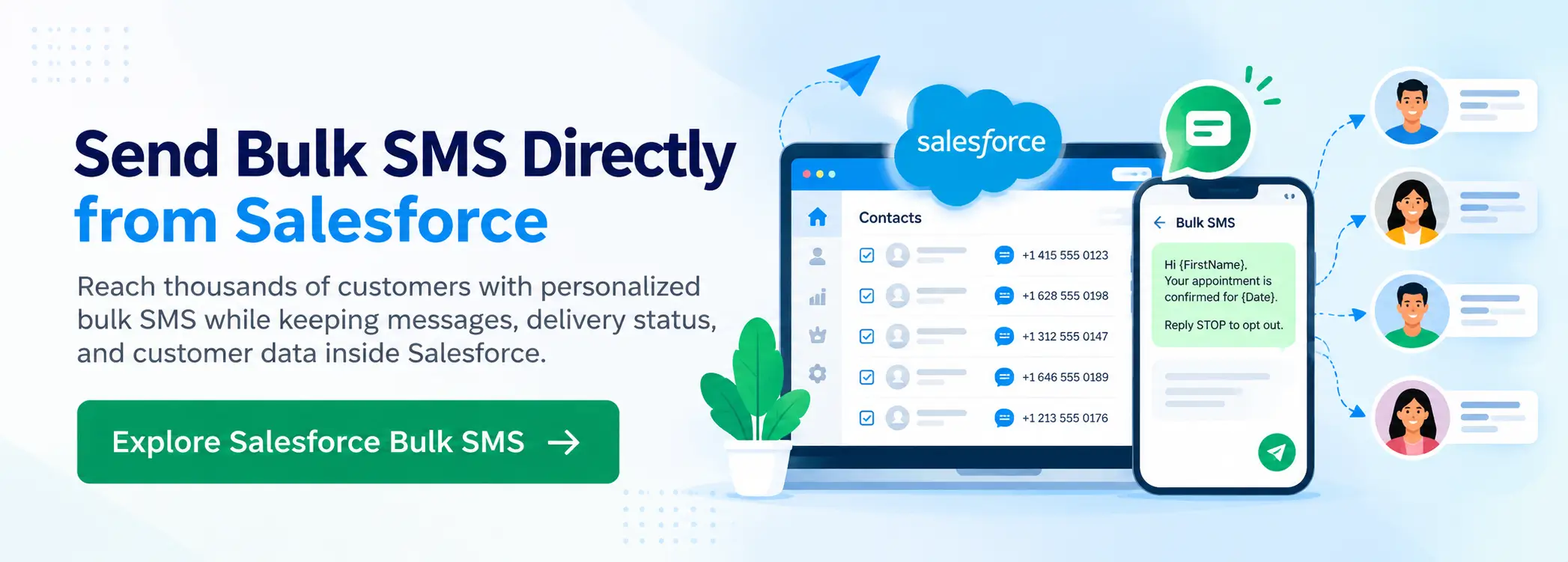
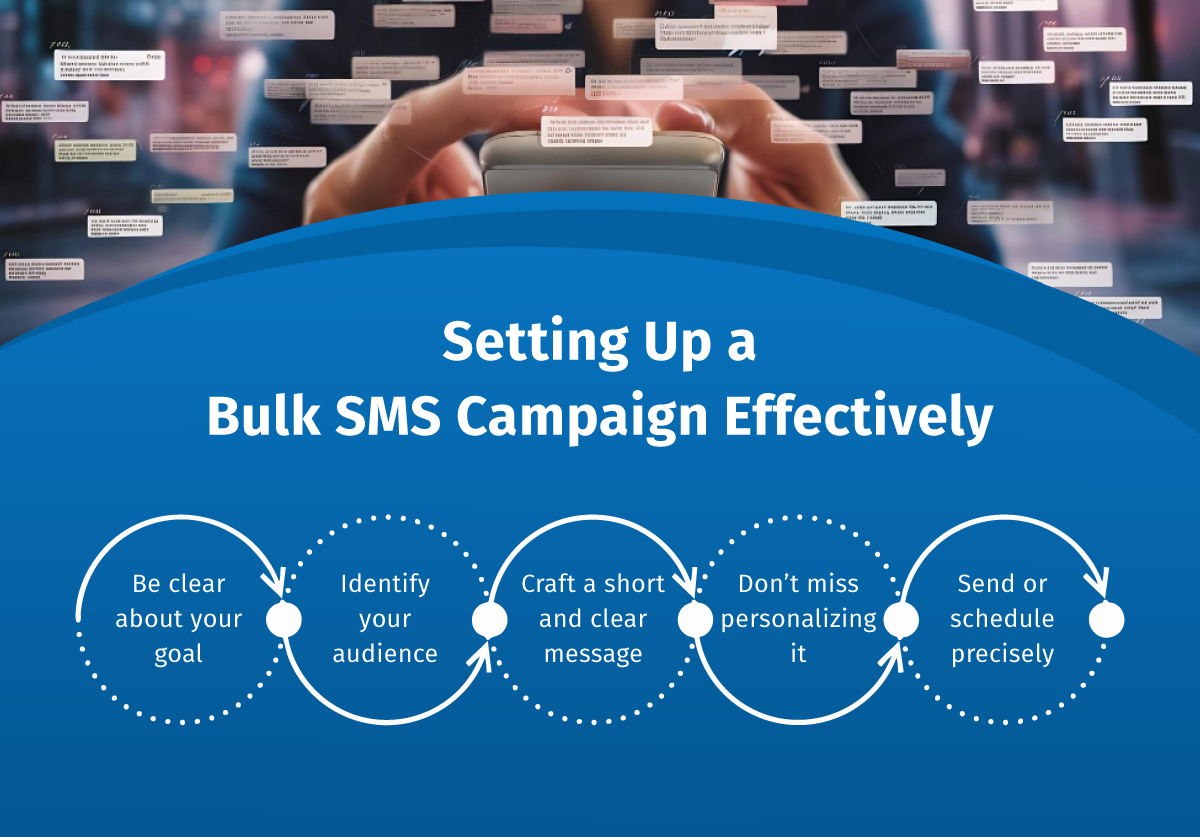
Getting your first bulk campaign ready is simpler than you might think. Here are the main things you need to do:
Define Your Goal:
What is the goal that you want to achieve? Maybe you want fewer missed appointments, or you want to tell people about a new product.
Identify Your Audience:
Filter your audiences and use a Salesforce Report or List View to find the exact Leads or Contacts you need to talk to. Remember: you should not text everyone for everything!
Craft the Message:
Keep it short and very clear. Make sure you include your company name and tell people how to stop texts (like “Reply STOP to cancel”).
Personalize It:
Use merge fields to put the customer’s name or a specific detail in the text. A personal message gets read quickly.
Hit Send (or Schedule!):
You can send the message right away or set a time for later. Always check their local time zones first!
By following these five steps, your messages will be focused, personal, and work well right from the start.
Targeting Strategies: Use Campaigns and Reports for Sending
The efficiency of your bulk messages is all about who you target. In Salesforce, you already have the tools to create perfect lists: Reports, List Views, and Campaigns.
Imagine you need to text all customers whose service contract ends next month. You don’t need a developer for this! You simply make a Salesforce Report for “Contract End Date = Next Month.”
This is where an advanced bulk messaging app helps a lot. For example, a tool like 360 SMS offers various methods to connect at scale. You can start sending bulk texts from:
- Custom List View: Create custom lists by applying filters, logic, and adding new criteria depending on the requirement to send bulk messages (like “New Leads from Trade Show”). You can send personalized messages for any purpose in just one click.
- Campaigns: Send a message to everyone in your “Holiday Sale 2024” campaign. You can add and remove people from the existing campaigns and even create a new one if required.
- Salesforce Report: Target and send messages to millions by creating custom Salesforce reports (like the expiring contract list).
This smooth connection lets you use your detailed Salesforce data to text specific groups easily.
Personalizing at Scale with Dynamic Salesforce Merge Fields
The biggest challenge in Salesforce SMS texting is making mass texts feel personal. Generic messages usually fail to grab recipients’ attention.
Fortunately, the right texting solution helps you fix this with ‘Merge Fields’. Merge fields are placeholders like [Name] or [Case Number] that the bulk Salesforce texting apps automatically fill with specific, correct data from the recipient’s record just before sending.
Here’s why this is so powerful for you:
- It Boosts Engagement: A text that starts “Hi John,” instead of “Dear Customer,” is proven to get read and acted upon faster. You are showing the customer you know who they are.
- It Adds Value: You can include critical, dynamic information like an appointment time, a case number, or a payment due date. This turns a simple text into a high-value transaction.
- It’s Simple to Use: You create one template. The system handles the massive job of customizing that template for every single recipient.
A quality Salesforce SMS texting tool like 360 SMS ensures that your merge fields work perfectly across all objects (Leads, Contacts, Accounts, Cases, etc.). This allows you to send thousands of unique, personalized texts from a single action, making Salesforce mass texting feel like you’re talking to each customer individually.
Crucial Compliance Rules for High-Volume Texting
Because bulk texting is such an effective tool, it comes with strict legal rules you must follow. Compliance is not optional—ignoring these rules can result in massive, crippling fines for your company.
Here are the critical pillars you must always manage to make the most out of Salesforce texting integration:
- Opt-In Consent: For all marketing texts, you must have Express Written Consent. This means the customer actively said “Yes” to receiving texts from you. You need to log when and how they gave that permission right in Salesforce.
- Opt-Out Honored: Customers must always have a free, easy way to stop receiving texts. Your system must automatically recognize keywords like STOP, CANCEL, or UNSUBSCRIBE. The moment your system receives that keyword, you must stop sending them messages immediately.
- Time Rules: You generally cannot text people too early (before 8:00 AM) or too late (after 9:00 PM) in their local time zone.
The burden of proof is on you. This is why a tool like 360 SMS is so helpful. It’s built for compliance. It automatically records if a customer says “yes” to texts. It also instantly makes the “STOP” rule work. This keeps your business safe every time you send a bulk message.
Tracking and Measuring the Success of All Bulk SMS Efforts
Sending the message is only half the work. The real value is knowing how well those millions of texts actually did. Since you’re texting through Salesforce, all your data is right there! You won’t need another system to see the numbers. Instead, you can make your own simple reports and dashboards inside your CRM. This lets you track your success live.
Here’s what you should check:
Delivery Rate: Have your texts actually reached your prospects and customers? If not, you must check how accurate your contact data is.
Reply Rate: Be proactive in checking how many responses you have received. This helps to track engagement and message performance.
Conversion Rate: Did your sales text help close a deal? Keep track of what kind of messages are actually getting you responses, leads, and conversions.
Opt-Out Rate: If too many people are opting out, that’s a problem for you. To stop losing customers, you should try changing two things: how often you text them, and what your messages actually convey.
You can find every message conversation against the customer’s record. Thus, you can easily have the context of the entire conversation in one view, which further helps you to fine-tune your bulk texting strategy.
Wrapping Up
Salesforce texting integration is the best way to connect and talk to people fast. It lets you reach out and connect with impact. The great part is that you don’t need the internet to get the message across! You cannot just rely on emails that nobody reads or calls that go straight to voicemail anymore. By using a native, specialized platform—like the powerful 360 SMS solution—you can confidently send thousands of personalized, compliant messages that get seen right away. This power will reduce no-shows, improve service response times, and ultimately drive better sales results.
Ready to activate your customer data?
Stop missing out on the speed of SMS. Start building smarter connections and seeing immediate results today!
CEO Siddharth Sehgal is CEO & Salesforce Communication Guru. He helps businesses grow exponentially by putting their Salesforce CRM on steroids with his unique techniques. He is on a mission to help businesses build deeper relationships with their customers.

Siddharth Sehgal