 When you want to send text messages from Salesforce, choosing an SMS app might seem simple. But once you start comparing options, you’ll find that not every app offers the same features. Some support only basic texting, while others bring multiple messaging channels, automation, and customer conversations into Salesforce.
So, how do you choose the right one?
AppExchange has several messaging solutions, including 360 SMS, Mogli, SMS-Magic, and ValueText. Each has its own features and pricing. The right choice depends on what your team needs and how you plan to use messaging.
To make your search easier, we’ve put together the key things you should check before choosing an SMS app. From AppExchange reviews and Salesforce architecture to channels, automation, compliance, and pricing, here’s what you need to consider.
Table of Contents
Why AppExchange Reviews Are the First Filter, Not the Last
Before trying an app, most teams look at its AppExchange rating and customer reviews. And that’s a good place to start. Reviews give you an idea of how the product works in everyday situations, beyond what you see in a demo.
When reading reviews, look for feedback about:
– How easy the app is to install and set up.
– Whether messages are delivered reliably across supported channels.
– How helpful and responsive the support team is.
– Whether product updates improve the experience.
– How well the app works for use cases similar to yours.
The number of reviews also matters. More reviews give you a wider range of customer experiences to consider.
For example, 360 SMS has 1,200+ AppExchange reviews and offers AI-powered messaging across 15+ communication channels. These are useful points to consider when comparing it with other Salesforce messaging apps.
But don’t make your decision based on ratings alone. Compare recent reviews of 360 SMS, Mogli, SMS-Magic, ValueText, and other relevant apps. Look for feedback from businesses with similar team sizes, messaging volumes, and requirements.

What Native Architecture Changes for Security, Data, and Admin Effort
When choosing an SMS app, don’t just look at what it can do. Check how it connects with Salesforce, too.
Some messaging apps use middleware or external platforms to exchange data with Salesforce. Salesforce-native apps are designed to work within the Salesforce environment.
Why does this matter? Your team already uses Salesforce to manage customer records, reports, and workflows. A native messaging app can help bring communication into those existing processes instead of making your team switch between different platforms.
For example, with a Salesforce-native app like 360 SMS, your team can:
– Send messages directly from Salesforce records.
– Manage conversations linked to Leads, Contacts, Accounts, and custom objects.
– Send targeted messages using Salesforce Reports, Campaigns, and List Views.
– Trigger messages through Salesforce Flow.
– Access message history and customer interactions within Salesforce.
Before choosing an app, ask where message records and conversation history are maintained. Also check how it handles Salesforce permissions and whether your administrators can use existing automation tools.
And don’t stop at a product demo. If possible, test the app in a Salesforce sandbox. Try sending messages, receiving replies, and running a workflow. This will give you a better idea of how easily it fits into your existing setup.
Which Channels, Automation, and Compliance Features Should You Put on the Scorecard?
SMS might be all you need today. But as your communication needs grow, you may want to reach customers through WhatsApp, RCS, or other channels.
That’s why it’s worth checking what else an app supports before making your decision.
Check the channels you actually need
Think about where your customers prefer to communicate. Depending on your audience and market, you may need:
– SMS and MMS: For text messages, images, reminders, and campaigns.
– WhatsApp: For two-way conversations and business messaging.
– RCS: For richer messages with interactive elements and branded sender experiences.
– WebChat: For conversations that start on your website.
– Social and messaging channels: Such as Instagram, Facebook Messenger, LinkedIn, WeChat, LINE, Viber, KakaoTalk, and Zalo.
– Email and other supported channels:** To manage more customer interactions from one place.
360 SMS brings 15+ channels into Salesforce, including SMS, MMS, RCS, WhatsApp, WebChat, LinkedIn, Email, Instagram, Facebook Messenger, Ringless Voicemail, Viber, WeChat, LINE, KakaoTalk, and Zalo.
But the number of channels isn’t the only thing to check. Make sure the app supports two-way conversations, incoming messages, conversation history, and Salesforce record logging for the channels you plan to use.
Look for automation that reduces manual work
Sending messages one at a time can take up a lot of your team’s day. Automation helps you send the right message at the right time without having to manage every step manually.
Here are some useful capabilities to look for:
– Salesforce Flow-based messaging automation.
– Messages triggered by record updates or customer actions.
– Scheduled and bulk messaging.
– Multistep drip campaigns for lead nurturing and follow-ups.
– Automated appointment reminders and customer notifications.
– Response-based workflows and automated replies.
– Chatbots and AI-assisted customer conversations.
With 360 SMS, teams can send bulk messages through Salesforce Reports, Campaigns, and List Views. They can also create drip campaigns, schedule follow-ups, and trigger messages through Salesforce Flow.
This makes it easier to manage routine communication while giving your team more time to focus on customer conversations that need personal attention.
Don’t overlook compliance
If your team sends promotional messages or communicates with customers across different regions, compliance needs to be part of your decision.
Look for features that help you manage:
– Customer opt-in and opt-out preferences.
– Consent records and opt-out handling.
– Messaging restrictions and quiet hours.
– Message history and reporting.
– Applicable requirements such as TCPA, GDPR, and regional messaging regulations.
360 SMS offers messaging compliance and opt-out management capabilities to help businesses manage customer communication preferences.
However, installing a messaging app doesn’t automatically make every campaign compliant. Your organization is still responsible for obtaining the required consent, following applicable regulations, and honoring customer preferences.
Before launching a campaign, test how opt-outs are handled and how your team can review messaging activity.
For more comparison criteria, read our Salesforce messaging solutions on AppExchange guide.
How Support and Pricing Affect Your Total Cost Over Three Years
Even if an app looks easy to use during a demo, your team may need help once it starts using the product. You might have questions about setting up a channel, configuring a workflow, or troubleshooting message delivery.
So, before choosing an app, check:
– What support hours are available?
– Can you reach someone who understands Salesforce?
– Is installation and onboarding assistance available?
– How are technical and carrier-related issues handled?
– Are product updates and ongoing support included?
360 SMS offers 24/7 free support, which can be useful for teams working across different time zones. Its 1,200+ AppExchange reviews also give you customer feedback to consider when evaluating the product.
Pricing is just as important. Some Salesforce messaging apps charge per user, while others may have message-based pricing, bundles, or additional platform fees.
360 SMS pricing starts at **$7 per user**, with access to 15+ messaging channels. When comparing vendors, check what’s included in the licence and whether features such as AI capabilities, drip campaigns, additional channels, or other modules involve separate charges.
Don’t look at the licence price alone. Calculate what you’ll spend over three years, including messaging charges, add-ons, carrier fees, and the time your administrators spend maintaining the system. This gives you a clearer picture of the actual cost as your team and messaging needs grow.
Five Steps to Shortlist the Best SMS App on AppExchange
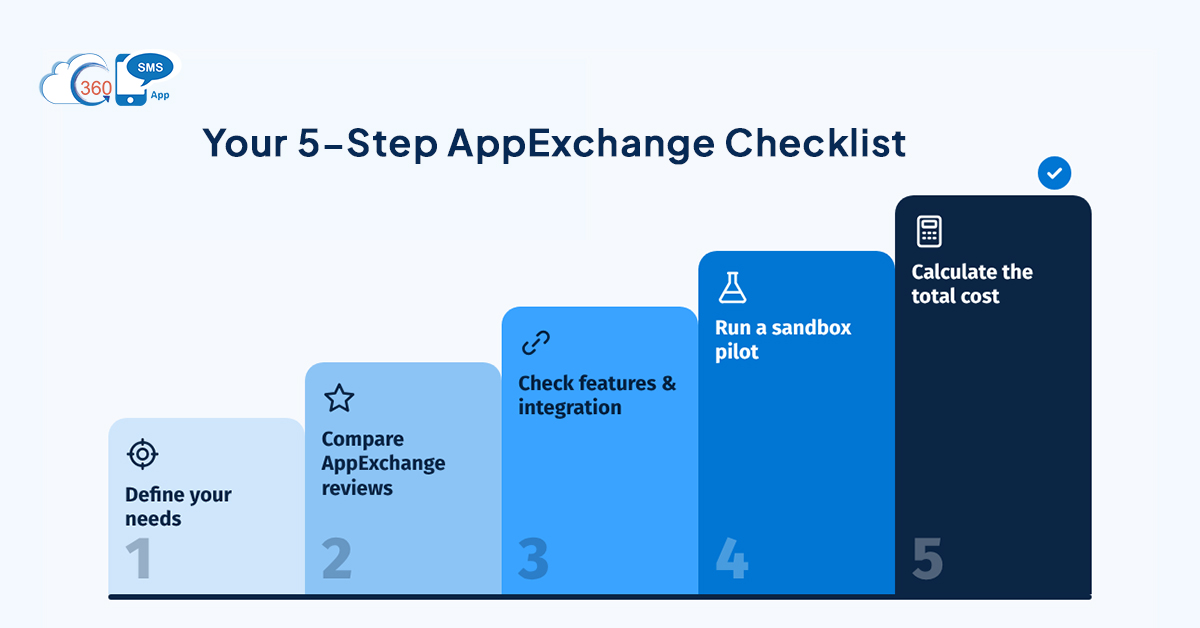
You don’t have to evaluate every messaging app on AppExchange. A shortlist of two or three relevant options is usually enough to get started.
Here are five simple steps to help you make the right choice.
1. List your messaging requirements
Start by writing down how your team plans to use messaging. Include lead follow-ups, appointment reminders, customer support, bulk campaigns, and two-way conversations. Also estimate your monthly message volume and identify the Salesforce objects involved.
2. Compare AppExchange listings
Shortlist two or three relevant apps. Check their ratings, review counts, and recent customer feedback. Pay attention to reviews from businesses with similar requirements.
3. Verify the architecture and features
Check whether the app works natively within Salesforce and supports your required channels and Salesforce Flow. Ask how it handles message history, permissions, automation, and opt-out preferences.
4. Run a sandbox pilot
Try one or two real messaging workflows in a sandbox. Test sending and receiving messages, automation, reporting, and opt-out handling. Let a few team members use the app and share their feedback.
5. Calculate the total cost
Compare licence prices, messaging charges, add-ons, carrier fees, and support terms. Think about how the cost could change as your team and messaging volumes grow.
AppExchange reviews can help you narrow down your options, but testing is what helps you make the final decision. With 1,200+ AppExchange reviews, AI-powered messaging, and 15+ channels, **360 SMS is one option worth including in your shortlist.
Conclusion
Choosing the best SMS app on AppExchange starts with understanding what your team needs. Don’t just look for an app that lets you send texts. Think about the channels your customers use, the workflows you want to automate, and how easily the app fits into Salesforce.
A good messaging app should make everyday communication easier without adding more work for your team. So, compare reviews, check the features, understand the pricing, and test your shortlisted options in a sandbox.
If you’re looking for a Salesforce-native solution with AI-powered messaging, automation, and 15+ channels, 360 SMS is worth exploring.
Ready to bring customer conversations into Salesforce?
Talk to our experts and see how 360 SMS can support your messaging and automation needs