What is a Drip Campaign?
Drip Campaigns let users schedule text messages at a specified time and date. These are pre-scheduled messages meant to nurture and engage leads and customers for sales/ resales.
A drip campaign is a marketing strategy that involves sending a series of pre-written emails or messages to a targeted list of recipients over a specified period of time.
The goal of a drip campaign is to nurture leads by providing them with valuable information and moving them through the sales funnel. The messages are usually triggered by specific actions, such as signing up for a newsletter or requesting more information about a product or service.
Drip campaigns can be used to educate leads, build trust, and ultimately convert them into customers.
Uses of Drip Campaign
Automated Payment follow-ups
Set follow-ups for payment reminders monthly, weekly, bi-monthly, or however you like.
Lead follow-ups
Follow up with potential customers from time to time.
Demo Scheduling
Schedule demos of your business with potential clients using Drip Campaign.
Onboarding new customers
Send a series of text messages to welcome new customers and guide them through the onboarding process.
Lead nurturing
Send a series of text messages to leads to nurture them and guide them through the sales funnel.
Promotions and discounts
Send text messages to customers to inform them about special promotions and discounts.
Re-engaging inactive customers
Send text messages to customers who haven’t engaged with your brand in a while to re-engage them.
Event reminders
Send customers text messages reminding them of upcoming events or webinars.
Surveys and feedback
Send text messages to customers to ask for their feedback or opinions on your products or services.
Appointment reminders
Send text messages to remind customers of upcoming appointments or reservations.
Abandoned cart
Send text messages to customers who left items in their shopping cart to remind them to complete their purchase.
Setting up Drip Campaign in 360 SMS
- Users might set up 360 SMS Drip Campaigns to send templated communications across any channel of their choice and initiate actions.
- Additionally, 360 SMS enables users to select “stop conditions”, to automatically halt campaigns based on response rates, time, or progress.
- An alternative method for stopping Campaigns is simply choosing the Stop Drip Campaign checkbox on any Record Detail Page.
Steps to access Drip Campaign in 360 SMS
- Click Drip Campaign on the toolbar. Here the users can also see all the drip campaigns they previously created.
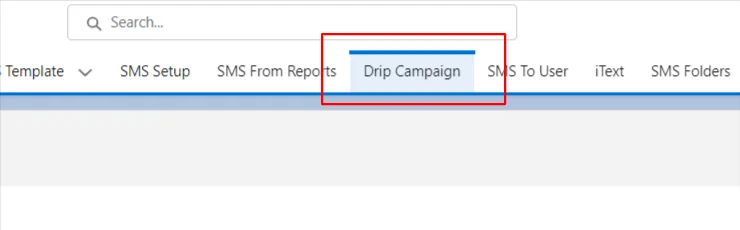
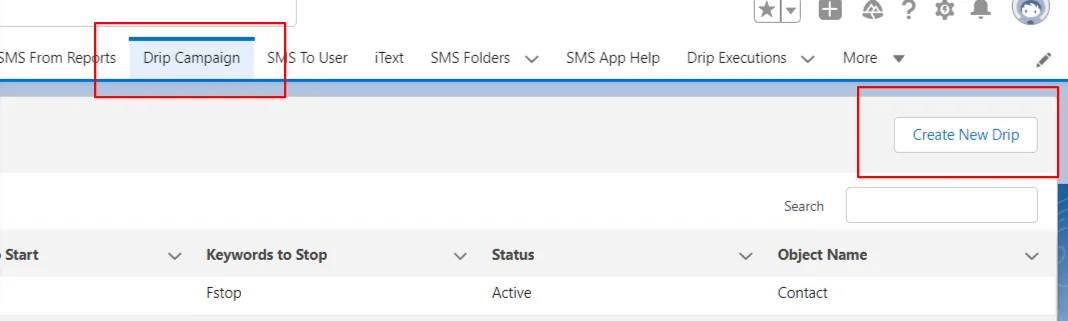
- Click on Create New Drip.
- The next step requires users to fill in the details as specified.
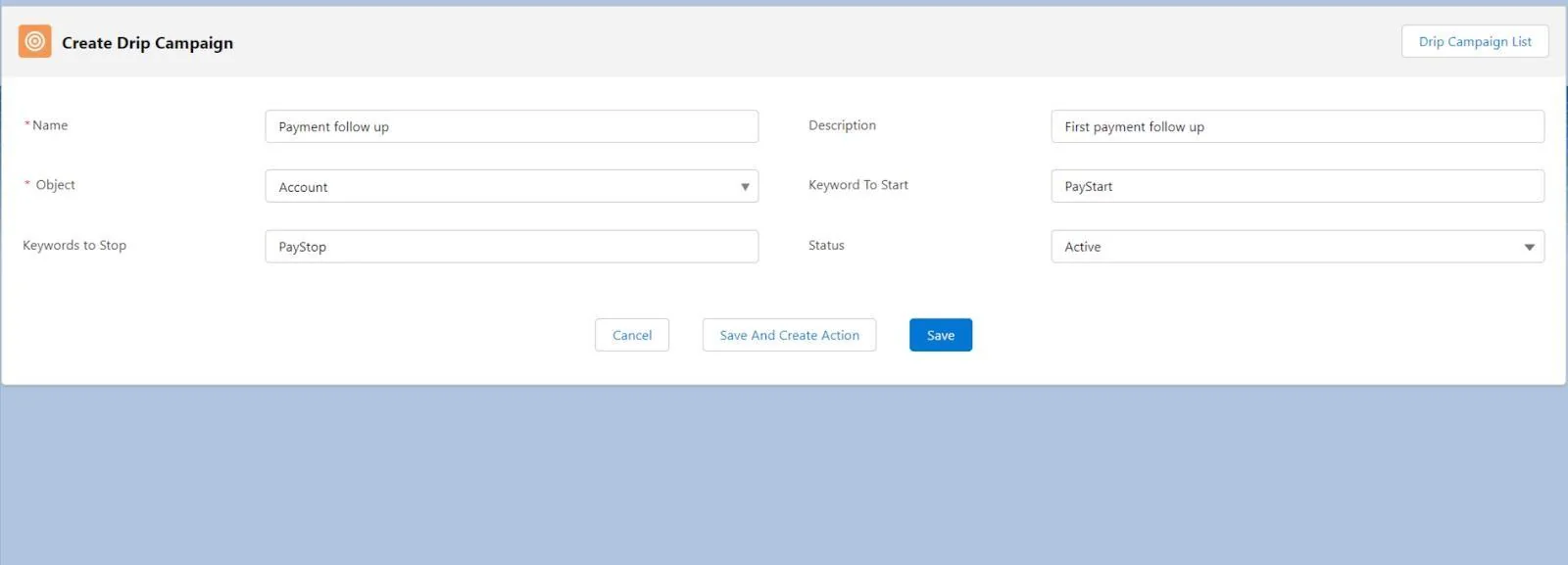
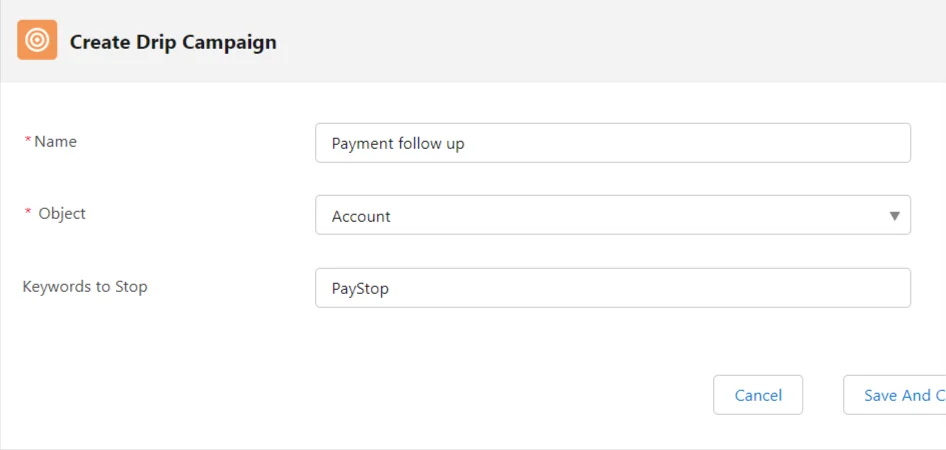
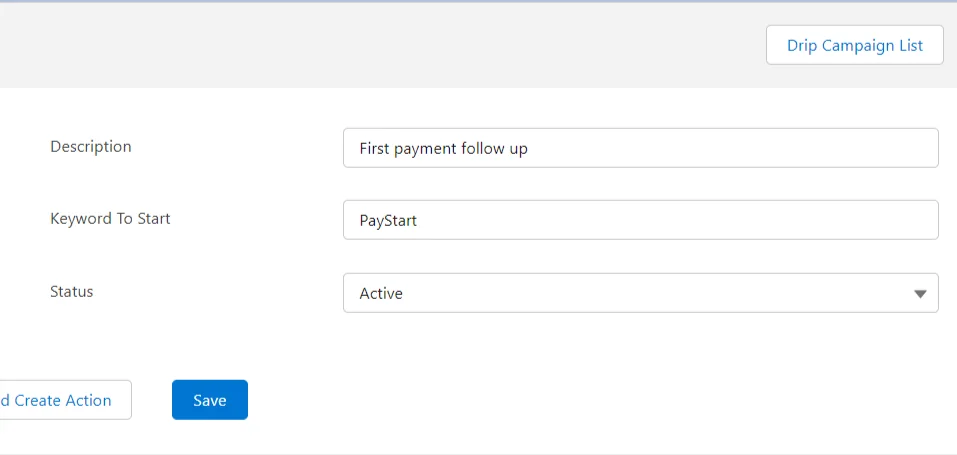
- After filling in the details, click Save, Save and Create Action or Cancel.
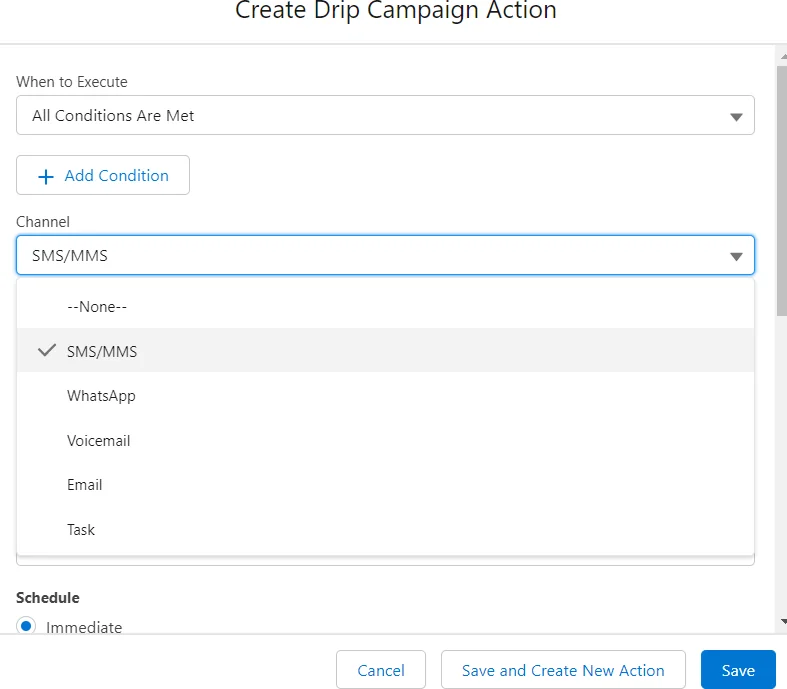
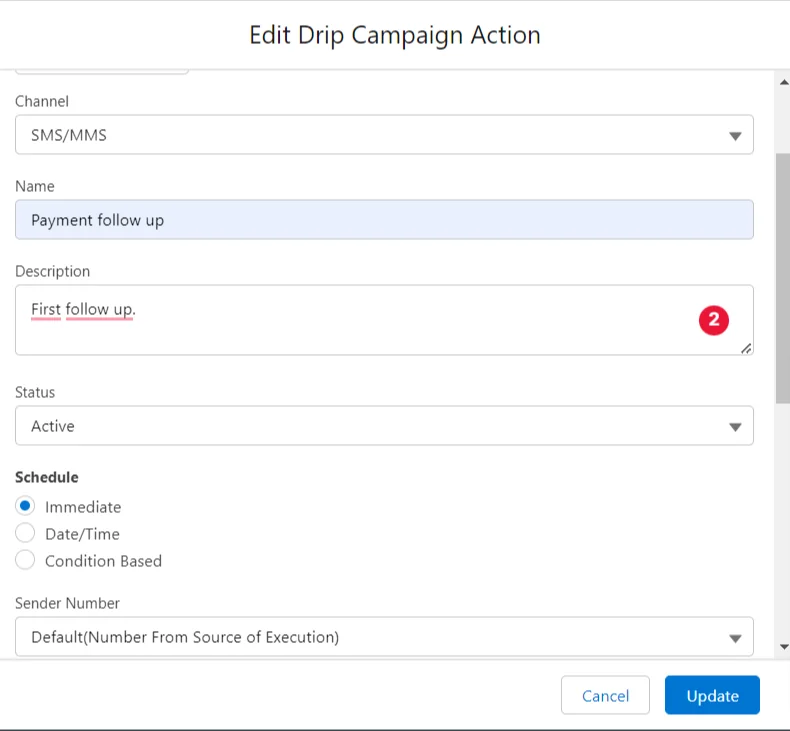
The Save and Create Action button should open the page (as shown below) where the user can set up different actions for each SMS in a drip campaign.
Scheduling messages through different channels
Users can schedule messages in Drip Campaign in three ways:
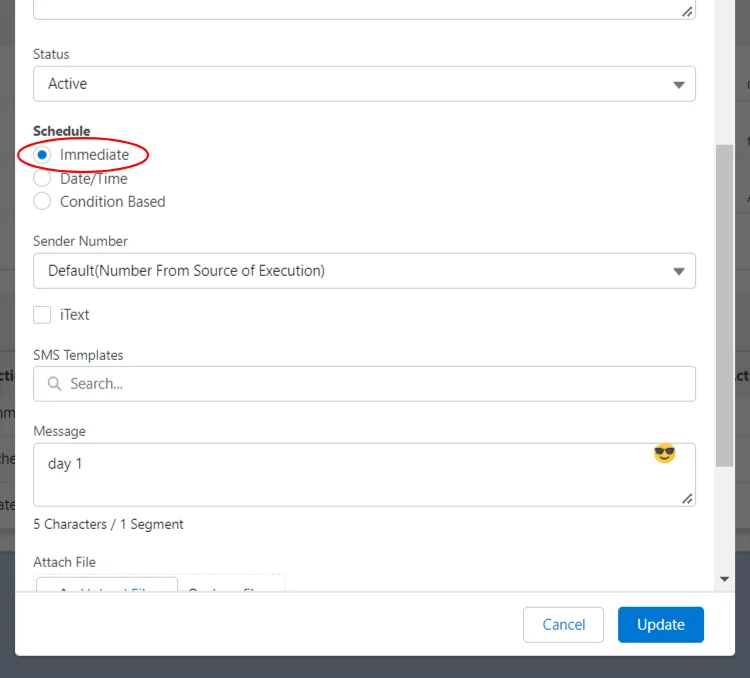
IMMEDIATE
The ‘Immediate’ option allows users to immediately trigger an SMS Drip Campaign in the event of an incoming text with the desired keyword.
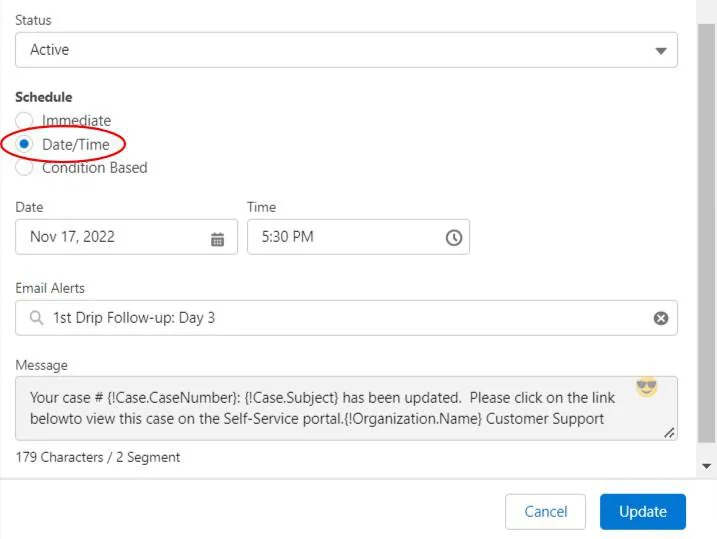
SPECIFIC DATE AND TIME
The ‘Schedule Date Time’ field allows users to decide when to trigger an SMS Drip Campaign.
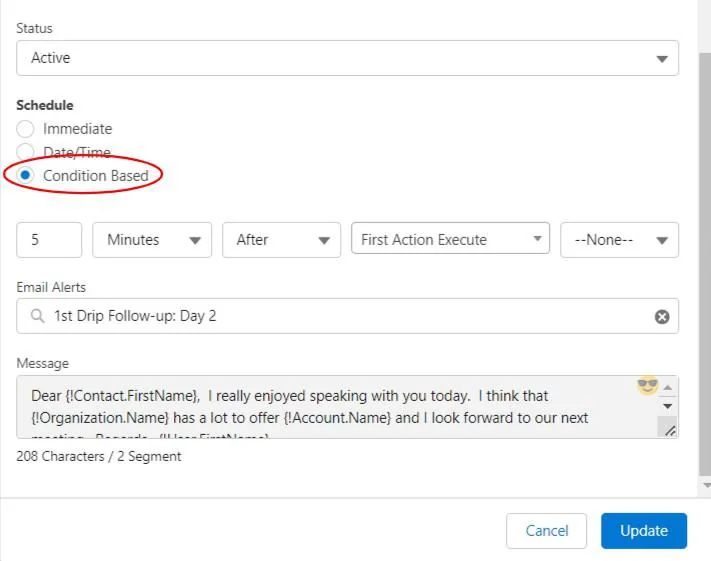
CONDITION-BASED
Users can schedule messages using offset by days, hours, and minutes. If a user is scheduling using the offset field by the number of days, a user can decide the ‘Time’ to trigger a Drip Campaign. Also, users can specify BEFORE or AFTER how many days, hours, or minutes of a specific action; the SMS Drip Campaign should start.
Channels
Users can run a multi-channel Drip Campaign and apply several channels to just one drip campaign to communicate with audiences through different channels.