


Pardot’s primary method of integrating with native Salesforce is via its “Completion Action” feature whereby a web hit or form completion or any other Pardot action can among many completion actions “Create Salesforce Task” for the given Contact or Lead.
To send an outbound SMS as a Pardot action, one need only create a process builder on the creation of a specified task. In the example, below we ask that the Pardot administrator create Salesforce Tasks with the syntax:
Subject = Send SMS (any fields or combination of fields can be used this just )
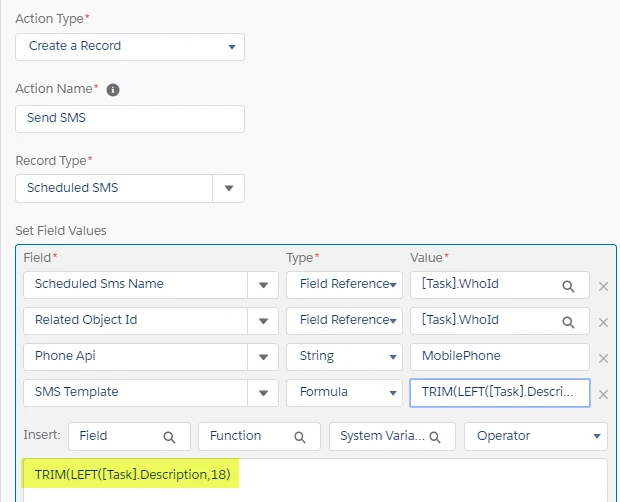
Description = an SMS Template Id (created via the 360 SMS Templates). Note that the Template OBJECT must match either a Lead or Contact if it contains specific object merge tags.
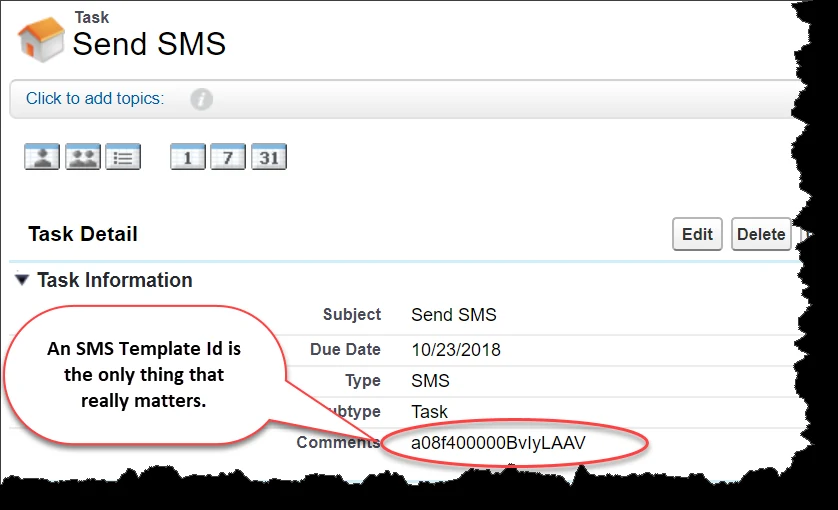
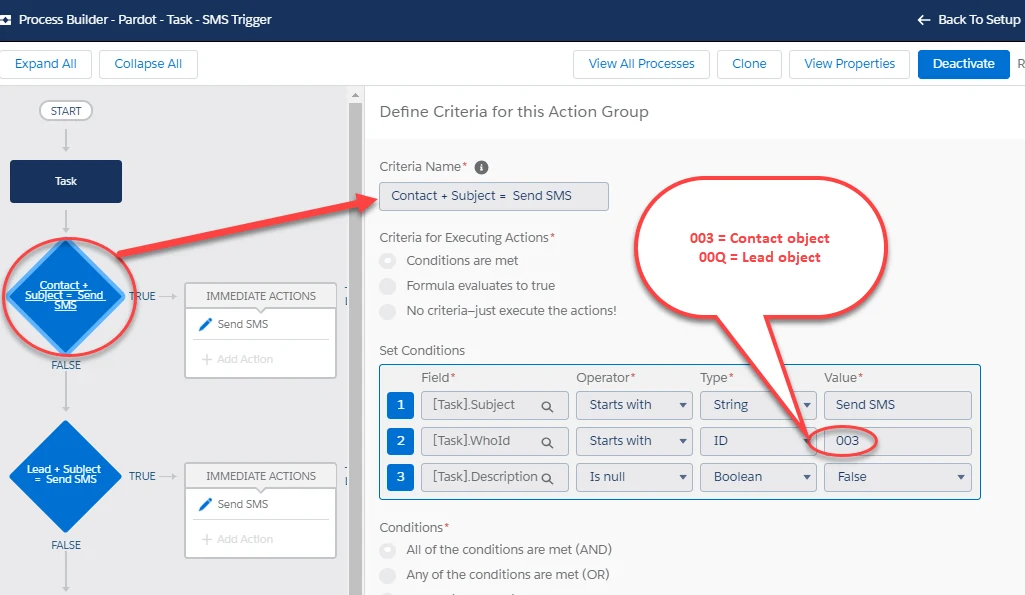
Below are the screen captures of the very simple Task object Process Builder.
Note particularly, the method of determining if the TASK is hooked to a Contact or a Lead. Because Salesforce uses a polymorphic WhoId (label NameId or Name) field to hold either a Contact or Lead Id, the only reliable method of determining whether the SMS should be sent to a Contact or Lead is to inspect the first 3 characters of the WhoId. 003 is the prefix for a Contact object and 00Q indicates the Lead object (those are zero’s not the letter o).
In the criteria, the subject or any other field can be used as the trigger criteria, the Pardot administrator and Salesforce administrator need only agree on the syntax.
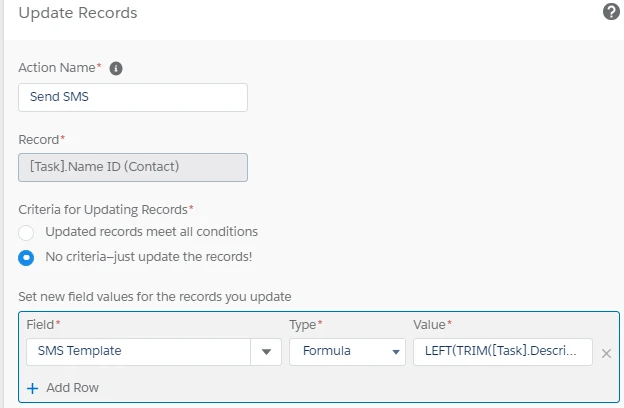
Note that Pardot has several other integration points with Salesforce such as the Pardot Score on the Lead and Contact objects as well as numerous other fields all of which could trigger an SMS via normal Contact or Lead Process Builders.
Pardot also creates Leads and Campaign Members via its Completion Actions. Again, these are simple Process Builders documented in the Sending SMS via Process Builder document.