


Consistent engagement is crucial regardless of the business vertical when several brands compete to win the same customers. Out of multiple options available, it becomes difficult for customers to choose the right one for them. They need reasons to engage and consider a brand for purchase. And consistent engagement could be one of the reasons to make a prospect falls for your brand.
This is where texting for real estate can help.
According to Finance online stats, 73% of real-estate firms used texting for their operations in 2019.
But engaging consistently without a miss is not as easy as you think.
Employees need to track when they should send the subsequent text needed to carry the conversation, which they might miss when they are busy or unavailable.
What is needed here is a well-defined Salesforce drip campaign capability enabling users to be creative and consistent with business communications.
Different business verticals use this capability in different ways, and even the busiest sector, like real estate, can reap the advantages of SMS drip campaigns to simplify real state operations.
Table of Contents
What is Salesforce SMS Drip Campaign?
Campaigns are an integral part of business operations.
According to Hubspot, marketers plan to launch 9 campaigns per quarter on average.
SMS drip campaigns are a capability that involves sending a series of pre-written text messages to a group of individuals over a certain period of time.
These messages are designed to nurture leads, guide potential customers, etc. You can easily configure SMS drip campaigns with point-and-click if you have an easy-to-use SMS drip campaign feature to achieve your intended goals.
Salesforce Drip Campaigns for Realtors
 No matter what goal realtors want to achieve while performing real estate tasks, SMS drip campaigns allow them to automate a series of messages for automated real estate interactions.
With this capability, it is easy for realtors to cut back on manual intervention and invest effort in tasks that are impossible to do without manual involvement.
This way, realtors can automate partial interactions for real estate and intervene whenever necessary.
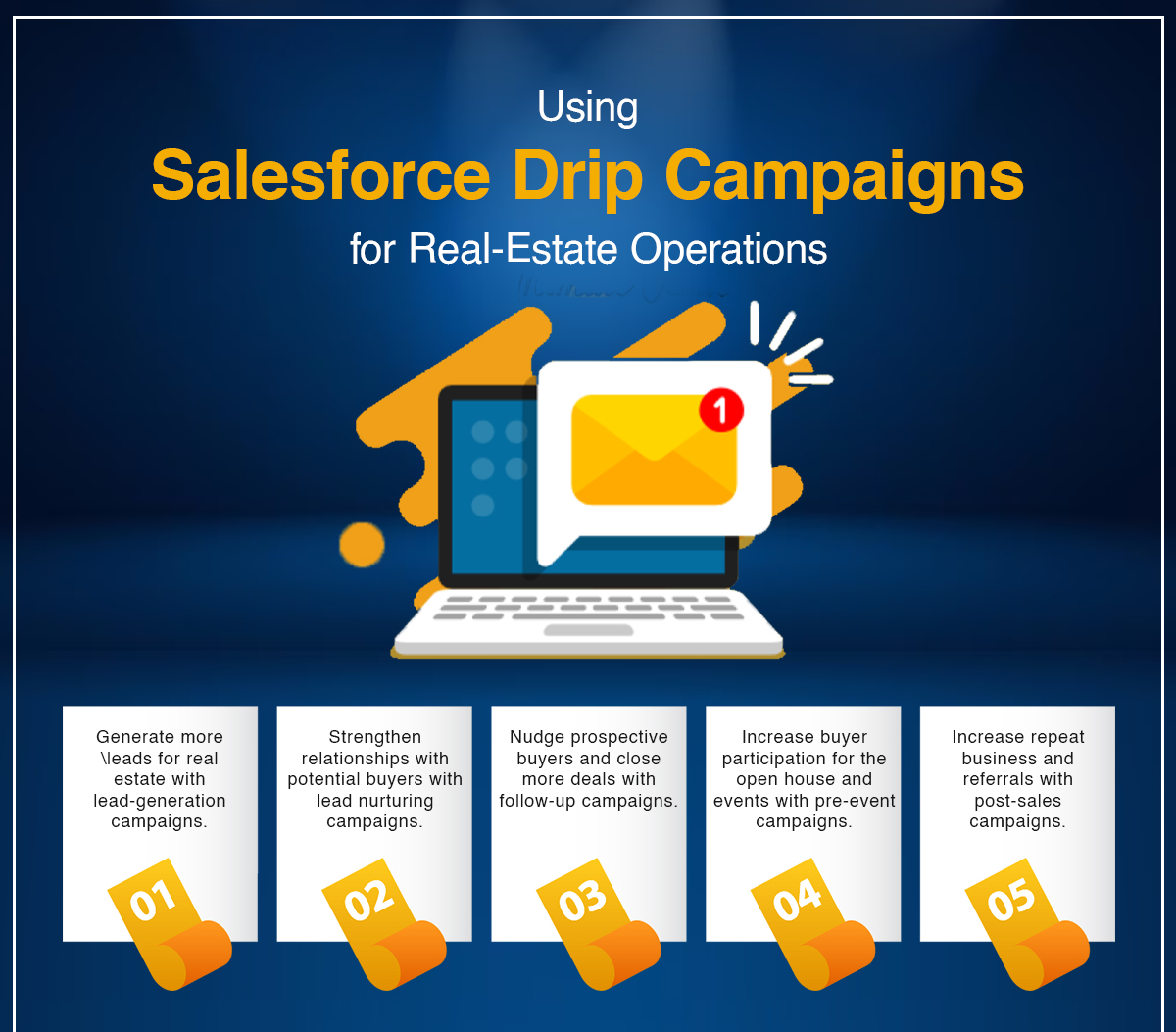
There are numerous activities for which they can use Salesforce SMS drip campaign, such as
Lead Generation Campaigns
Lead generation is the most challenging process as it needs various consistent activities to improve marketing, engagement, trust, etc.
With Salesforce drip campaigns in real estate for lead generation, agents, brokers, and companies can grow their customer base and increase their sales. These campaigns can include various marketing channels such as email, SMS, social media, online advertising, and events, but SMS drip campaigns are ubiquitous and cost-effective ones.
Realtors can send targeted messages to potential buyers and renters to generate leads and capture their contact information for further interactions.
Lead Nurturing Campaigns
Lead nurturing is the process of developing relationships with potential buyers who have expressed an interest in a property but are not convinced to make a purchase.
Building trust and establishing a relationship with the lead are the primary goals of lead nurturing so that whenever they are ready to make a decision, they will think of your company first.
To do so, real estate agents can send a series of messages to potential buyers and renters, providing them with valuable information about the buying or renting process, tips on how to find their dream property, information on new properties that meet their criteria, such as location, price range and the number of bedrooms, etc.
By nurturing leads over time, you will be able to build trust and establish a relationship with them, making it more likely that they will choose your company when they are ready to make a decision.
Follow-up Campaigns
Follow-ups are vital to remind potential buyers of your brand by engaging consistently or addressing any concerns or questions they may have.
Buying or selling a property can be complex and time-consuming, making follow-up campaigns even more important in real estate.
Leads may need time to gather information, consider their options, and decide. Follow-up campaigns can help keep your company top-of-mind and ensure that leads don’t forget about you or move on to your competitors.
Additionally, follow-up campaigns can also be used to keep in touch with your past clients to find out if they are satisfied with the service or if they have any other property-related needs. This can help to generate repeat business and referrals from satisfied customers.
Campaign for Open House and Event Invitation
When conducting any open house or event in real estate, the ultimate aim is to drive maximum participation, and you can easily do that using a Salesforce text message drip campaign.
You can configure a series of text messages starting with an invitation text and followed by follow-ups, reminders, and confirmation texts.
This could help reactors increase participation from potential buyers and move them closer to the buying process.
Post-Sales Campaigns
Customers are important even when a sale is made; they can give you repeat business.
Hence, it is important to engage with them even after a property has been sold or leased.
Configuring post-sales drip campaigns, realtors can ensure that customers are satisfied with the service they received, collect feedback and generate repeat business or referrals.
Post-sales campaigns can also include texts to maintain a good relationship with the customer, such as thank you notes, new deals that customers can recommend to other potential property buyers, etc.
An example of an SMS Salesforce drip campaign for Real Estate
Here is an example of an SMS drip campaign for follow-up in real estate:
Day 1:
Initial follow-up message.
“Thanks for reaching out! We’re excited to help you find the perfect dream home. Can you please provide a bit more information about what you’re looking for so we can better assist you? You can reply “YES” to this message at 54546”
Day 3:
Second follow-up message in case of no response
Just wanted to see if you had a chance to go through the previous message we sent. Please let us know if there’s anything we can do to assist you. We’d happily answer your questions. You can reply “YES” to this message at 54546”
Day 7:
Third follow-up message in case of no response
We understand that you may be busy, but we want to ensure you’ve all the information to make an informed purchase decision. If you need any help, text “YES” at 45457.
Day 14:
Text with an Offer to drive a response
Hey, we offer a special limited-time deal for all first-time home buyers. Receive a $1000 credit for closing costs when buying your first home through us. Text “YES” to proceed further.
With such follow-up campaigns, you can create an environment to drive responses and move closer to sales.
Automate and Improve Real-Estate Operations with Salesforce Drip Campaign
Overall, Salesforce SMS drip campaigns can help real estate agents to automate interactions and converse meaningfully to drive intended actions. Realtors can generate leads, nurture them, personalize communication, follow up, send open house and event invitations, and close more deals without burning out their staff.
Over and above, the high open rate of SMS compared to email makes it an effective way to reach customers. Real estate agencies can easily get heard and communicate reliably using text series. This helps brands to capture more and quick attention. Overall, SMS drip campaigns can help businesses increase sales and customer loyalty.
Want to learn how the right capability to run and manage a Salesforce drip campaign can help you make the most out of it? Turn to our experts at care@360smsapp.com or click here to contact us.