 Usually, a prospective student fills out an enquiry form on more than one college website. Whoever replies first usually wins that conversation. That’s not a theory admissions teams already know it, and most of them are losing that race because they’re still relying on email. An SMS app for Zoho CRM changes the math here. Instead of a lead sitting in a queue for hours, it gets a response within seconds, automatically, the moment the enquiry hits your CRM. For institutions trying to convert more enquiries into enrolled students, that speed isn’t a nice-to-have. It’s the whole game.
Table of Contents
Why Admissions Teams Are Losing Prospective Students to Faster Competitors
Here’s the uncomfortable part: most prospective students don’t enquire with just one institution. They enquire with several, at the same time, often from a phone, often late at night when admissions offices are closed.
Email response times in admissions average several hours. Sometimes longer over weekends. By the time your counselor sends that warm, well-written welcome email, the student has already had a phone call from a competing institution and made up their mind.
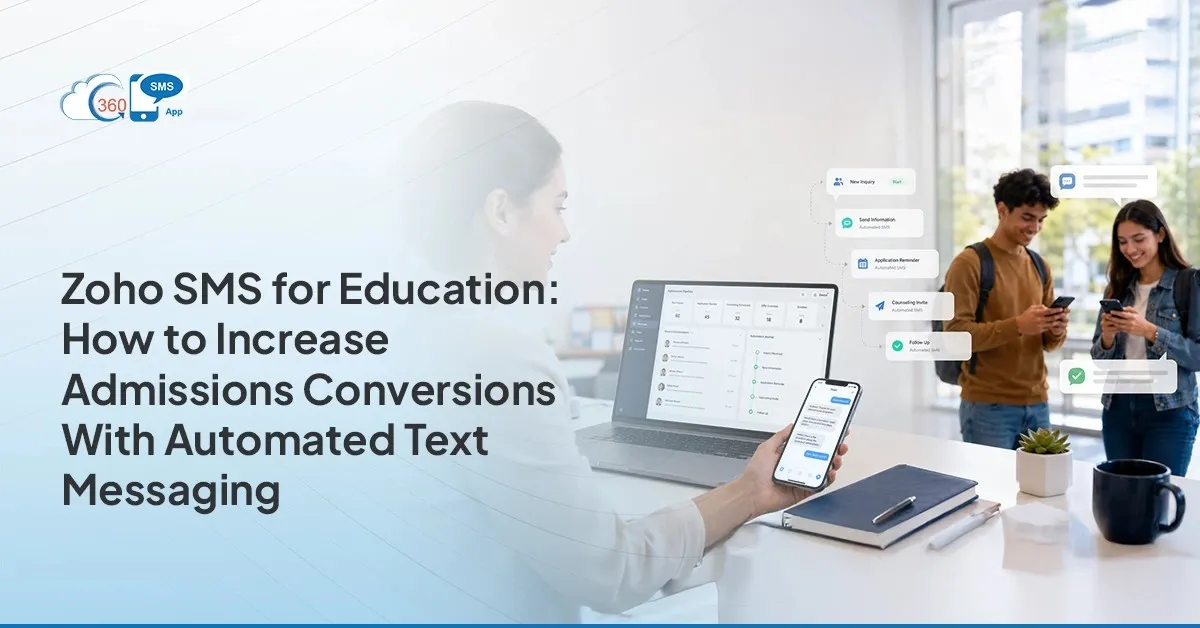
Texting flips that timeline. A workflow can fire an SMS within seconds of a Lead being created, no human needed for the first touch. That’s the gap an SMS app for Zoho CRM is built to close. Not by replacing your counselors by making sure the first response doesn’t depend on someone being at their desk.
The Admissions Funnel: Where SMS Automation Has the Highest Impact
Admission isn’t one moment. It’s five, and each one leaks prospects differently.
Enquiry received. The trigger is the Lead record itself. The result: an instant acknowledgment that tells the student someone’s listening, even at 11 PM.
Application follow-up. If a Lead hits the 3-day mark without submitting, that’s the trigger. The message is a nudge, not a lecture something closer to “still want to finish your application?” than a formal reminder.
Offer sent. The moment Offer_Sent flips to true, the student gets a text. Not three days later when someone remembers to check the queue. Immediately.
Enrolment deadline reminder. Two triggers here 7 days out, then 1 day out. This is where most institutions lose acceptances they already won, simply because nobody reminded the student before the deadline passed.
Induction preparation. A pre-arrival checklist, timed to land before the actual start date, not buried in an orientation packet nobody opens.
Each of these runs as a workflow rule. No counselor is sitting there clicking send. That’s the power of automation.
 Setting Up the Enquiry Auto-Response in Zoho CRM
Start with the trigger. A new Lead comes in. Lead Source = Website Enquiry. That’s the trigger a workflow rule fires the moment that record gets created, and the rule calls the SMS app for Zoho CRM to fire off an immediate acknowledgment text. No counselor has to be at their desk for this part.
Setting it up isn’t complicated, genuinely. Inside Zoho CRM’s workflow rules, you’d create a new rule scoped to the Leads module. Set the trigger condition to “On Create.” Then filter it so it only fires when Lead Source matches your website form otherwise you’ll end up texting people who walked in off the street or got added some other way, which is exactly the kind of mess you don’t want.
From there, the action calls the messaging template. Something close to: “Hi {First_Name}, thanks for your interest in {Program_Name}! Our team will reach out shortly. Reply STOP to opt out.” Short. Direct. No fluff in it.
Here’s the thing most teams underestimate merge fields. {First_Name}, {Program_Name}, {Counselor_Name}. Pull these straight from CRM fields, every time, so the text reads like a person sent it instead of a system. A generic blast gets ignored. A message with someone’s actual name and the actual program they enquired about? That gets read. That’s the difference between a text that converts and one that gets deleted on sight.
Generic templates get ignored. Personalized ones get replies.
One thing worth saying upfront: opt-out language isn’t optional. It’s required for compliance, and it should be baked into the very first message a student receives.
Application Follow-Up: Automated Nudges for Incomplete Applications
So the enquiry response went out. Now what happens to the students who never finish their application?
In Zoho CRM, you’d identify them with a filter: Application Status = Enquired AND Application_Submitted = false AND the enquiry date is more than 3 days old. That’s your trigger condition for a scheduled workflow it runs daily, checks for matches, and sends the reminder automatically.
The first nudge goes out at day 3. Keep it light: “Hey {First_Name}, your application for {Program_Name} is still open. Need help finishing it?” If there’s still no submission by day 7, a second message goes out slightly more direct this time.
And if the student submits in between? The workflow exits. No more reminders. Nobody wants to be the institution still texting someone who already finished their application three days ago that’s the kind of thing that actually hurts trust instead of building it.
Offer and Enrolment Deadline Sequences: Driving Conversion From Offer to Acceptance
This is the highest-stakes stretch of the entire funnel. An offer gets made. Then silence, sometimes for weeks until the deadline arrives and the institution finds out, too late, that the student never responded.
Two sequences fix most of that.
The first triggers the moment Offer_Sent = true. The student gets an SMS immediately, with a direct link to the admissions portal. No waiting for a formal offer letter to land in their inbox three days later. The text goes out the same moment the CRM field changes.
The second sequence is scheduled, not event-based. It fires 7 days before the Acceptance_Deadline, then again 1 day before. Two touches. That’s usually enough students who were on the fence either commit or they don’t, but at least they had the reminder.
Here’s why this particular gap matters more than any other stage: offer-to-acceptance is where institutions lose admits they already worked hard to get. The recruiting work is done. The only thing standing between an offer and an enrolled student is a deadline the student forgot about. Automated SMS Zoho CRM workflows exist specifically to close that gap, because a missed deadline isn’t a marketing problem, it’s an operations one.
 Induction and Welcome: Setting Up the First-Year Experience via SMS
Once a student accepts, the tone of the messaging shifts. Less “don’t miss this,” more “here’s what’s next.”
The welcome SMS fires right after acceptance confirmation start date, a link to the induction guide, done. Simple, and it should feel that way.
A week before the start date, a pre-arrival checklist goes out. Documents to bring, what to expect on day one, where to park. Then, the morning of induction itself, a short reminder text. That’s it three messages, all triggered by field events inside Zoho CRM, none of them requiring a person to remember to send anything.
Wrapping Up
None of this works because texting is inherently magical. It works because admissions is a timing problem disguised as a communication problem, and bulk SMS Zoho workflows solve for timing in a way email simply can’t match at the same speed.
Five stages, five triggers, one platform handling the messaging layer without anyone manually clicking send each time. That’s Zoho CRM SMS automation doing exactly what it should running quietly in the background while your counselors focus on the conversations that actually need a human.
Every institution running this kind of workflow ends up asking the same question eventually: why didn’t we set this up sooner?