









Table of Contents
What Is Bulk SMS in Zoho CRM?
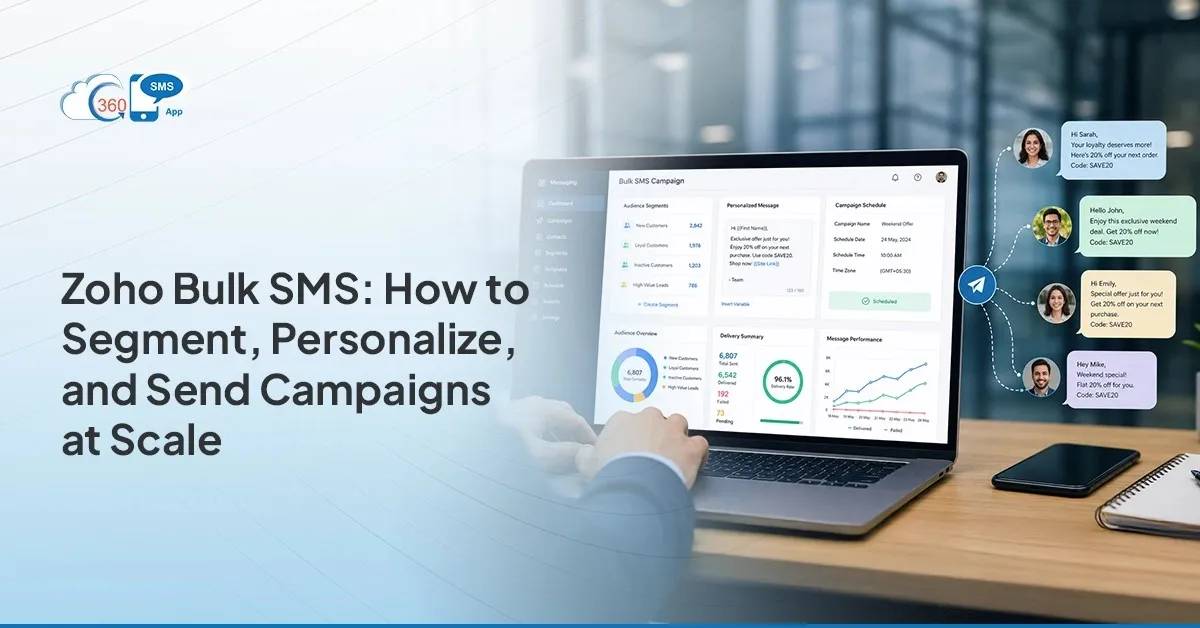
Bulk SMS in Zoho CRM means sending segmented, personalised text campaigns directly from your CRM contact lists, without exporting data or switching to a third-party platform. With an SMS app for Zoho CRM like , every send ties to a live contact record, every reply logs automatically as a CRM activity, and every opt-out updates in real time.
Four things separate CRM-native bulk SMS from a generic blast:
- Live segments — lists build from Zoho CRM list views, not exported spreadsheets
- Merge fields — every message personalises from actual record data
- Logged replies — responses land on the contact record, not a separate inbox
- Automatic opt-out suppression — you never text someone who already said “Stop”
The result: Zoho bulk SMS campaigns that stay inside your CRM from list build to delivery report.
Running SMS campaigns out of a spreadsheet and a third-party blasting tool is one of those workflows that sounds manageable until it isn’t. Contacts go stale. Opt-outs don’t sync. Replies land in an inbox nobody checks. Every send adds another reconciliation task to someone’s day. That’s the tax you pay for keeping SMS outside your CRM, and for most Zoho teams, it’s a tax they’ve quietly accepted for too long.
Using an changes the equation entirely. 360 SMS for Zoho CRM lives natively inside Zoho CRM: no exports, no middleware, no redirection to any external portal, no data gap between who you texted and what your CRM actually knows.
Why Does Bulk SMS From Zoho CRM Outperform Generic SMS Blast Tools?
Generic tools do one thing. They send messages. They don’t know who the contact is, which deal they’re attached to, or that they opted out last Tuesday.
That’s the thing. CRM-native bulk SMS isn’t just more convenient, it’s a different type of workflow. Every send ties to a real contact record, every reply logs as a CRM activity automatically, and every opt-out updates the record in real time, so you’re never texting someone who already said “Stop”. Genuinely.
| Capability | Generic SMS blast tool | Bulk SMS inside Zoho CRM |
|---|---|---|
| Contact list | Static export, stale within days | Live list view, real-time records |
| Personalisation | Name column at best | Any standard or custom CRM field |
| Replies | Separate inbox | Logged as CRM activity on the record |
| Opt-outs | Manual sync back to CRM | Updated on the record instantly |
| Reporting | Platform dashboard, disconnected | Zoho CRM reports on delivery + replies |
Teams running Zoho CRM SMS campaigns through 360 SMS for Zoho CRM aren’t bouncing between platforms or cleaning up mismatched data after a send. The CRM stays accurate. The list reflects who you’ve actually contacted.
How Do You Segment Contacts for Bulk SMS in Zoho CRM?
Most bulk SMS campaigns underperform for one reason: the wrong people received them. Not because the copy was bad, but because the segment was too broad.
In practice, four criteria consistently produce the tightest, most relevant send lists inside Zoho CRM. The good news: each one builds directly from a list view filter you already have access to.
1. Lead Source
Contacts from different acquisition channels have different expectations. A paid ad lead doesn’t behave like a referral. Build your list view filtered by Lead Source and your message can speak directly to how that person found you. In Zoho CRM, go to your Leads or Contacts module, open the filter panel, and select Lead Source. Save it as a named list view — “Paid Search Leads”, say — and that segment stays live, pulling real-time records every time you open it.
2. Deal Stage
SMS segmentation in Zoho gets genuinely powerful when you filter by pipeline stage. “Proposal Sent” needs different words than “Negotiation” or “Went Cold After First Call.” Stage-specific messages feel timely. Generic ones feel like noise. Worth saying: most teams don’t segment by deal stage because they assume it’s complicated. It’s a single filter in your Deals list view.
3. Last Activity Date
Dormant contacts and recently active ones should never get the same message. In Zoho CRM, filter by Last Activity Time: set a range like “more than 60 days ago” for your re-engagement segment and “within the last 14 days” for your active nurture list. Separate them. Two filters, two campaigns. The results difference shows up immediately.
4. Custom Fields
Product interest, region, industry, account tier. Whatever your team tracks in Zoho CRM is filterable. This is where sending bulk SMS from Zoho CRM earns its keep: you’re not guessing at relevance, you’re building it into who receives which message.
Save each segment as a Zoho CRM list view. It stays live, pulling real-time record data, not a snapshot from whenever you last exported.
How Do You Personalise Bulk SMS at Scale With Merge Fields?
Here’s where most teams leave performance on the table. They segment well — genuinely well — then send the same flat message to everyone in the group.
Merge fields fix that without adding any manual work. Inside 360 SMS for Zoho CRM, any Zoho CRM field pulls directly into a message template: {Contact.First_Name}, {Contact.Account_Name}, {Deal.Stage}, any standard or custom field your team has built. Building the template takes less than a minute. At send time, 360 SMS for Zoho CRM resolves each tag against the actual record. Every recipient sees their own name or deal detail, not a placeholder.
One thing to set up before your first bulk send: fallback values. If a field is empty — no first name captured, say — the fallback renders instead. So instead of “Hi ,” the contact gets “Hi there” or whatever default you’ve set. Small detail. Noticeable quality difference when you’re sending to thousands of contacts.
In my experience, the teams who skip this step are the ones who end up with “Hi ,” in someone’s inbox two weeks into a campaign. The merge field setup is ten minutes. The alternative, segmenting smaller and smaller to fake personalisation, takes ten times longer.
When Should You Schedule Bulk SMS Campaigns?
Sending at the right time matters almost as much as sending to the right people. A perfectly segmented, well-merged campaign sent at 7 a.m. Saturday underperforms the same message sent Tuesday at 10 a.m. — not because anything changed in the content, just the timing.
360 SMS for Zoho CRM lets you schedule any bulk send for a specific date and time. Pick the window, confirm, and the campaign goes out without anyone needing to babysit it.
| Audience | Best send windows | Avoid |
|---|---|---|
| B2B | 10am–12pm and 2pm–4pm, weekdays | Early mornings, weekends |
| B2C | Mid-morning and early evening | Early morning, late night |
For contacts across multiple regions — and most Zoho CRM databases have them — time zone handling is worth thinking through. Set your scheduled send in the correct time zone for your contact base. For genuinely mixed databases, split the bulk send into region-based segments and schedule each independently. Takes longer to set up once. Worth it on every send after.
You can also set send window rules: a hard boundary that blocks delivery outside defined hours, which means if a retry would push into off-hours, the rule catches it. Useful for compliance and for not texting someone at midnight.
What Should You Check Before Hitting Send?
Before every bulk send, run through five checks:
- Confirm the segment. Open the list view and confirm the record count looks right. If it’s off, check the filter logic before sending to the wrong group at volume.
- Preview merge fields across at least three records. Confirm field values are pulling correctly and fallbacks are rendering where fields are empty. Missing this is how “Hi ,” ends up in someone’s inbox.
- Verify opt-out suppression is active. 360 SMS for Zoho CRM excludes opted-out contacts automatically, but verify the setting is on before every bulk send. Not paranoia. Just good practice.
- Check your character count. SMS charges by segment, typically 160 characters, so know whether your message is one segment or two before it goes to ten thousand contacts.
- Confirm the scheduled time and time zone. Check it twice. A scheduling mistake at volume is hard to undo and expensive to apologise for.
Once you confirm, 360 SMS for Zoho CRM queues the campaign against the segmented list and sends at the scheduled time. The flow itself is straightforward. It’s the pre-send checks that actually protect you.
How Do You Report on Bulk SMS Results in Zoho CRM?
Sending is the easy part. Knowing what actually happened is where most bulk SMS tools fall short.
360 SMS for Zoho CRM logs delivery status per contact — delivered, failed, undelivered — alongside whether a reply was received and whether the contact opted out. Replies land in the contact’s conversation view in Zoho CRM and log as activities. No separate inbox. No manual reconciliation.
Build a Zoho CRM report filtering on delivery status and reply received. Delivery rate, reply rate, opt-out count: all from a single send, all inside Zoho. Takes about ten minutes to set up the first time, then it’s reusable for every campaign that follows. Not yet set up to send from Zoho CRM at all? The guide covers the install and first send before you get to campaigns.
Worth saying: the reply segment is the most underused output from any bulk campaign. Filter contacts who replied to your last send and use that list as the entry criteria for the next sequence. People who respond are your warmest contacts. That segment is worth more than a fresh cold list. Most teams don’t build it. The ones who do run noticeably better follow-up sequences. If you want to see how this ties into automated follow-up, the setup is covered in detail in .
Wrapping Up
Bulk SMS campaigns don’t fail because of bad copy. They fail because the contact list was stale, the segment was too broad, the replies went nowhere, or the opt-outs weren’t synced before the next send.
Running Zoho CRM SMS campaigns natively through 360 SMS for Zoho CRM removes all of those failure points. Segmentation pulls from live CRM data. Merge fields resolve against actual records. Opt-outs update in real time. Delivery data lives on the contact record where your team can use it, not in a separate report you have to remember to pull.
If you’re still deciding which tool fits your Zoho setup, the comparison walks through the main options. The setup takes a day. The reconciliation work it eliminates once cost someone hours every week.
Questions? We’ve Got Answers
Recent Blogs
Twilio Alternatives for Zoho CRM in 2026: No-Code SMS, Compared
Every Zoho admin hits this wall eventually. You need SMS inside the CRM. Someone mentions Twilio. And suddenly there’s a…


Zoho CRM SMS for Insurance: Renewals, Reminders, and Claims Updates
A policyholder doesn’t usually leave because they found a cheaper quote somewhere. More often, they leave because nobody reached them…
Landline Texting for Loan Officers: Turn Your Office Number Into a Text Line
Landline texting lets loan officers send and receive SMS from their existing business landline number — the same number on…