A rep dials from one app. Log notes in another. Texts the same customer from a third. By the time the deal closes, nobody remembers what was actually said or where. That’s the real story behind Salesforce CTI integration benefits: not the phone connection itself, but everything it quietly removes. Manual logging. Tab switching. Two separate histories for one customer. 360 SMS App puts calls and texts on the same Salesforce record, so agents work from one screen instead of three.
Table of Contents
What CTI Integration Actually Does
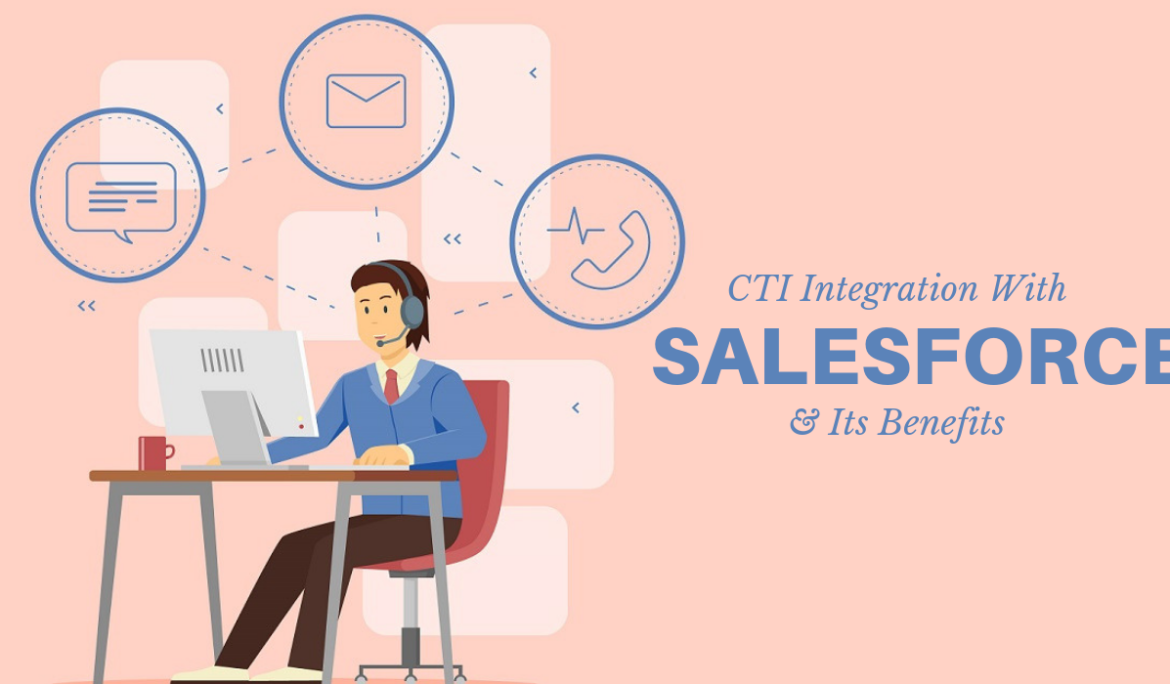
CTI stands for computer telephony integration. Simple enough. It connects your phone system to Salesforce so calls happen inside the CRM instead of a different solution.
Here’s what that means in practice: every call, note, and outcome lands on the right record automatically. No copy-pasting. No second login. No guesswork.
Most teams start here because it’s the cheapest fix with the biggest payoff.
Screen Pop: Context Before the Rep Even Speaks
The phone rings. Screen pop in Salesforce opens the caller’s record before the rep even picks up. No searching. No guessing who’s on the line.
Sounds small. Isn’t.
A rep who already knows the account history, the open case, and the last thing that was said doesn’t burn the first thirty seconds catching up. They pick up right where things left off. For support teams, that shaves real minutes off hold time. For sales, it means every call starts warm, because the rep walks in already knowing:
- Who are they talking to
- What came up last time
- Whether there’s an open deal or ticket tied to the number
Miss that context once, and the call feels colder than it should. Screen pop closes the gap before a word gets said.
Click-to-Call and Automatic Logging
Dialing numbers by hand is the most repetitive, most skippable part of a rep’s day. Click-to-call in Salesforce fixes that. One click, from any lead, contact, or case record, and the call starts.
What happens after matters just as much, honestly, maybe more. 360 SMS App logs the outcome on its own: duration, disposition, notes, all tied to the record with nothing typed by hand. No end-of-day scramble trying to remember which prospect said what.
Fifty calls a day, times a ten-person team, times five minutes of manual logging per call. Do that math once, and the case for automatic logging writes itself.
Calls and Texts on One Record
Here’s a gap most CTI tools never close. A rep calls a lead, gets no answer, follows up by text, and now the conversation is split across two systems with no shared thread between them.
360 SMS App keeps everything under one roof. Every call and every text land on the same Salesforce record, in order. Anyone opening that record sees the whole conversation. Not half of it.
That’s a benefit most vendors skip entirely, and it shows. Sales teams get a cleaner pipeline view. Support teams choosing Salesforce call center integration stop asking customers to repeat themselves across channels, because nobody should have to explain their issue twice just because one rep called and another texted.
| Quick answer: CTI integration connects your phone system to Salesforce so screen pop, click-to-call, automatic logging, AI-powered calling, and more happen inside the CRM. The payoff is faster call handling, one complete activity history, and calls and texts under the same record. 360 SMS App delivers this natively, so teams work from one screen instead of three. |
Native CTI vs. External Connectors
Not all CTI is built the same way, and this is where the differences actually show up.
Vendor-specific connectors, Avaya, Cisco, that kind of thing, bolt onto Salesforce from the outside. They work, mostly. But every call routes through an external layer that has to stay in sync with Salesforce on its own, which means one more thing that can quietly break.
CTI for Salesforce, built natively, skips that layer entirely. 360 SMS App runs inside Salesforce as a managed package. Data doesn’t sit around waiting for a sync job to catch up.
The difference doesn’t show on day one. It shows over time:
- Native tools update alongside Salesforce releases automatically
- Connector-based tools often need separate vendor patches to stay compatible
- Native tools keep call and SMS data inside Salesforce’s own security model
- Connectors introduce a second data layer that somebody has to govern

Agent Productivity and Reporting
Beyond the call itself, native CTI feeds better reporting. Sticky agent routing sends repeat callers back to the rep they spoke with last time. Context never resets, even if the customer calls back three days later.
Managers get real numbers to coach from. Call volume by rep. Average handle time. Disposition trends. All pulled from Salesforce’s own reporting layer, no separate dashboard required. Salesforce CTI integration benefits like this compound over time as teams scale past a handful of reps.
Fewer tools. Cleaner data. Reps spend less time on admin work and more time actually talking to people.
Where AI Fits Into Modern CTI
Advanced CTI doesn’t stop at logging calls anymore. AI-driven features are becoming part of what teams expect in 2026 and beyond, not a nice-to-have bolted on later.
360 SMS App’s AI layer covers:
- Real-time call transcription and translation across languages
- Live coaching prompts during active calls
- Sentiment analysis that flags frustrated or high-risk conversations
- An AI voice agent that can place and receive calls, hold natural conversations, and even book demos on its own
That last one matters most for teams stretched thin. An AI voice agent doesn’t replace reps. It picks up the calls nobody has time for, qualifying leads, confirming appointments, answering routine questions, and hands off anything that actually needs a human.
Wrapping Up
Every benefit in this piece points back to the same idea. Keep the conversation in one place.
Screen pop removes the guesswork. Click-to-call and automatic logging remove the manual work. Unified calls and texts remove the split history. None of it needs a separate platform bolted onto Salesforce. It just needs CTI that was built inside Salesforce from the start, which is a smaller ask than most vendors make it sound.
That’s the real benefit teams underestimate until they’ve lived without it. Not one flashy feature. Just fewer places for a customer conversation to fall through the cracks. 360 SMS App handles the phone, the text, and the record they both belong to, so reps stop managing tools and start managing conversations.